

Virtual storage space is getting really inexpensive these days. There are a lot of services popping up with free space to store your stuff. While some cloud storage services have a desktop application, Hopper is all on the web.
In addition to being all web-based, uploading is drag and drop making it that much easier. Below, is how to upload, what browsers Hopper works with and how the search feature works. Take a look-see and let us know what you think in the comments.
Getting started with Hopper
The signup is one of the simplest of any app I have signed up for. It only asks for an email address and a password. That’s it… no, really, that’s is.

Uploading files to Hopper
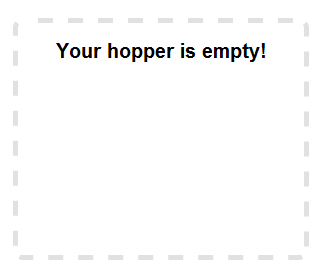
When you are logged in, you are ready to start uploading. There is a square on the screen. If you are using Chrome or Firefox, drag the file you’d like to upload into this square.
Searching for a file on Hopper
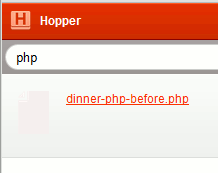
There is a text bar at the top of the page. When you enter part of the file name, the date of the upload or file type a list of matching files will pull up. As you are typing, the files start to filter out all of the possibilities.
Downloading Files from Hopper
Downloading a file is almost as simple as uploading one. To the left of the file names, there is a spot where you click to download. In the screen grab, you can also see the short URL if you want to share the file with someone else. When they click on the link, the file is downloaded to their machine.

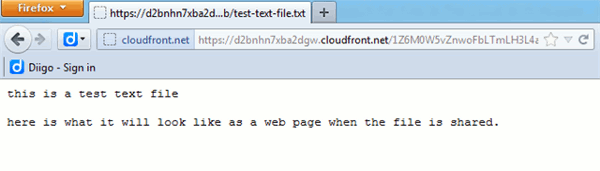
When you click on a text file, Hopper has a built in text reader so the file is opened and readable right on the screen. You can’t edit the document in Hopper, you need to download it then upload it again.
How Hopper different than the other cloud storage option
I think Hopper sets itself apart from the rest with its simplicity. They didn’t try to add in a lot of features. Hopper is simple to upload and simple to search for your files.
Easy sharing of files via a short link is great for anytime you need to send a file to anyone. Copy the link and send it how ever works best for you. Other services offer this too, but with some cloud storage web-apps, it is more difficult to share files this way. They want the person receiving the file to be a user too.
Conclusion
I found Hopper to work better in Firefox than with Chrome. I didn’t see any extensions that would interfere, but for some reason in Chrome, the short links didn’t show up. Other than that one thing, Hopper worked great for me. I like how easy it is to upload and share files with other people. This is a feature I use a lot with Dropbox from my android, but seems to be lacking from the web version of Dropbox.
What cloud storage service do you use and why?