


SSH Tunnels and VPNs are two different technologies that can create secure private channels between your PC and a remote server. While both might look similar on the surface, they cater to vastly different audiences and use cases. In this article, I will go through what SSH Tunneling is, how it compares to VPNs, and explore whether it’s the better privacy tech for you.
What is SSH Tunneling and How Does It Work
Tunneling is the ability to forward a local connection to a remote network through the SSH protocol. SSH Tunneling works by leveraging the protocol’s ability to run commands for sending arbitrary IP packets over a network.
One benefit of this approach is that it provides encryption for any data going through the tunnel, whether encrypted or not. This means even insecure protocols such as HTTP and IRC can run over the internet without worrying about Man-in-the-Middle attacks.

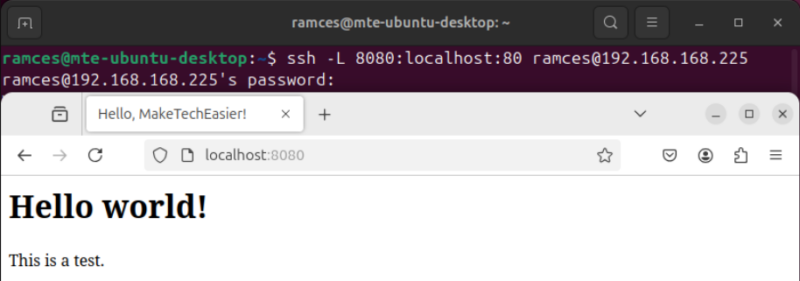
SSH Tunneling also enables you to interact with remote network resources as if they’re local to your PC. For example, running ssh -L 8080:localhost:80 mycoolwebsite.top will load the web server running on “mycoolwebsite.top” on your local machine at port 8080. This can be useful if you want to quickly share a network resource with someone without exposing ports on your firewall.
Furthermore, SSH tunnels can also handle SOCKS proxies with its -D flag, allowing you to use your remote SSH server as an exit node while web browsing. In my experience, this is handy when I’m outside and I want to appear that I’m at my home network.
Good to know: learn what makes a proxy different from a VPN.
The Difference Between SSH Tunnels and VPNs
Now that we have an idea on what SSH Tunnels are and what they do, we can now look at how it stacks against a traditional VPN client and service.
Scope
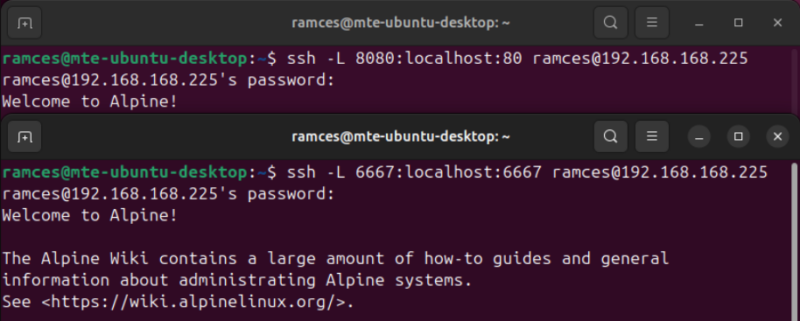
One of the biggest quirks of an SSH Tunnel is that it only works with one host and port at a time. While it’s great for quick, one-off port forwards, using tunnels for everyday tasks can quickly go out of hand. For instance, if you want to pass both your IRC client and your browser through a tunnel, you need to create a separate connection for ports 6667 and 443.
On the other hand, most VPN solutions are built as a virtual network adapter on your computer. This means that once your VPN is active, every connection on your computer can automatically route through your VPN. This is great if you’re looking for a simple turnkey solution for preserving your online privacy.
Transport Layer Protocol Support
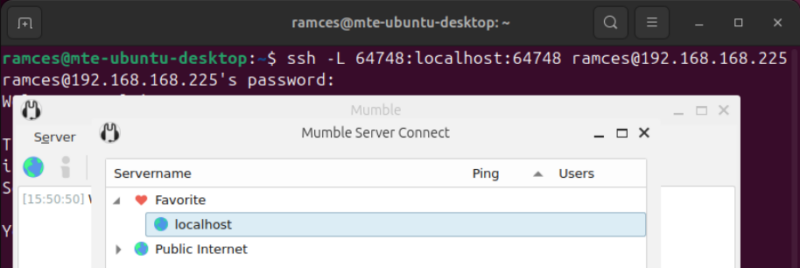
On top of its limited scope, SSH Tunnels only work with TCP segments. As a result, it’s not possible to create a tunnel for apps that rely on UDP. This means that you can’t use SSH to route connections coming from VoIP programs such as Mumble and game servers like Minecraft.
Meanwhile, most VPN software daemons can handle both TCP and UDP traffic. Because of that, they are more flexible compared to an SSH tunnel and they can work over different demands.
Ease of Use
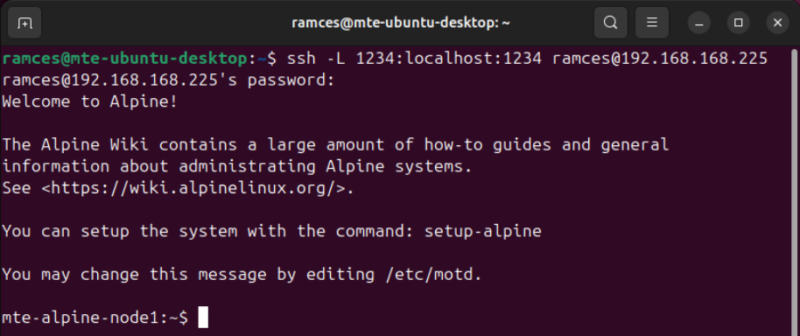
Despite its limitations, SSH Tunnels are incredibly simple and easy to use. To start, all you need is an SSH client and server. It also doesn’t require a ton of configuration, making it an accessible way to secure your network connections.
In contrast, setting up your own VPN solution can be a little trickier compared to SSH tunnels. For instance, deploying a simple Tinc-based mesh VPN requires you to create network interfaces and exchange encryption keys. That said, you can offset this by relying on a third-party VPN provider.
Related: Find out the differences between Wireguard and OpenVPN and which one you should use.
Overall Throughput
With regards to throughput, SSH tunnels are comparable to some of the best VPN services available today. In my tests, I got around 93 Mbits/sec through an SSH tunnel and 89 Mbits/sec through a Tailscale VPN.
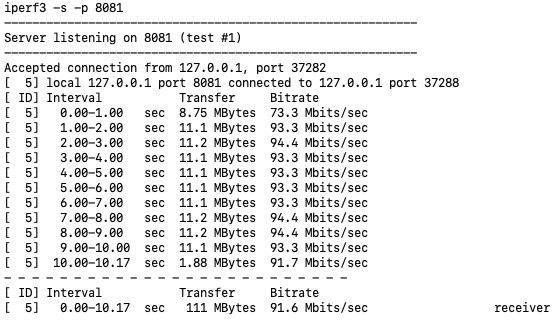
Having said that, it’s important to note that overall throughput largely depends on the network interfaces a connection goes through. This means that a server with a 100 Mbit/sec interface will limit a client with a 1 Gbit/sec connection.
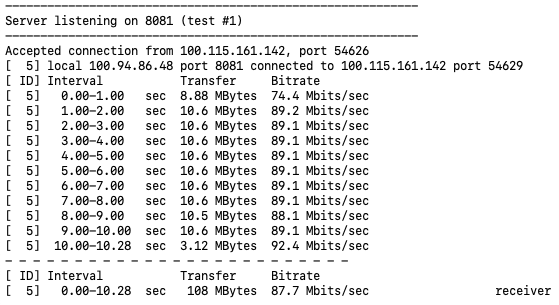
In my example, I ran the tests on an Amazon EC2 instance which has a maximum throughput of ~100 Mbits/sec. My EC2 instance also has a public IPv4 address, meaning I can connect to it without performing NAT traversal.
Also, learn about the differences between VPN and a Firewall.
SSH Tunnels vs VPNs: When Should I Use One?
At the end of the day, picking between SSH tunnels and VPNs boil down to what you want out of your machine and the specific use case that you’re after.
- If you’re looking for a fast, one-off network privacy solution, SSH tunnels are a no-brainer. With SSH being built-in on most UNIX-like systems, opening a secure channel can be as quick as running a couple of terminal commands. This makes SSH tunnels great for creating temporary links between two machines.
- If you’re looking for a reliable, flexible, and permanent solution for network privacy, VPNs are still the go-to pick. In general, they offer more options, can run multiple transport protocols, and are scalable for larger setups. While setting up a VPN takes time, it’s worth it in the long run.
Exploring how SSH tunnels work and how it compares to a VPN is just the tip of the iceberg when it comes to this wonderful protocol. Learn more of what SSH can do for you by checking out our guide to using SSH pipes on Linux.
Image credit: Dan Nelson via Unsplash. All alterations and screenshots by Ramces Red.