

We do comparison everyday, every time. When the new Galaxy Tab is launched, we want to know how it stacks up to iPad. When the new version of Ubuntu is released, we want to know how much it has improved over its previous releases. It is no longer a question of how to do comparison, but a question of how to do it quickly, efficiently and accurately.
SocialCompare is a product comparison site with a social twist. Its objective is to become the “wikipedia of comparisons”, enabling any user to create and update easily and in a collaborative way any kind of comparison table.
There are four main things that you can do at SocialCompare: Check out existing comparison, create your own comparison, vote/participate/collaborate on the comparison or to embed and share the comparison on your blog/website.
Let’s explore all these features one by one:
Explore existing comparison
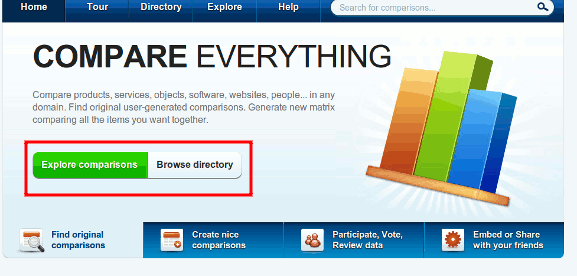
When you arrive at the main site, you can either click to go to the Directory to view the products that you are interested in or explore the popular/recently updated comparison list to see what other people are viewing.
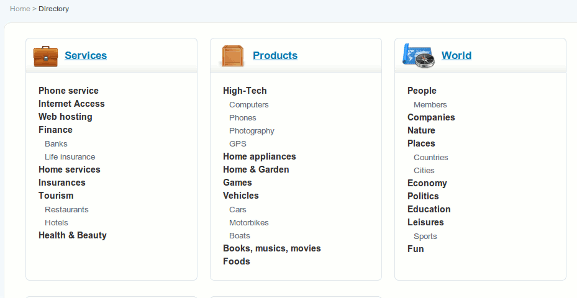
In the Directory section, all the products are classified in respective categories so you can easily find the products you are interested to compare. Optionally, you can also use the search function to find the products you want.
When you click on a product comparison link, it will show you the detailed comparison between each product. For example, I clicked on the Apple iPod touch generations comparison and the following comparison table show up.
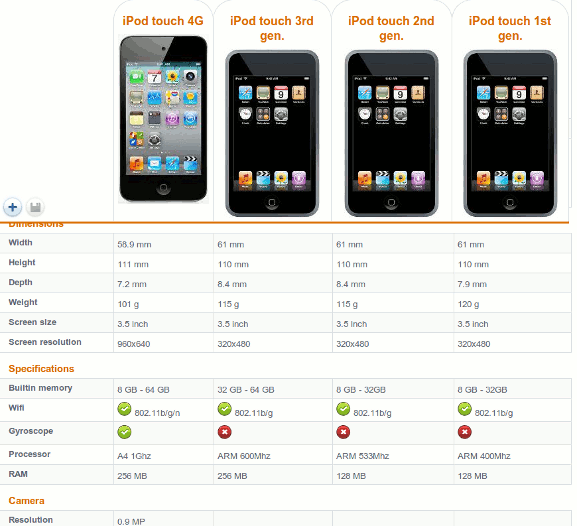
If you want to see iPhone 4 inside that comparison table, you can also click the “+” button to include it.
Create your own comparison
In situation where you can’t find the comparison table of the products you want, you can also create your own comparison table (note: you will need to create a user account to create your own comparison).
Once you are logged in, click on the “Create Comparison” button to get started.
First, give a name to your comparison. Choose a category and click the “Add Items and Criteria” button.
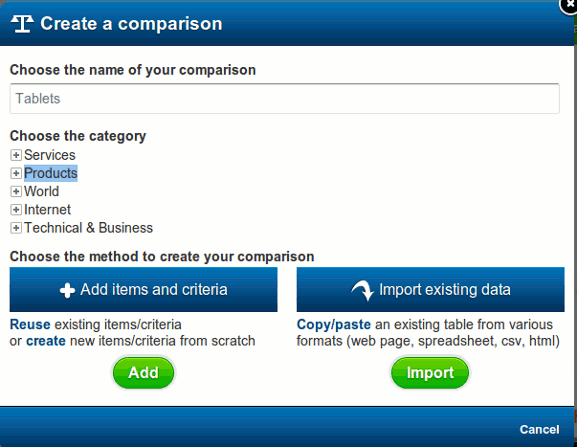
You can then add the products/items and select the criteria you want it to appear in the list, for example, the price, hardware specification and so on.
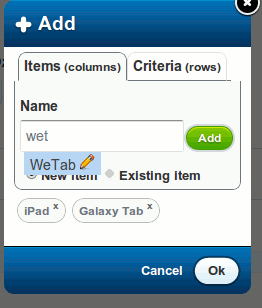
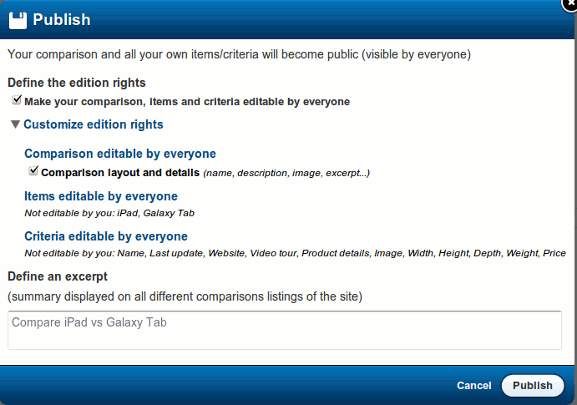
When you are happy with the result, you can then save it and optionally, publish it so the public can view it. If you select “Publish”, you can also select whether your comparison table is editable by everyone.
Participate and collaborate
What makes SocialCompare really social is the ability to vote up a comparison, leave a comment, share it in Facebook/Twitter and add it to your favorite. Additionally you can also be the editor and add/edit items or criteria to the list to make it more complete.
Embedding
One thing that I really like about SocialCompare is that I can easily a comparison table between two or more products and quickly embed it in my site. Just imagine, if you are running an online store carrying several products, you can use SocialCompare to do up a comparison table of your products and embed it into your site. It can save you a lot of time from entering the data into your database and code them into your site manually. Since all data in SocialCompare are open license and everyone can edit, you can be sure that the information is most up to date, better than you have to do it manually yourself.
Since the comparison table is not hosted on your server, you can also save bandwidth and storage space and at the same time, allowing your buyers to vote up/down the products.
Wrapping up
SocialCompare has been in beta all the while and only open up to the public on 15th November 2010 (which is today). Do give it a try and let us know if it is useful to you.