

There are a lot of web-based applications these days. It seems like when you get used to one, another one pops up just a little cooler than the one you are using. I say that to say this: Skloog is a really easy to use bookmarking site.
I have written about a few bookmarking sites here on Make Tech Easier. Bookmarking sites like 43marks, myHomepage and Symbaloo. All of them have their pros and cons. Skloog has a list of features that others didn’t have at the time of writing those articles.
Sign up
You will need to set up an account. This is allows you to personalize your bookmarks and gives you a Skloog email address, more on that later. Setting up an account only takes a minute. Name, email address and password are all that’s required. You will need to activate your account by clicking on the link they email you.
Emailing a link
Being able to email a link into a bookmarking site is not a feature many sites offer. When you sign up for an account, they will issue you an email address. This email address is a direct path to creating a new bookmark without going to the site and logging in.
The process is what you would think it would be. Compose and email with 1 or more links and send it to your assigned email address. I like this option because you can send in a bunch of links at one time.
Importing to Skloog
Skloog lets you import the bookmarks you already have. This was a feature some of the others sites left out. In my opinion, it makes switching much more difficult if you need to start from scratch.
You have your choice of a few browsers and sites to import from. I like how they chose to include importing from Xmarks. For all of people who are using this soon to be extinct Firefox plug-in, this is a great way to capture all of your bookmarks.
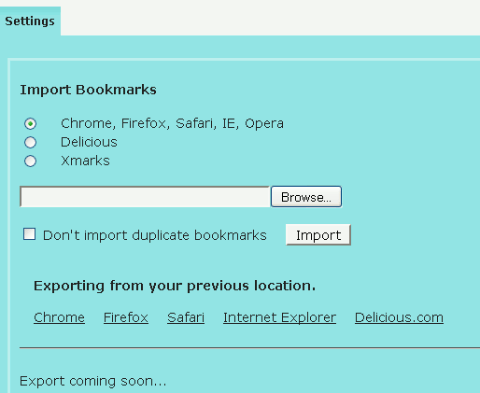
Currently you cannot export your bookmarks from Skloog, however the feature is coming. It says so on the bottom of the bookmark importing page.
Finding your bookmarks
Once you have all of your bookmarks imported into Skloog, you have a couple of ways to track them down. You can use the search bar off to the left side of the page. The other way is to search using the category drop down.
Organizing your bookmarks
Organizing your bookmarks is pretty easy. You have the choice to use categories, tags or both. If you are adding a new bookmark manually, you can add all this information into the fields after you click Add A Bookmark in the left sidebar of the main screen.
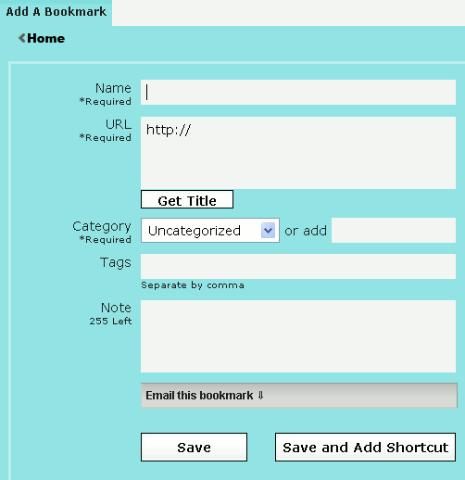
If you import bookmarks from a browser or email a link to Skloog, you sill need to click on the My Bookmarks tab and add tags or categories manually. You can bulk add categories by clicking the box to the left of the bookmark, then clicking where is says Move to and selecting the category from the drop down.
Other notable features
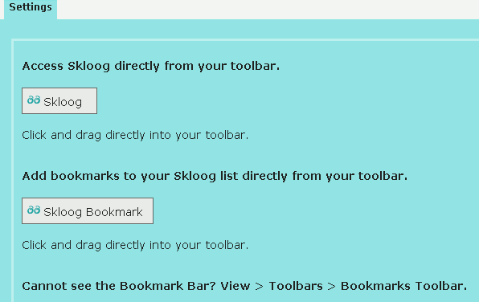
I like bookmarklets. they make life easier for quick things like adding a bookmark. Skloog offers 2 different bookmarklets; one for adding a bookmark and the other takes you to your Skloog homepage.
The bookmarks displayed on the main page can be personalized to your favorite sites. You can then set Skloog to be your homepage.
The tabs just above the visual bookmarking window can be personalized giving you layers of organized bookmarks. If you use Skloog as your homepage, this will help the page seem less cluttered.
What would you add to make this your ideal bookmarking service?