

Want to show off your favorite playlists or songs on Spotify with a loved one or friend? The music streaming app has various ways to share music with your friends. Here we will show how you can share a Spotify playlist or song with your friends.
[mte_toc]Good to know: learn how to safely control Spotify from Google Maps and Waze and drive without issues.
How to Share a Playlist on Spotify
You can share playlists with others whether you’re using Spotify on your PC or via the mobile app. Here’s how it’s done.
Share Spotify Playlist on PC
Open the Spotify desktop or web client on your computer. Make sure you’re logged in with your account.
Click on Playlists at the top on the left side.
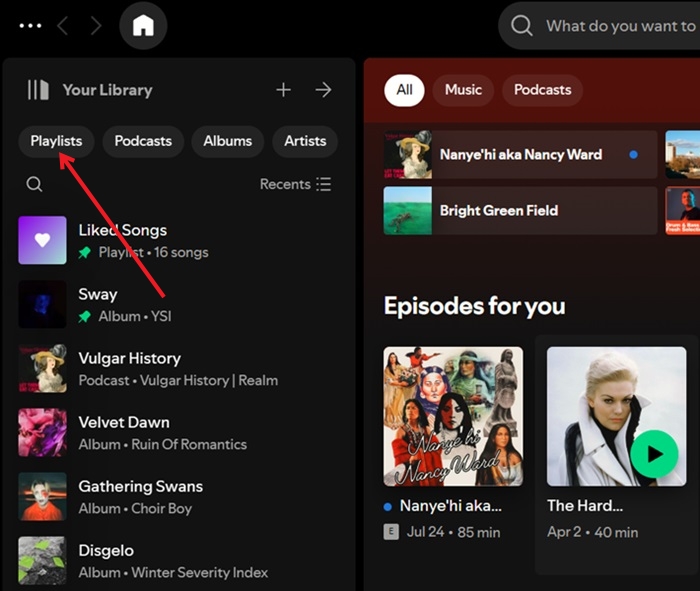
Select the playlist you want to share from the menu on the left.
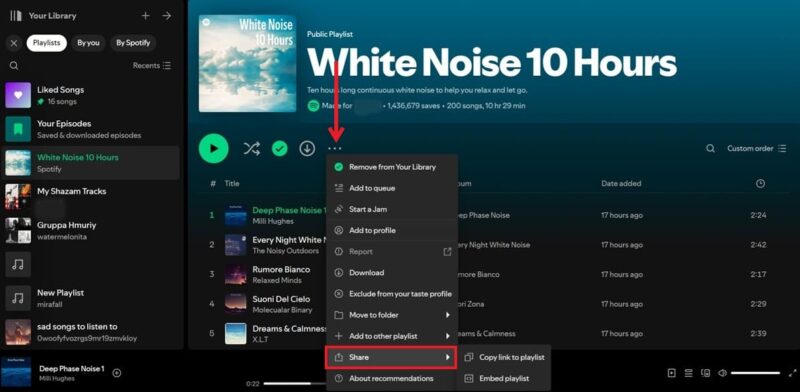
Tap the three dots next to the Download button. Select Share -> Copy link from the dropdown menu that appears.
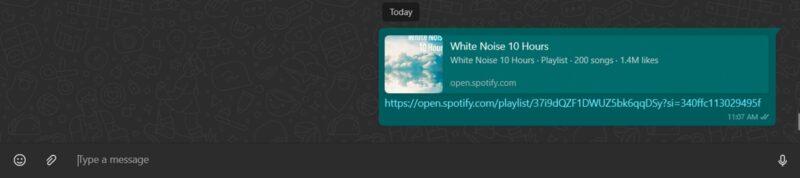
Now you can share this link with anyone via WhatsApp, email, or any other social app. It doesn’t matter whether the person accessing the link has Spotify or not, they’ll still be able to access the playlist in their browser.
Share Spotify Playlist on Mobile
In the mobile app, switch to the Library tab at the bottom.
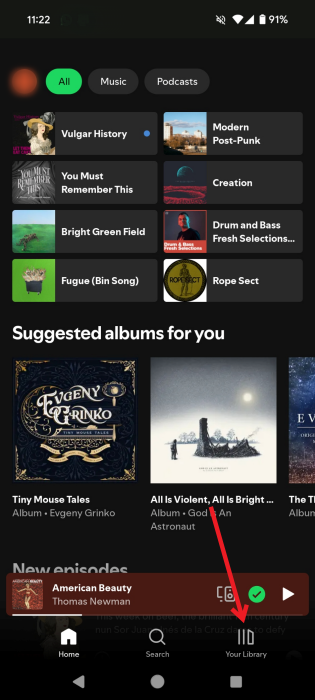
Select Playlists from the top.
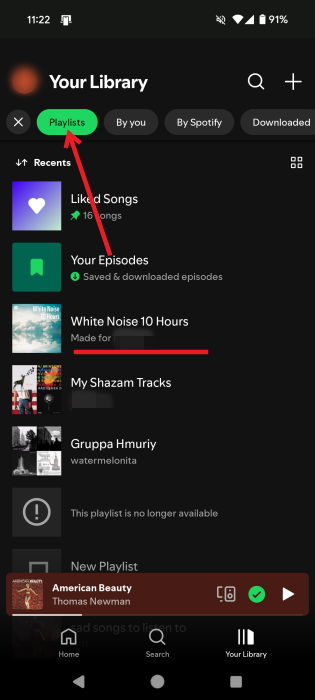
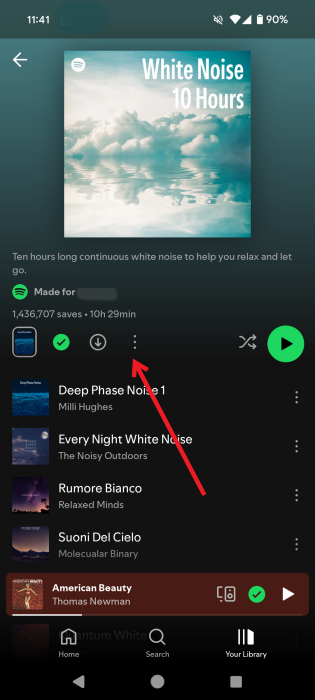
Open the playlist in question. Press the three dots next to the Download button.
Select the Share button.
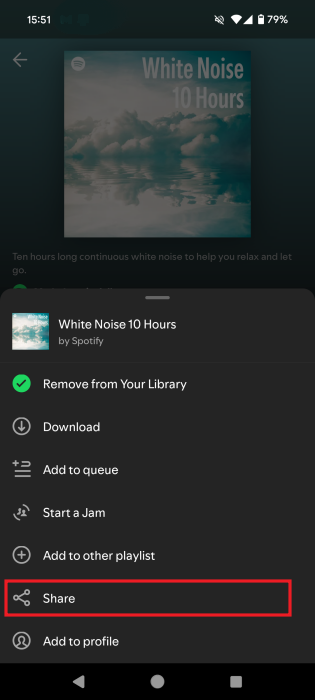
You can select the Copy link or to share it on social media immediately. The option to send this playlist via SMS is also available.
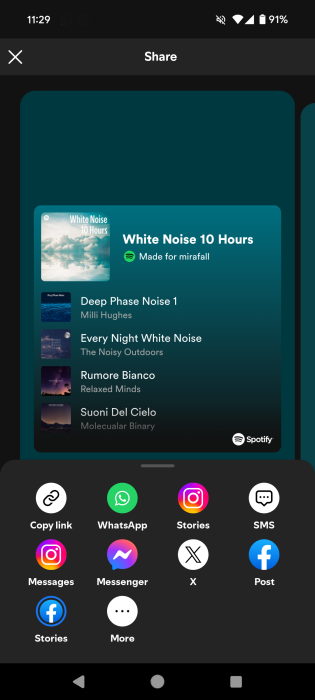
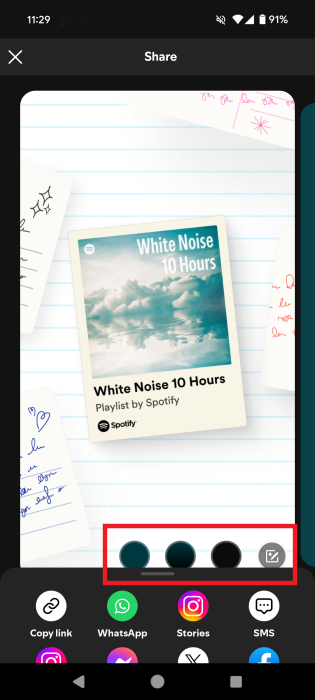
You can change the Playlist preview when you share by pressing the Edit button in the lower right corner. Or you can change the background of the presentation screen.
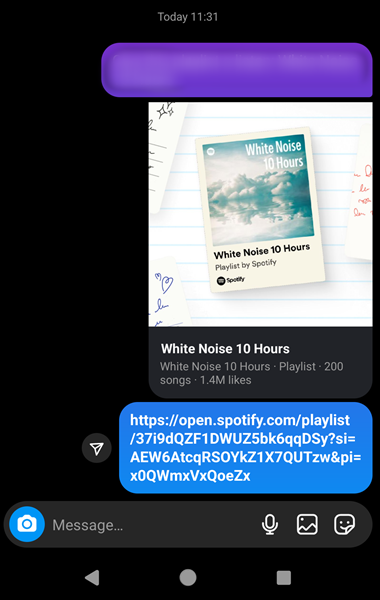
Your playlist will be shared to your app of choice.
Tip: don’t want to use Spotify anymore? Check the best music streaming alternatives you might want to switch to.
How to Share Spotify Playlist or Song via QR Code
It’s also possible share a Spotify playlist via a QR code. You can then show the code to someone and they can use their smartphone to scan and open it.
First, follow the instructions from the previous section to copy the link to your Spotify playlist.
Head on to the Spotify Codes websites and paste the code in the link box. Click on Get Spotify Code button.
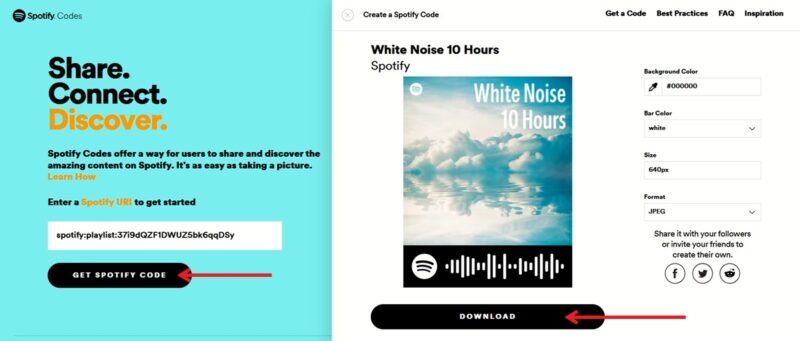
A pop-up window with your QR code will appear on the right. You can modify the code’s background and color and opt whether you want to save it in JPG/PNG or SVG. Click the Download button when you’re ready.
You’ll get the code on your device which you can now share as an image with anyone you want.
In theory, anyone with a smartphone should be able to scan the code just by using the camera, but in my experience, this does not work all the time. In which case, we recommend scanning with the Spotify app to scan the code.
To do this, open the app and switch to the Search tab. Tap on the camera icon in the upper right corner.
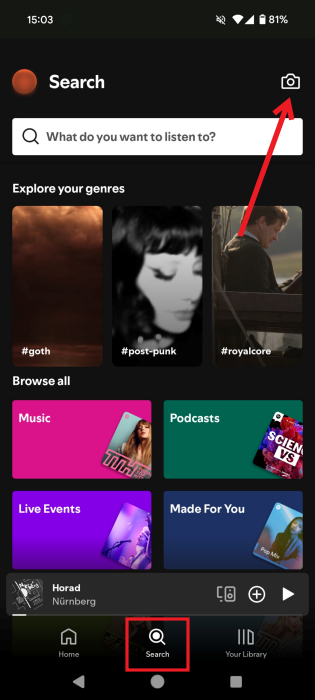
Now point your camera at the Spotify code to scan it.
FYI: getting the “Spotify can’t play this right now” error? Check our post for fixes so you can go back to listening to music.
How to Share a Song on Spotify
If you only wish to share an individual song with others, you can do this by following the following steps.
Note: you can share a specific part of a podcast on Spotify, but the option is not available for songs. Play the podcast in your mobile app and tap the progress bar at the bottom. Tap on the Share button on the podcast episode page and then turn on the toggle to Share from to share only a part of the podcast.
Share a Spotify Song on PC
Locate the song in question in your playlist and hover your mouse over it until you see three dots appear.
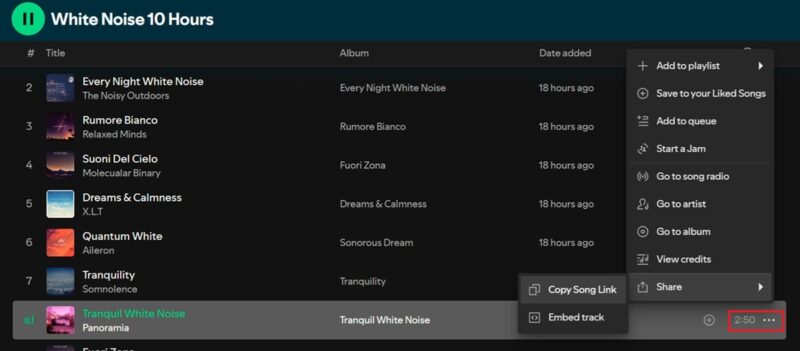
Click them and then select Share -> Copy Link. Alternatively, you can simply right-click the song.
Share a Spotify Song on Mobile
On mobile, find the individual song in your playlist and tap the three dots next to it.
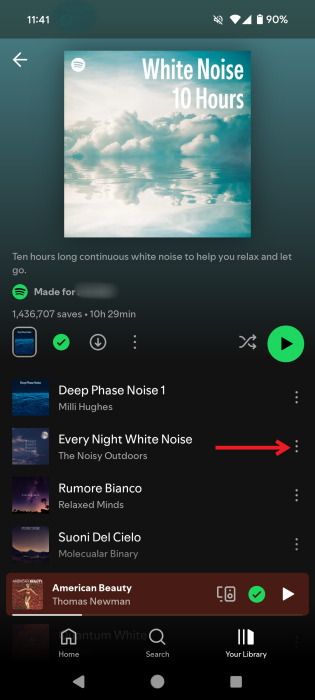
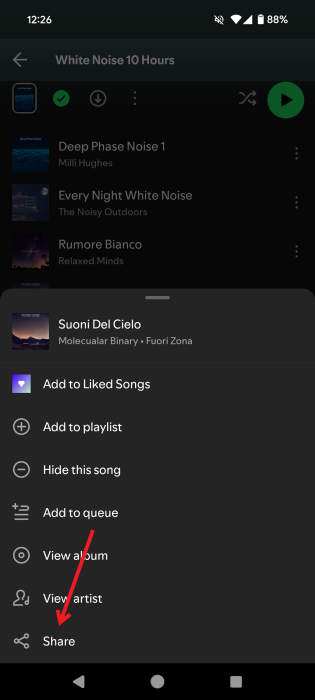
Select Share. The same options as for your playlists will appear.
Related: learn how to delete your Spotify account and start fresh with another music streaming service.
Spotify makes sharing your favorite playlists and songs easy, so you can enjoy listening to music with your friends. But make sure you remove the duplicates from your Spotify playlists before you send it to someone else.
Image credit: Unsplash All screenshots by Alexandra Arici