

The internet helps you quickly share important information with your contacts. However you have to be careful about the internet channels you use to transmit sensitive information. Today’s hackers and malware are very advanced and can possibly intercept the files you share with your friends over IM or other applications.
Of course the safest option would be to avoid transmitting private data such as passwords, PINs, and bank account numbers over the internet; but there are times of urgency when sharing this information online cannot be avoided. For these times, CloudSafe is the best tool to use.
Introduction
CloudSafe is a brilliant web service that helps share sensitive data online. The site lets you upload any type of file and encrypts it using AES 256. You can then optionally grant your contacts access to your encrypted files. The way CloudSafe executes this process is what sets it apart from similar websites.
Functioning and Usage
To put it succinctly, CloudSafe creates virtual safes in the cloud i.e. on the internet. As a CloudSafe user you can create virtual safes that hold the encrypted files you upload. These safes have variable levels of access that give you a great control over how and with whom the safe’s contents are shared.
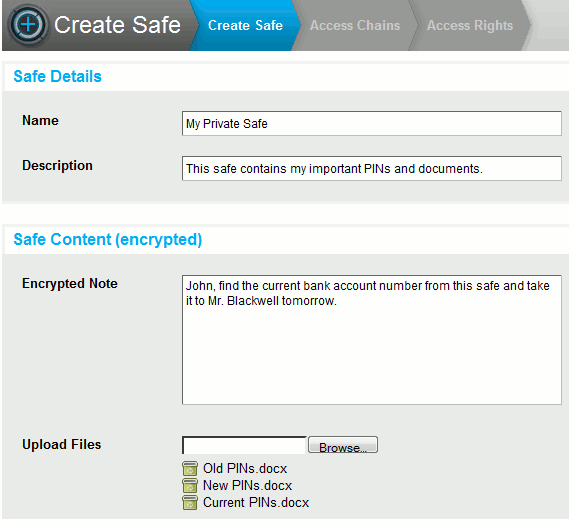
For each new safe you create, you can enter a name, description, and brief note. In the same stage that you enter this information, you can upload files from your computer to the safe. To ensure no additional files are mistakenly uploaded, the site does not support batch-uploads.
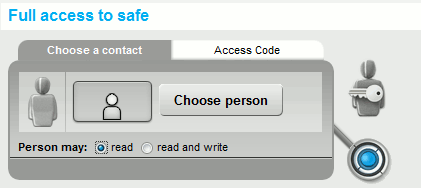
With your virtual safe created you can specify the type of access your contacts have to the safe. The different types of access include the ability to read and write data, a dual-permission procedure that requires 2 people to have each other’s permission to view the data, and a confirmation procedure that lets a person access the safe only after obtaining permission from another person.
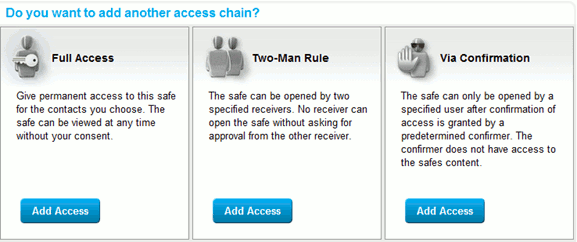
These variable levels of access ensure that you have full control over the safe’s contents. They let you be precise when it comes to deciding who you share the data with and to what extent.
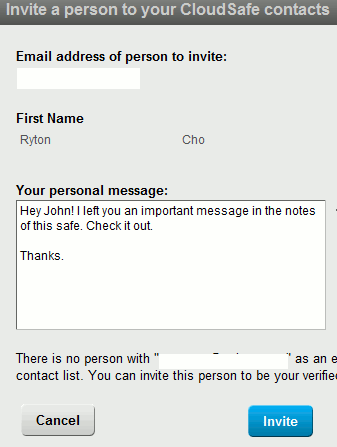
The people you share your safes with must be CloudSafe users. In case they are not CloudSafe users, an invitation email is sent to them. The notification of sharing your safe can be accompanied by a custom message that you choose to elaborate what you are sharing.
CloudSafe users to whom you have granted access, can view the safe and easily access its contents.
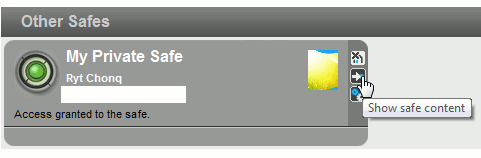
Your contacts can also view the level of access they have for your safes.
The contents are displayed in a user-friendly manner with the size and date of each file displayed. Users can download a file simply by clicking on its title.

Other ways of sharing your safe’s contents are by setting an access code or by enabling a feature called “WebDAV.” With WebDAV you can temporarily allow people not on CloudSafe to access your safe’s contents. WebDAV provides a URL to your safe along with a secure username and password to access the contained files.
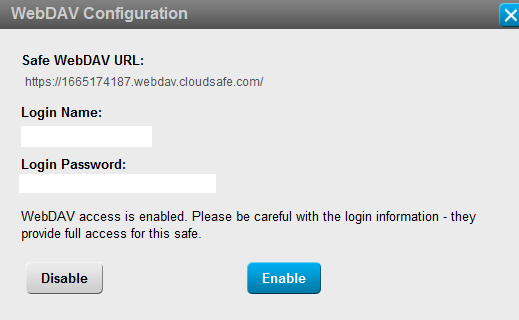
People not on CloudSafe will be able to view your safe’s contents only after you share the public URL along with the WebDAV username and password. You can disable WebDAV anytime and revoke the access you had granted.
Pricing
The free account offered by CloudSafe allows a maximum of 3 safes with a total storage capacity of 1 GB. If at any time you require more safes or a greater storage, you can opt for the site’s premium services.
Conclusion
CloudSafe provides a valuable service to all of its users. Previously you had to avoid transmitting sensitive data online; but with CloudSafe you can save a ton of time by sharing files securely through encryption. Whether you need to share sensitive files for personal or business use, CloudSafe will serve perfectly.
You can visit CloudSafe over here.