

Many people describe PowerPoint presentations as a royal pain – either because they don’t enjoy making them or because they’ve suffered through endless presentations with questionable color, font, and clipart combinations.
Luckily, you can find great guides teaching you how to create engaging, attractive presentations to keep the audience interested. You can make them using both online and offline tools. An excellent way to boost your personal brand is sharing your presentations on the Internet. Whether you wish to draw attention to your ideas and expertise or just want to expand your portfolio, these websites can help you.
SlideShare
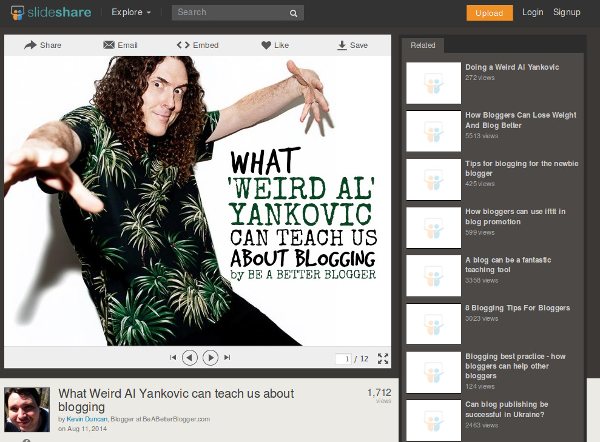
You’ve probably heard of SlideShare, as it’s the most popular presentation-sharing platform. It supports many file formats: Keynote, PDF, Microsoft Word and Open/Libre Office documents (PPT, DOC, ODT, ODP …). Uploaded presentations are sorted by categories so you can browse and preview them. Related presentations will pop up on the right side, which I found distracting, but you can always toggle the full-screen view. Note that presentations can be downloaded only if the author enabled it.
If you register for an account, you’ll be able to post directly to social media (Twitter, Facebook, LinkedIn, Pinterest…) and via email, as well as embed YouTube videos into presentations. SlideShare also offers mobile apps for iOS and Android, so you can take your presentations anywhere.
SpeakerDeck
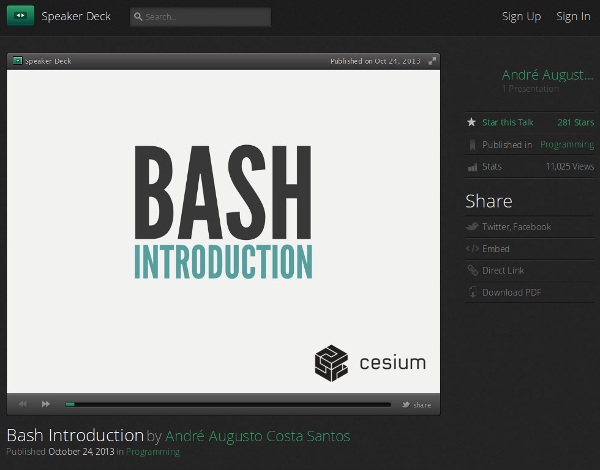
SpeakerDeck uses trendy fonts and a dark color scheme, giving the impression of a professional, stylish presentation-sharing website. The interface is well-organized and focused on the presentation; there’s no clutter since the comments and social links are displayed below it.
Presentations on SpeakerDeck are sorted by category, and you can download them without an account, but you’ll need one to share your own. You can upload PDF files (up to 50 MB each). SpeakerDeck then converts pages to slides and gives you embed codes for sharing your presentation. It’s simple and quick, which is why SpeakerDeck is my second favorite website on this list.
Conclusion
Your presentations don’t have to be strictly related to your job – you can use these websites to share photos from your travels, collections of your favorite quotes, or bundles of cool and useful links. Where do you share your presentations? Which website from this list is your favorite? Let’s hear it in the comments.
Image credit: presentation eboard woman silhouette economy