

In the past, we have covered a number of methods of tracking and downloading television shows automatically and through the use of torrents and RSS feeds. Most of these methods either require downloading and installing cumbersome applications or are not portable and cannot be used on different devices. In fact, with tablets and smartphones becoming more ubiquitous, it is useful to have an app that you can use to view upcoming television shows with the least hassle. In this article I will outline how I track my favorite television shows, using a simple online TV calendar together with Google Calendar, which syncs with virtually any portable device as well as being available through any web browser.
1. Set-Up TV Episode Calendar
First, head over to the TV Episode Calendar website and create an account. I have come across many similar TV calendar websites, however this particular one has given me the least problems and it is fairly intuitive. The main page lists a variety of TV shows, including American and British ones, that are airing on any given day.
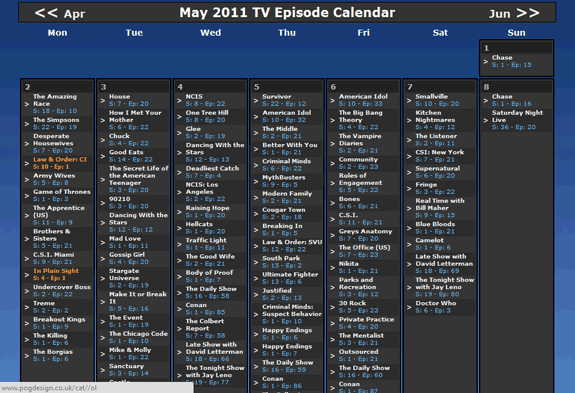
You can simply use this view to view all the currently airing show, or alternatively, you can create a personalized TV calendar. To do so, select “Register” from the top-right corner to create a new account.

On the next page, you can register your personal details to create an account.
After creating a new account, you will be returned to the main page with the complete list of TV shows. Here you must select “Add Shows to Your Filter” from the top-centre of the page to personalize your TV calendar.

The next page provides the full list of TV shows which you can select.
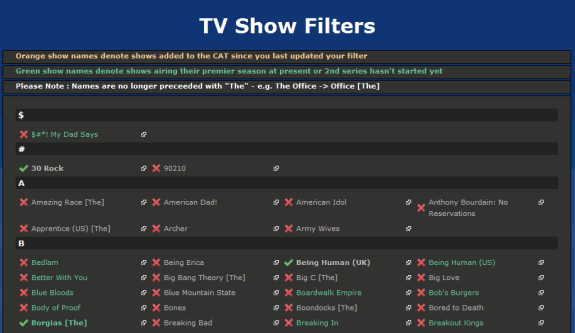
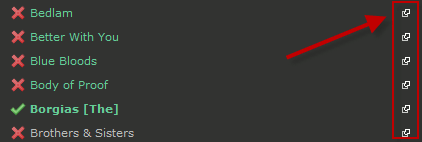
You can view the details of each individual show by clicking on its respective link.

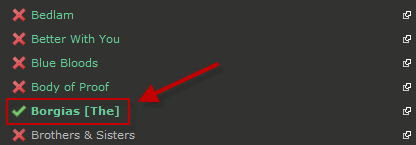
You can add shows to your list by clicking on the big red “X”. Once selected, it will convert into a green tick.
Once you have chosen all the shows you want to add to your TV calendar (there is no limit), select “Save Filter“.
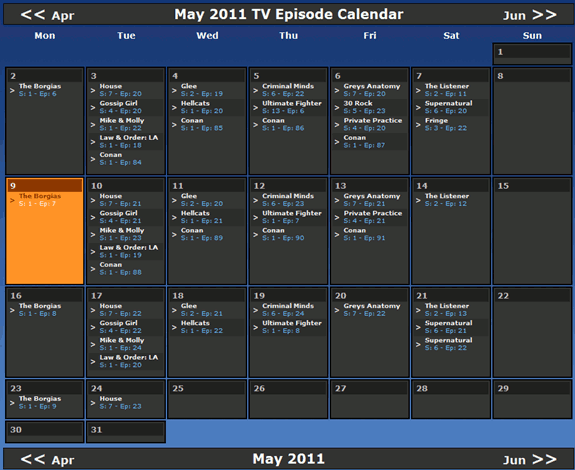
A week by week guide showing your customised TV calendar will now be viewable.
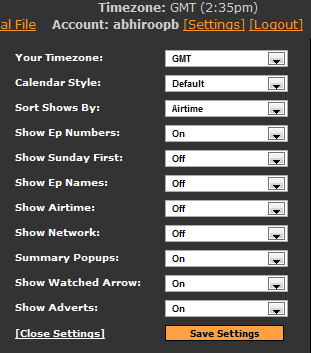
You may want to change your time zone settings to reflect your current location. This makes it easier to ascertain the exact time the TV show will air (usually shows air in the evening on the East Coast of the United States).
2. Link TV Calendar With Google Calendar
Having the guide available on the TV Episode Calendar website is useful. It becomes infinitely more useful once it is added to your Google Calendar.
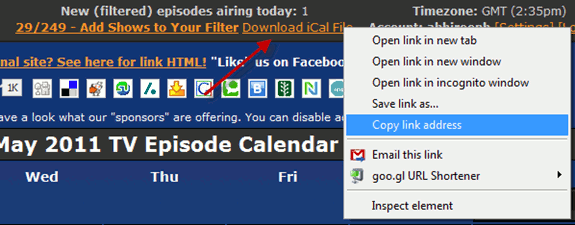
To do so you must first obtain the “iCal” file. There is a link on the top-centre of the TV calendar website called “Download iCal File“. Right-click on this link and select “Copy Link Address“.
Now head over to your Google Calendar.
Here you can add your personalised TV Episode Calendar. To do so, select the “Add” link under the “Other calendars” tab.
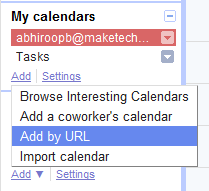
A pop-up will open where you can paste in your iCal link which you copied earlier.
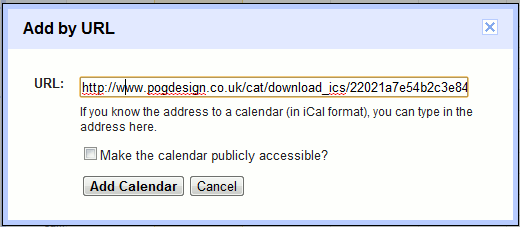
Finally select “Add Calendar” to create your new TV calendar in Google Calendar. Your selected TV shows will appear as “events” in your Google Calendar.
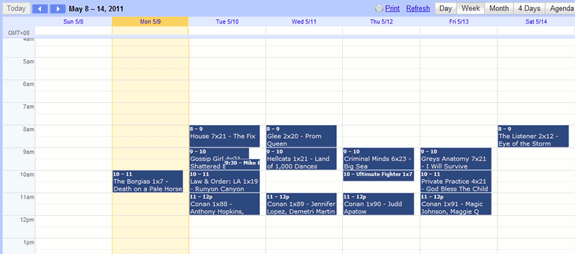
That’s it, now you can share your Google Calendar with others and view it from virtually any device, which in turn allows you to view your custom TV calendar from any device.
Conclusion
This is a very simple method of quickly creating your own personal TV guide. There is no longer any need to buy a TV guide or subscribe to any blog to figure out when new shows will air. So far, TV Episode Calendar has been fairly accurate as to the date and timing of when shows will air.
Image credit: Joe Lanman