

Everyone like customization, whether they realize it or not. If someone spends any amount of time in any specific place, they like to make it their own. For instance, if you work in an office, look around at the different desks or cubicles around you. Each one, to an extent, has been modified to suit the worker’s own preferences, whether for the purpose of utilization or decoration. Gmail offers a certain level of customization for its users through what they call themes.
Up until now, Gmail has already offered themes, that is, a way to change colors and background images. Recently they announced that Gmail now offers custom themes. Now you can set your own images as the background of your Gmail account. Changing themes and setting up custom themes in Gmail is quite simple.
How to change themes in Gmail
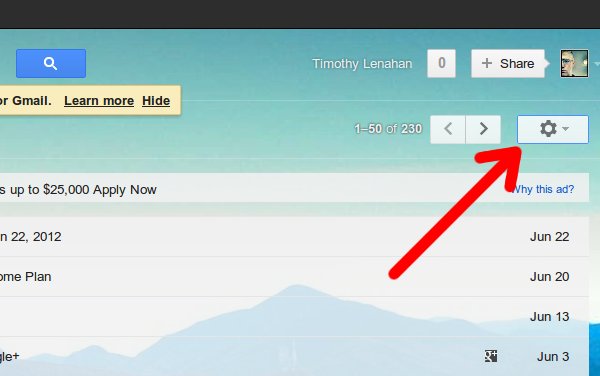
Click the “cog” and the themes option should appear in the drop down menu.
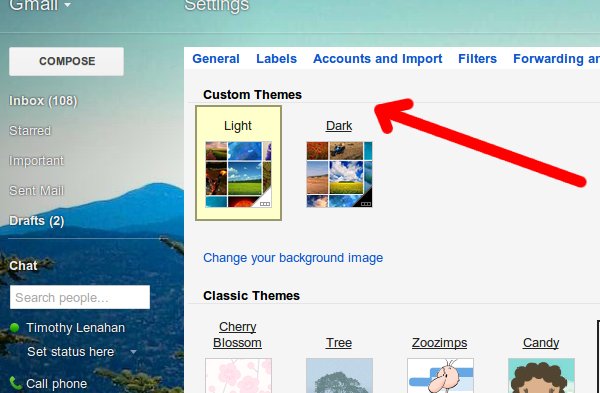
Next you’ll see the many Gmail themes you can choose from. In the first grouping, there’s the Color Themes. These change just the colors giving your inbox differing feels. Under that is the HD Themes which offer high definition images to place in the background.
The new Custom Themes section is where we want to go. All you have to do is choose either the light or dark theme and then choose an image to set as the background. .
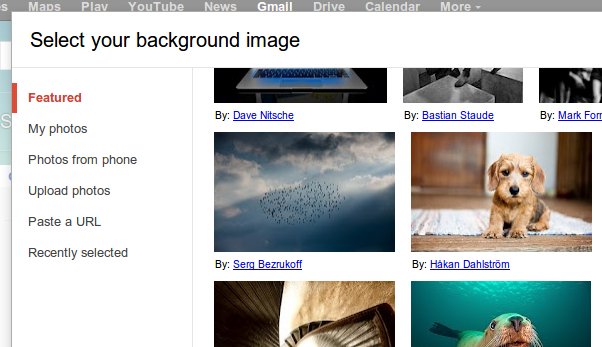
You have several options when it comes to choosing your own picture. From the menu that pops up, you can choose from:
- Featured images – Google has a good assortment of wonderful featured images.
- My Photos – You can choose from any photos you already have uploaded to your Google accounts.
- Photos from phone – Android phones synced to their Google accounts can automatically upload photos taken. Choose an image from your phone.
- Upload photos – Manually upload any photo from your computer’s hard drive.
- Paste a URL – You can paste a URL to any photo you know of online.
- Recently selected – Google saves your previous choices so you can have quick access to them again if you want.
What about Google Apps Gmail accounts?
If you are using a Gmail account associated with your domain (or someone else’s) utilizing Google Apps, then you too can change your Gmail theme. Check to see if the theme option shows on the cog’s drop down menu because it may not. If it’s not, you or the administrator of the Google Apps account need to enable themes.
From the drop down menu (remember the cog?), you should see an option to “manage this domain.” Click the setting tab and then choose Email from the column list to the left.
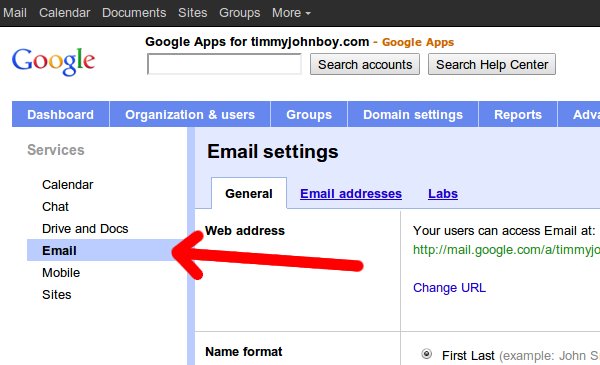
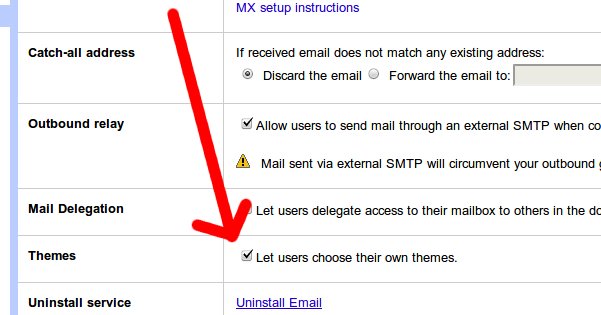
Scroll on down the list under the “General” tab and you’ll find the Themes option. All you have to do is make sure the box is checked next to “Let users choose their own themes.”
This writer has not, however, had the customs theme option show up in the list of themes offered. It is possible that the feature is in the process of being rolled out so the option may show up soon.
Conclusion
Although just changing colors and images may seem like only very little when it comes to customization, it is a step in the right direction. Even having the ability to change the image can give you great visual flexibility. Truly, knowing how to implement Gmail themes can help make your Gmail inbox more like home.