

Evernote is one of the most popular notetaking services available right now. Not only can you save a note with Evernote, but you can even save web pages, clips, videos and much more. With support for almost all the devices and platforms, it makes it really easy to get the notes synchronized and saved on all your devices. You can even send messages from your Inbox in Gmail to Evernote and save them in a separate notebook as backup or for reference purposes.
If you search the Internet, you will come across some Google Apps scripts that can help you accomplish this task. Even IFTTT service allows you to create recipes to perform this task, but this might be a time-consuming task. If you are looking for a simple and easy way to transfer messages from Gmail to Evernote, give Powerbot for Gmail a try.
Powerbot for Gmail is a very handy extension that allows users to send Gmail messages to Evernote with a single click. The extension even sends attachments that comes with any email as well. The extension supports multiple browsers including Google Chrome, Firefox and Safari.
Using Powerbot for Gmail
When you install the extension for the first time, It will ask you to connect your Gmail and Evernote account with Powerbot. It will show you step by step instructions on how to connect your accounts.
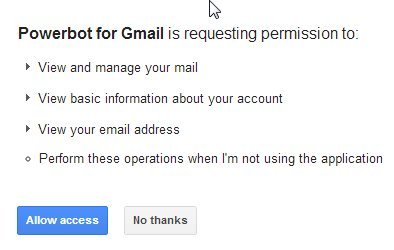
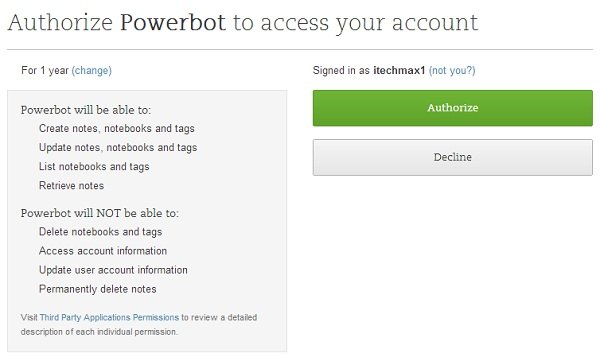
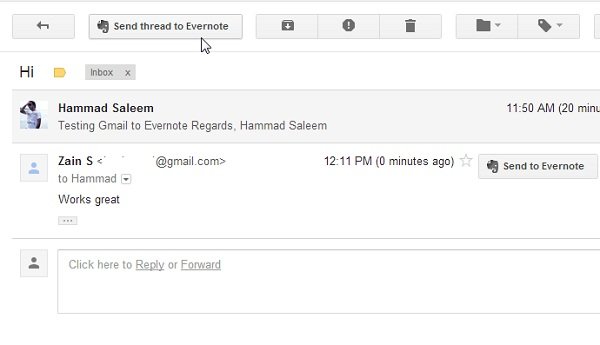
After connecting your accounts, just refresh your Gmail inbox and open any email that you want to send to Evernote. What this extension does is adds a “Send to Evernote” button to all your messages in two different places. One is placed in your email message, and the other one is placed in the Gmail interface, in case you want to send an entire email thread to your Evernote account.
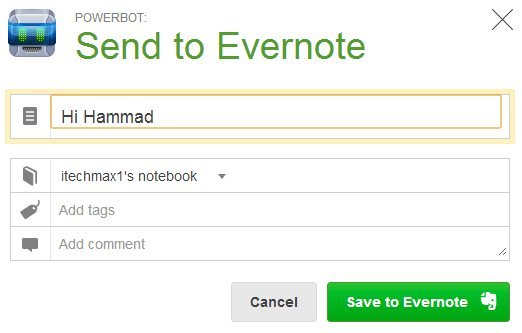
Clicking on the Send to Evernote button will open a pop-up message that will ask you to select the desired notebook you want the message or thread saved to. You can also add tags and comments to the specific note as well. Clicking on the Save button will show you a confirmation message after the note has been saved to Evernote.
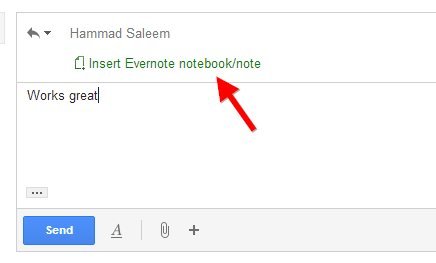
Another handy feature of the extension is that you can even add notes/notebook from your Evernote account to your emails as well. When you compose a new email, it will show you an “Insert Notebook/Note” button that allows you to attach a file. It will add a link to that specific notebook/note in the email.
Managing Saved Notes
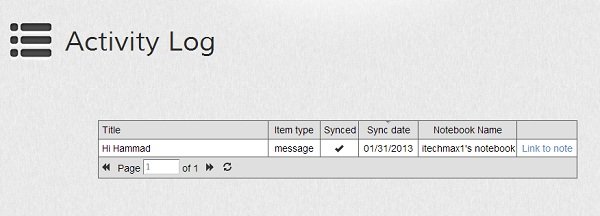
The most promising feature of the extension is that it even allows you to manage the notes you have saved to your Evernote account. All you have to do is open this URL, and it will show you all the notes you have saved to your account using Powerbot, along with the date of the message, links, date when it was synced and more.
Conclusion
Powerbot for Gmail is one of the most useful extensions I have used so far. With a single click, you can save your messages in Gmail to Evernote without any issues or long procedures. Using the Google Apps script might be confusing for many new users who do not know coding. It’s better to use an extension like Powerbot to make things easier.