

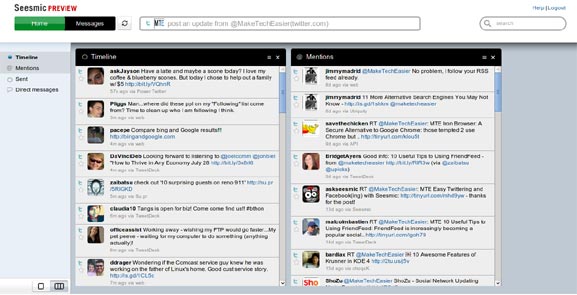
The folks at Seesmic have been busy little beavers recently. Not only did they put out an upgraded for the desktop application I reviewed, they debuted Seesmic for the web. The release is being calling it a preview, which I’m guessing is a lot like a beta. The web application offers a lot of the same functionality available in the in the desktop app, but gives you the ability to access it from any web browser.
Web Preview
While the web version of Seesmic is currently limited in comparison to the desktop app, it is very usable and very cool. This preview release has all the basics with a few of the extras similar to the new features in the desktop app 0.4 upgrade. I am sure if they update the site with as much frequency as the desktop, it will have more features than you can shake a stick at in no time.
Features
When you hover over the profile picture, you are given three options: unfollow, message, or profile.
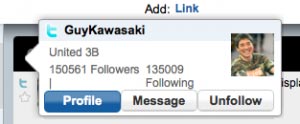
Click on the picture and it opens a pop up style window showing the profile info and a large picture.

The columns can be dragged and rearranged into any order for ease of viewing.
When you see a person @mentioned in a tweet who you are not currently following, simply click on their name to display a large profile pop up. In the pop up you can see all the basic info such as: their bio, how many people following them and how many people they follow. In another tab you can see some of their most recent updates.

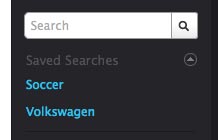
The search bar does just what you would expect it to do. Type in a search term and finds tweets with those words in them. The results are displayed in a new column. These searches can also be saved for later if the column needs to be closed. The saved searches can also be accessed when you go to Twitter’s site.
You have a choice between a single column feed or multiple windows. A feature that I found appealing, is when you change the view to single column mode, the profile pictures are removed profile pics. This makes it a bit easier so scan through the updates by creating a more list like feed, similar to an RSS feed reader. Depending on the view chosen, the columns also auto size to fill the area.

Desktop Update
In the 0.4 updated desktop application, several new features were added. The two I am happiest about are the collapsible sidebar and the previously mentioned single column mode. The reason being, there isn’t always a need to see multiple accounts and every little update. In some cases I am going through tweets from a search. I am not going to reply to a DM for a little bit, so there isn’t a need for the added distraction.
A short list of the feature upgrades are:
* The option to set how many updates are in your timeline
* Single column and multiple column view
* A collapsible sidebar
* A fixed width column setting with user adjustable width.
* Miscellaneous fixes for better performance.
I am very excited to see what becomes of web based Seesmic, the preview shows a lot of promise. There are features I (and I’m sure many others) have grown accustomed to in the desktop app. Features much like being able to log into multiple accounts, accessing Facebook updates, user lists and quick access to favorite tweets. But, if nothing else, having the web and desktop versions be able to sync would be fantastic.
What would you like to see in the future updates of Seesmic web?