
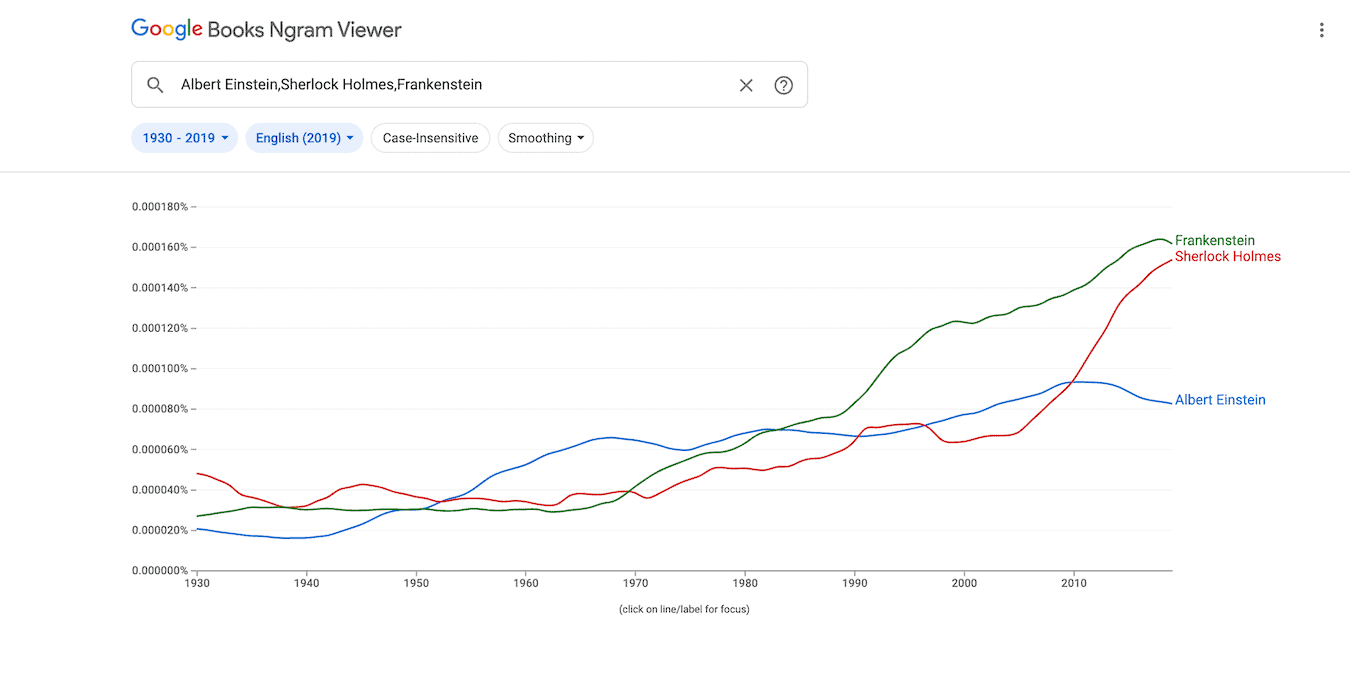

Language and linguistic studies will often need data on how words are used, especially over time. While research is a necessity, having tools to hand you the data you need are welcome. The Google Ngram Viewer is a great way to find word trends throughout the Google Books library quickly.
In this post, we show you how to use Google Ngram more effectively. First, let’s introduce you to the tool.
Introducing Google Ngram
Google maintains a multilingual database of published language. By scanning books en masse, the search giant is able to process the text and provide statistics based on the frequency of words.
With the Google Ngram Viewer search tool, you can search through this data. By comparing the relative popularity of words, you can map how language and culture have changed over time.
However, the Google Ngram tool can do much more than simply report word frequency, as we’ll get onto.
How to Conduct Basic Searches
Before we get into advanced “tactics,” let’s run through how to carry out a basic search. From the Google Ngram page, type a keyword into the search box.

If you want to include all capitalizations of a word, tick the Case-Insensitive button. This search would include “Tech” and “tech.”
Below the search box, you can also set parameters such as the date range and “smoothing.” The latter value removes atypical spikes and dips from your data. Lower smoothing values are more precise, while higher values reveal deeper trends only.
How to Select a “Corpus”
The corpus is the text collection that the Ngram Viewer will examine. The default of “English” is acceptable for casual browsing but can be highly academic.
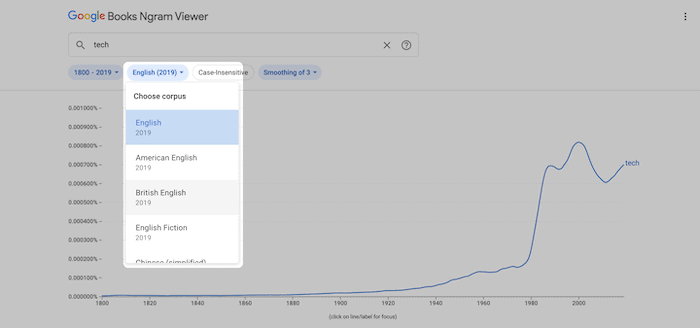
“English Fiction” will more closely reflect common language. The standard “English” corpus can be non-fiction heavy with plenty of technical words.
While the deeper meaning behind your choice of corpus is beyond the scope of this piece, Google offers a brief insight into the right choice for you.
Carrying Out Advanced Searches
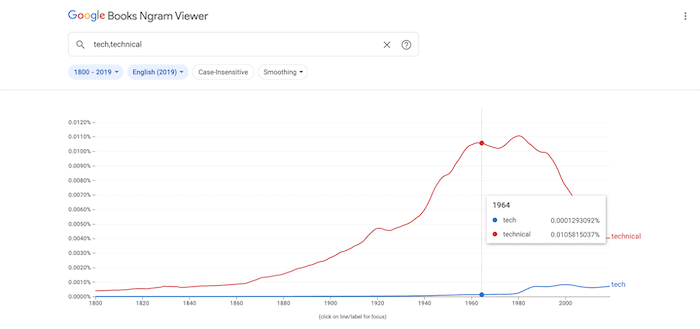
By using additional search words, you can create complex comparisons. To do this, separate each term with a comma.
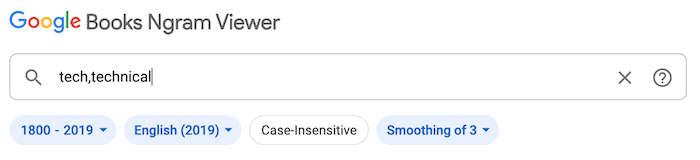
The Ngram Viewer will display the relative frequency of your search terms in a single graph. Here, you can hover over the graph’s lines to see precise data points.
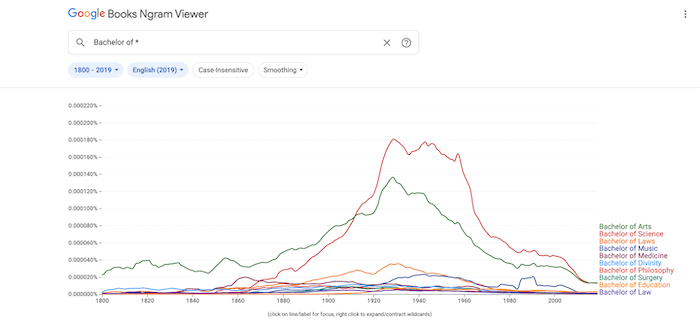
You can also use an asterisk in your search terms as a wildcard. For example, “Bachelor of *” would return results for many Bachelor’s degrees.
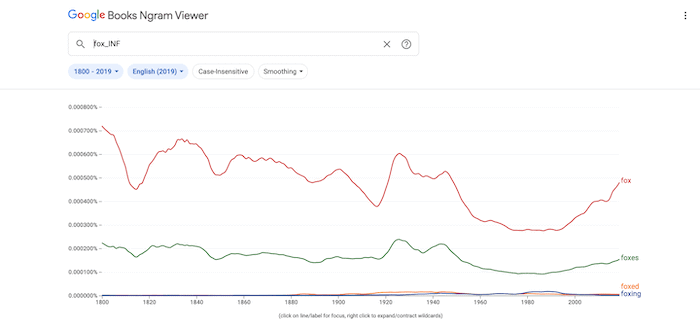
To find all the inflections of a term, append the “_INF” modifier.
If a word includes many parts of speech, you can be more specific using text operators. The valid parts of speech in Google’s database include all of the following:
- _ADJ_: adjective (fast, large, smart)
- _ADV_: adverb (quickly, later, always)
- _PRON_: pronoun (their, it, we)
- _DET_: determiner or article (a, an, the)
- _ADP_: adposition (prepositions and postpositions)
- _NUM_: numeral (first, second, fifth)
- _CONJ_: conjunction (and, nor, but)
- _PRT_: particle, which is a catchall, rarely-used category for other word functions
Each of these can be combined into phrases. For example, “_ADJ_ boy” would return word pairs for the adjective and “boy.”
To specify a specific part of speech for one search term, append it to the end. For example, “water_VERB” without a trailing underscore. To include every part of speech for a given word, use the wildcard operator after the underscore.
Functional Variables, Compositions, and Dependencies
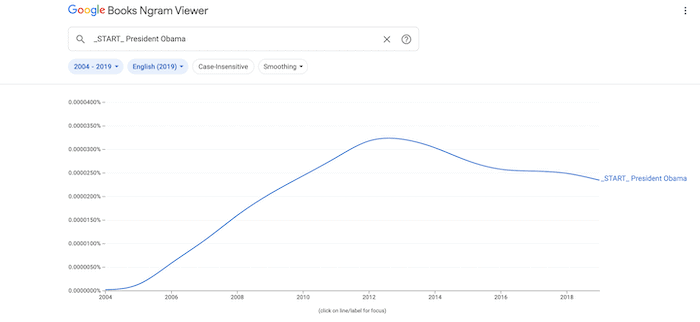
Functional variables let you search by the function or placement of words.
- _ROOT_ is a placeholder for the root of the sentence’s parse tree. This is typically the primary subject or the word modified by the verb.
- _START_ indicates the beginning of a sentence. (“_START_ President Obama” returns only sentences that start with the phrase “President Obama.”)
- _END_ indicates the end of a sentence. (“_ADP_ _END_” returns sentences that end in prepositions.)
By combining search terms with arithmetic operators, you can perform simple mathematical analysis with values for term frequency:
- + adds multiple expressions into one search term
- – subtracts the expression on the right from the expression on the left, providing a quick way to compare the relative use of two search terms.
- / divides the expression on the left by the expression on the right
- * multiplies the expression to compare ngrams of widely varied frequency. Make sure to enclose the whole ngram in parentheses to avoid having the asterisk parsed as a wildcard character.
- : (a colon) searches for the ngram on the left within the corpus on the right.
Finally, you can set dependencies with “=>” to search linguistic relationships.
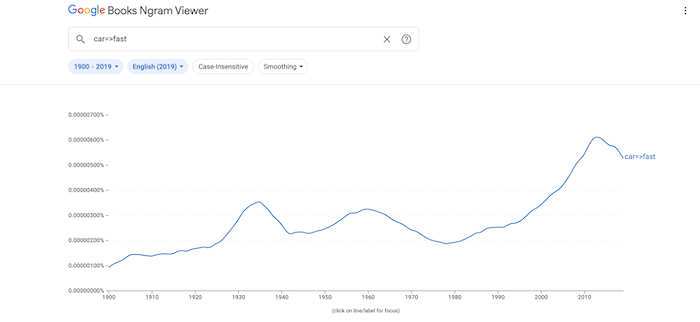
For example, “car=>fast” would return results where “fast” was grammatically dependent on, or modifying, the word “car.” This can be mixed freely with any of the advanced search operations.
Conclusion
Searching for word trends has many academic applications. A quick way to find the information you need is Google’s Ngram tool. The good news is that it not only lets you conduct basic searches. You can apply powerful modifiers to hone in on the information you need.
None of Google Ngram’s functionality would be possible without the search engine’s advanced grunt under the hood. Are you impressed by what the Google Ngram tool can do? Let us know in the comments section below!