


Since so many companies and small businesses host their websites on WordPress, it is only natural that there are several scheduling plugins available for prospective clients to make bookings and reservations directly from the website.
We have explored the many booking plugins available and have narrowed the list down to the best five options available.
1. BirchPress Scheduler

BirchPress Scheduler is an ideal appointment-booking plugin solution for companies with several services or staff. You can make appointments via the admin dashboard (for website admins), or you can add a customisable booking form to the front-end of your website so that regular visitors can book appointments from there. They even have a quick start guide along with a demo which you can explore to see how the plugin works. (If you buy through this link we may earn a commission, at no extra cost to you.)
Key Features
- Visitors can check availability or make appointments or reservations directly.
- Syncs with Google Calender, iCal, Outlook and more.
- Booking forms can be embedded in a post or page via shortcodes.
- Notification emails are sent for upcoming events.
- Supports online payment gateways (such as PayPal).
- The plugin’s functionality can be extended (for Developers).
Price: Starts at $75.
2. EDD Bookings

EDD Bookings adds a booking system to your WordPress websites, allowing visitors to make reservations and book appointments or meetings as well as pay for events or services. Once you have the plugin installed and configured, your visitors will see a beautiful calender interface which highlights available time slots, and they can simply click the date to proceed to make their bookings or purchases.
Key Features
- Simple, intuitive configuration for dates and times.
- Calendar builder for configuring dates and times available to be booked.
- Supports single and multiple sessions per booking.
- Works with all major payment gateways.
- Manage bookings from the WordPress admin area.
Price: Starts at $82.
3. WooCommerce Appointments
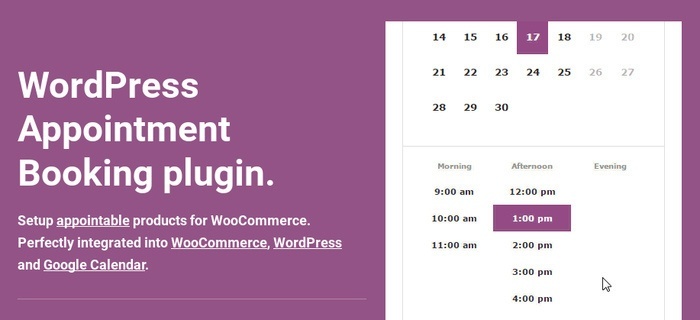
For e-commerce websites that run WordPress, WooCommerce Appointments will add excellent integration with WooCommerce which allows you to receive payments for appointments.
Key Features
- Excellent WooCommerce integration
- 2-way Google Calender sync
- Multi-currency support
- Integration with several WooCommerce extensions
- Shortcode support
- Staff management and addons
Price: $69.
4. Appointments+
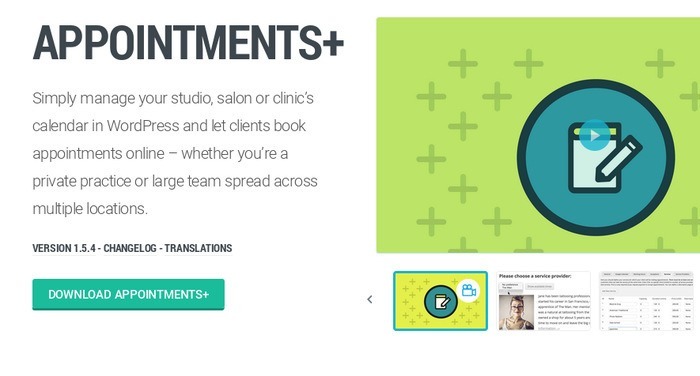
Appointments+ boasts an excellent feature set that is suitable for all types of businesses. With over 78,000 downloads, it is one of the most popular scheduling plugins out there to manage all your appointments.
Key Features
- Simple, clean and customisable front-end interface.
- Integrates with Google Calender and Google Maps.
- Supports MarketPress payment gateways and PayPal.
- Captures client information by requiring users to log in to schedule an appointment (WordPress, Facebook, Google+, Twitter).
- Widgets and shortcodes.
- Schedule appointments for up to a year.
- Manage client contact information.
- Allows clients to make appointments directly from website.
Price: $19/month.
5. Bookly

Bookly is another premium scheduling plugin with plenty of great features that will automate the booking process on your website. It has a robust admin panel and allows you to set up all types of bookings and reservations on your website. There is a demo you can use to try out the plugin.
Key Features
- Responsive layout to ensure a great experience for mobile users.
- Form builder included.
- Customisable email notifications.
- Accept online payments with a number of payment services.
- Excellent documentation.
- Freeze days on staff calenders if they are not available for booking.
- Booking cancellation for clients via confirmation email.
- Export appointments to a CSV file.
- Google Calender Integration.
Price: $46 for a regular license
Bottom Line
Know any other great WordPress scheduling plugins? We’d love to hear your thoughts in the comments section below.
Image credit: now that’s a schedule!