

Incognito mode in Chrome allows you to surf websites without your browsing history being saved. But what if you want to save the history of the websites you visited in incognito mode for that particular session?
While Chrome does not officially let you save browsing history in incognito mode, there is an extension for Chrome that allows you to do just that.
Also read: The Truth Behind Private Browsing or Incognito Mode
Saving the Browsing History of Incognito Mode in Chrome
You should keep one thing in mind that you are letting the extension see what websites you visit by installing it in your browser.
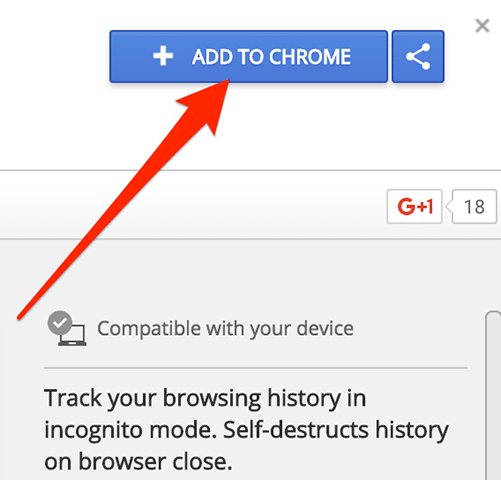
1. Open Chrome on your computer and head to the Off The Record History extension page to download the extension to your browser.
When you are on the extension page, click on “Add to Chrome.”
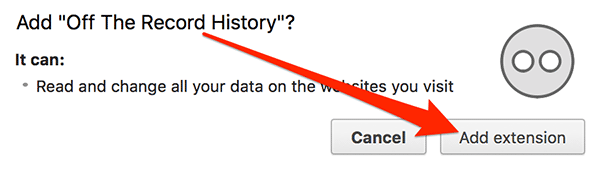
2. Chrome will ask you to confirm you want to add the extension to your browser. Confirm the prompt by clicking on the “Add extension” button as shown below.
3. When the extension has been successfully added to the browser, you will see a message by the extension in the top-right corner.
Now that you have added the extension, you need to allow it to perform its actions in the incognito mode. By default, Chrome does not let you run an extension in incognito mode unless you have allowed it to run.
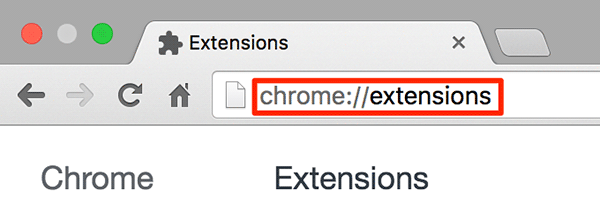
Type in the following address chrome://extensions in the address bar of Chrome and press Enter to modify Chrome extensions.
4. Find the “Off The Record History” extension on the page and select the “Allow in incognito” checkbox.
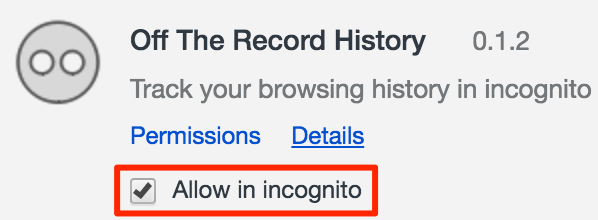
5. Now open a new incognito window by clicking on three horizontal lines in the top-right corner of your browser, and select “New Incognito Window.”
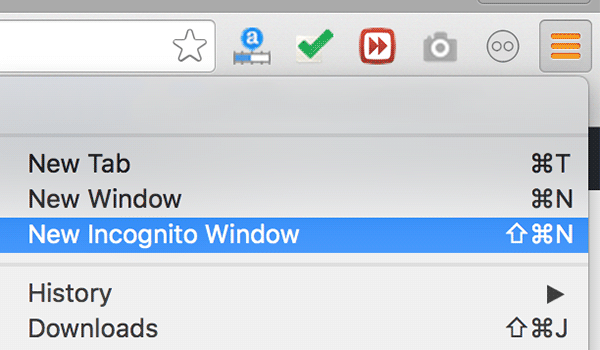
6. When an incognito window launches, surf whatever websites you wish.
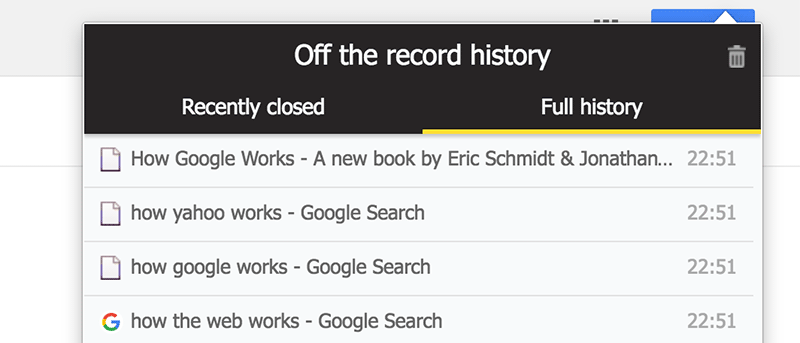
When you are done surfing websites and wish to see the browsing history of your incognito session, click on the extension icon in the browser.
There are two tabs in the extension that let you see what you have done while in incognito. The first tab titled “Recently closed” allows you to view the tabs that you have recently closed.
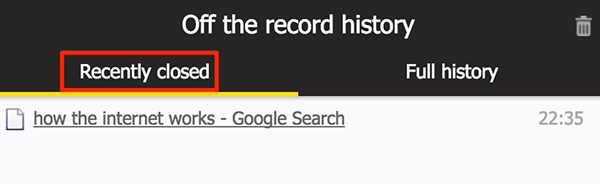
7. If you would like to see the full incognito history, click on the second tab titled as “Full history” and it should let you see all of the websites that you have visited. You should note that this history does not contain anything from your previous incognito session; it is only for the current session.
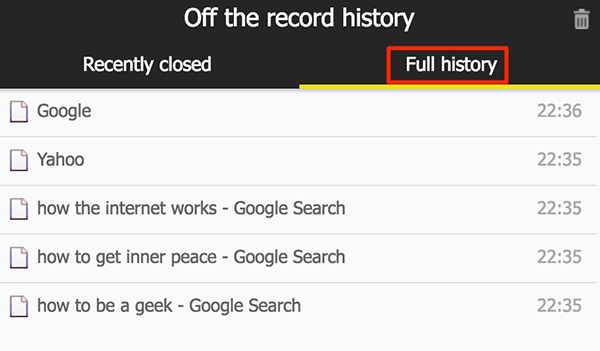
Once you close your incognito session, all of the history saved in the extension will be erased.
Conclusion
If you would like to save the browsing history of an incognito session in Chrome for your personal use, the guide above should help you do just that using an extension for your browser.