


There could be any number of reasons why you’d want self-hosted solutions to popular web apps. Maybe you want to move away from using Google services so much. It could be that you want more control of your data. Perhaps you’re setting up a business and want to pick and choose the apps your company uses.
Using self-hosted apps used to be tricky, with each requiring its own lengthy setup process. Sandstorm changes that, making it easy to install an entire library of self-hosted apps on your server. All you need to do is install and configure Sandstorm to get started, and that’s a simple process.
Installing Sandstorm
Before you install Sandstorm, you might want to try out the demo and the system requirements. According to the Sandstorm website, you’ll need to be running a 64-bit Linux server connected to the Internet. You’ll also need to be running kernel version 3.10 or later. 1GB RAM is needed, with 2GB or more recommended.
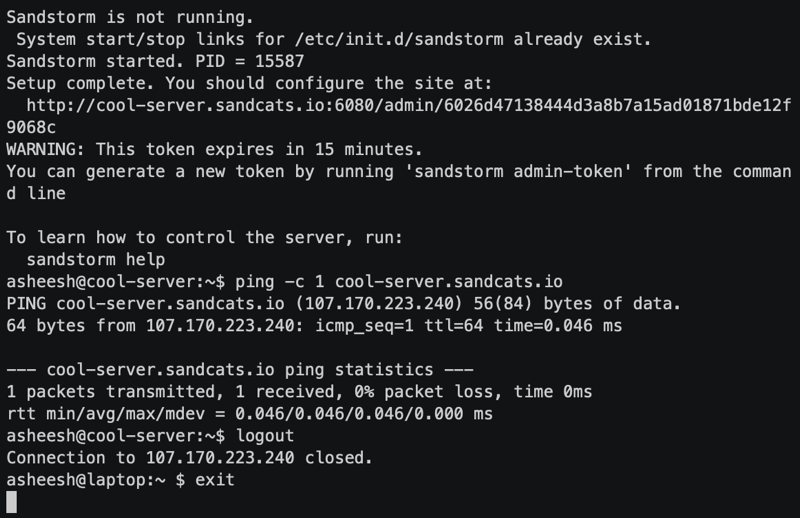
Sandstorm offers an install script that will do everything for you. All you need to get started is ensure that curl is installed. If you’re not sure and you’re running Ubuntu, type:
sudo apt install curl
Now you can run the Sandstorm installation script:
curl https://install.sandstorm.io | bash
From here the installer will download and guide you through the installation process. Once installation is complete, you’ll be given a time-limited link to configure Sandstorm on your server.
Configuring Sandstorm
Click on the link, and you’ll be taken to a page welcoming you to Sandstorm. From here you’ll need to set up your login provider. Which one you choose will depend on how you’ll be using your Sandstorm installation and your server in general. Options include password-less email authentication, Google, GitHub, LDAP, and SAML.
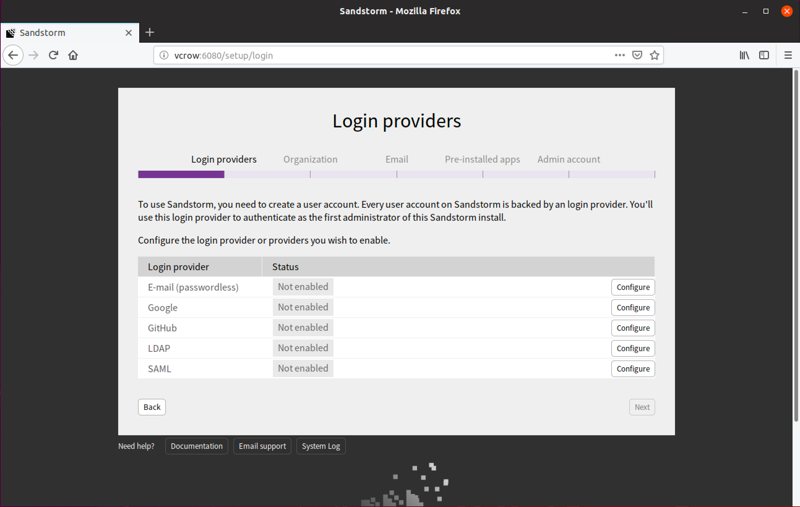
Next, you’ll fill in your organization details. This includes options on whether all users within your organization will be added to each other’s contact list. You can also choose whether to allow collaboration with users outside of your organization.
After this it’s time to set up email. This step is optional unless you’re using email for authentication, but Sandstorm won’t be able to send email notifications unless this is set up.
Finally, Sandstorm will install a few apps to get you started. The last step is to create an Admin account on the server.
Installing web apps with Sandstorm
Now that Sandstorm is installed and configured, you’ll be able to use it to install from a wide variety of apps. This is as easy as choosing the “Install …” option from the list of installed apps. You’ll be taken to the app market where you can choose from apps to install with a single click.
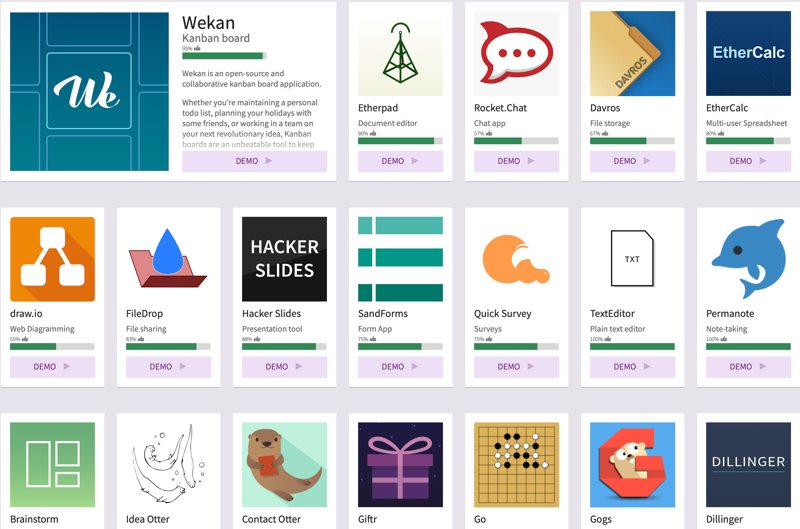
Available apps include Trello alternative Wekan and Slack alternative Rocket Chat. These will likely be installed already, but other options include note-taking app Permanote and the Hummingbird real-time web tracker. For a full list of available apps, see the Sandstorm app market.
Not all apps are fully supported yet, so you may encounter the occasional issue or missing functionality. You can see how well-supported an app is by the percentage below it on the app market.
Final steps
Now that Sandstorm is up and running, most of what you need to do can be done via its web interface. If you run into issues not addressed here, be sure to consult the official documentation.