


Browser extensions are useful tools that can enhance your web-browsing experience in neat little ways. From speeding up your browsing to automating repetitive browsing tasks, the best browser extensions work silently and seamlessly in the background. Unfortunately, there is another category of extensions that can hurt you.
These are the extensions that, either through faulty design or by malicious intent, can cause harm to your computer or endanger your personal data. Below are a few steps you should take to ensure the extensions you use do not cause problems down the line.
Tip: If you have children, have them use a kid-friendly safe browser.
Read the Permissions Carefully
How many people take the time to read the whole permissions page before installing an extension? And yet, that is the first step to making sure a program does not carry out undesired activities using your device. It might seem tedious, but go through the permissions to see if the program is asking for access to greater personal information than it needs to carry out its function, or in any other way aims to use your personal information in a manner that you are not comfortable with.
Only Use Trusted Extensions
While there are plenty of browser extensions in the Chrome Web store and Firefox Addons library, you shouldn’t just install extensions from any developer. It is very easy for cybercriminals to create extensions with additional hidden code to steal your data.
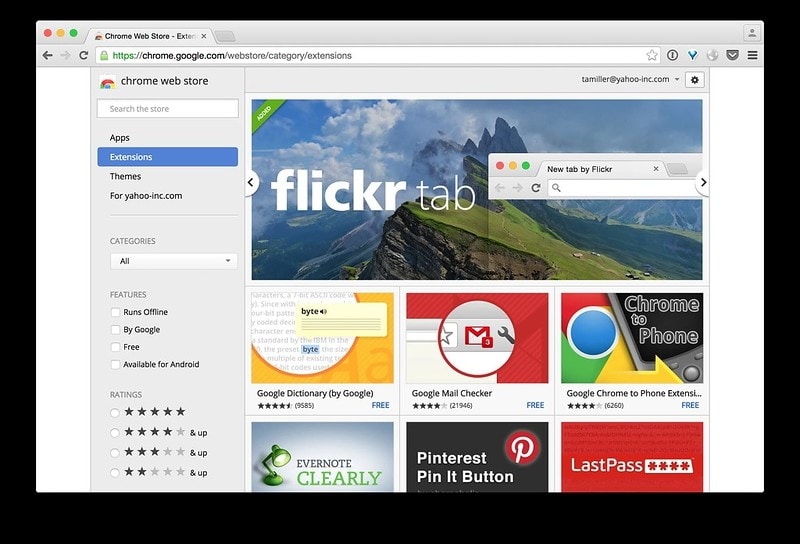
Before you install an extension, check the ratings and reviews from other users. Do an online search of the extensions to see if there are any bad reviews or data breach. If in doubt, you can also email the developer for clarification. If you don’t trust the developer, or what the extension is doing, don’t install it, or remove it immediately if you have already installed it.
Use as Few Extensions as Possible
When it comes to extensions, more is not better. If you have a dozen extensions working in the background while you surf the Web, they can slow down your browsing and eat into your data plan. And of course, the more extensions you have, the greater the chance of malware slipping in under your radar.
New Set of Permissions
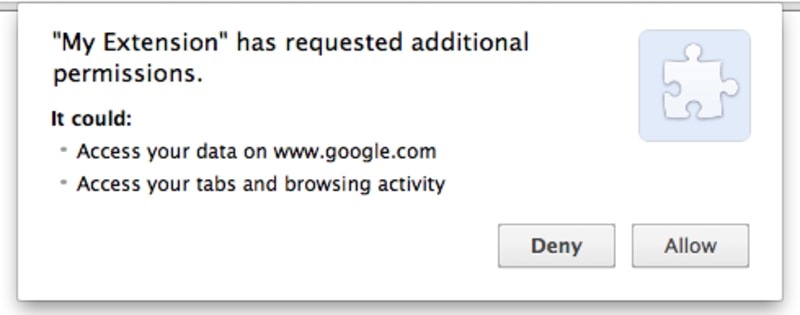
If a pre-installed extension suddenly asks for a new set of permissions, it might have been hacked or sold to a third party and needs to be removed. This is a tactic that is often used by cybercriminals, where they buy up legitimate programming companies that have gone under, and then use their reputation among users to sell faulty apps. Never agree to a new set of permissions from an existing app without finding out the exact reason behind the updated permissions list.
Avoid Bundled Apps
Don’t fall for sites that offer you multiple extensions bundled together, like an online flea market. If the programmer wants you to download their apps in bulk, it is more than likely they want to slip a few undesirable programs among the crowd. Once you activate one of the apps in such a bundle, it also activates the malware hacks, which can then get to work turning your device upside down and causing untold damage.
Conclusion
Extensions are useful tools, but as with any other program, the wrong kind of extension can do more harm than good. As long as you apply the same kind of common-sense approach to using browser extensions as you would while using a new piece of software, you should be able to protect your device from the worst kinds of malfunctioning extensions.
Image Credit: Flickr Tab featured in Google Chrome Web Store