

We all know Google Instant right? The Google search page that shows the search results as you are typing the search term. To access Google Instant in whatever browser you are using, simply head to Google.com and you can do an instant search immediately. In Google Chrome, you can access Google instant from the omnibar. What about Firefox? In this article, we will show you how you can fully personalize the instant search in Firefox.
Setting Google Instant as the homepage
While the default homepage in Firefox is set to the Google search, you will find that you can’t perform any instant search on it. The reason being, the Firefox Google home page is a custom page created by Mozilla that doesn’t come with the instant feature. To set Google Instant as your homepage, go to the “Preferences -> General” and set Google.com as your homepage.
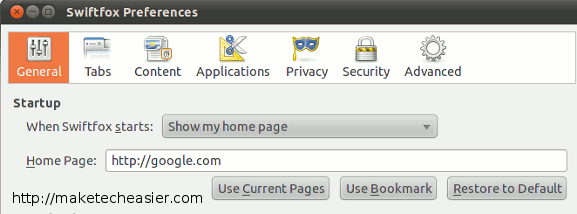
For those who are not residing in the United States, you will also find that Google will auto-redirect the Google.com site to a country-specific site. For example, I am living in Singapore, so whenever I access Google.com, it will redirect me to Google.com.sg which does not come with the instant search feature. To fix this, you have to set the homepage URL to google.com/ncr or http://www.google.com/webhp?sclient=psy. This will ensure that the actual Google instant Search page is shown.
Accessing Google Instant from the Awesome bar
To enable Google instant search from the awesome bar, install the InstantFirefox extension.
Once installed, you will be able to perform a Google instant search from the awesome bar.
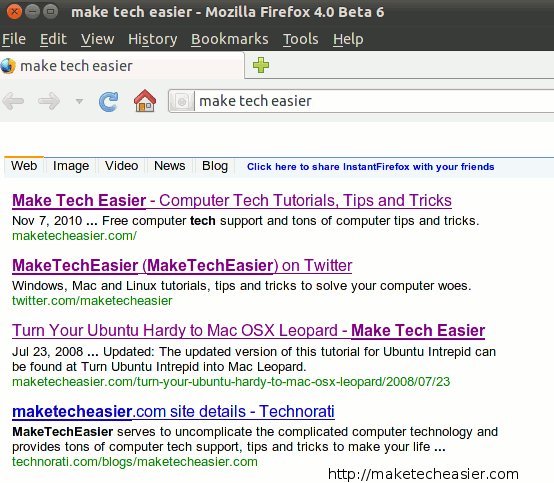
There are two things that you need to take note:
1. While performing the search, the dropdown search result will overlap with the instant search. This can be very irritating at times.
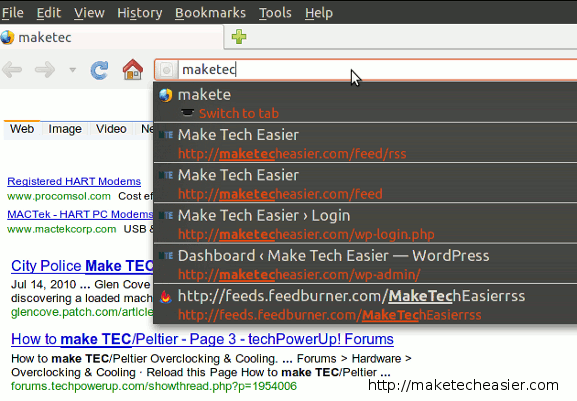
2. This extension will only work on new tab. If you are using extensions, like Speed dial, that also take control of the new tab, this InstantFirefox extension won’t work.
Accessing Google Instant search from the search bar
You can easily add custom search engine to the search bar with the Add To Search Bar extension.
Install Add To Search Bar extension
Go to https://www.google.com/webhp?sclient=psy.
Right click on the Search field and select “Add to Search Bar”. When prompted, enter “Google instant” as the new search engine name.
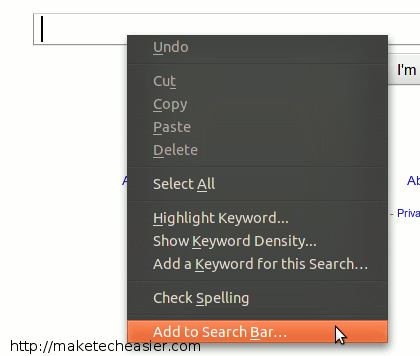
Note: You won’t get instant search result when you type on the search bar. However, you can just type the first few characters of your search term, press Enter and it will bring you to a Google instant search result page. You can then continue your search from there.
That’s it. What other ways do you make use of Google Instant in Firefox?