
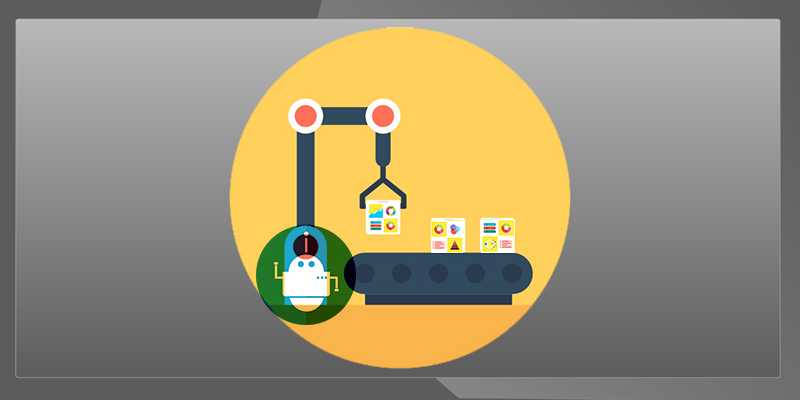

In much the same way that industrial robots have taken over manufacturing, robotic process automation (RPA) and artificial intelligence (AI) are starting to take over ever-increasing levels of knowledge work. RPA is easy to implement and doesn’t require a lot of technical knowledge, making it a great solution to low-level tasks that don’t require high levels of human oversight.
It’s being used on a large scale to automate all kinds of business processes, but some tools are starting to bring it down to the personal level, letting individual users do their own automation. While it’s a few levels below an AI, as RPA can pretty much only follow scripts, the line between the two is growing increasingly blurred. Personal robotic assistants taking over your most routine tasks? Not as far away as you might think.
What is Robotic Process Automation?
RPA is pretty much exactly what it sounds like: it refers to any bot that can be set to automatically perform a certain process. Anything you can do on your computer in a few mouse clicks you can easily get a bot to do instead. Need to copy and paste lines of data into forms? Download all incoming email attachments into a certain folder? RPA can do it. You can even get one bot to gather data and send it to other bots.
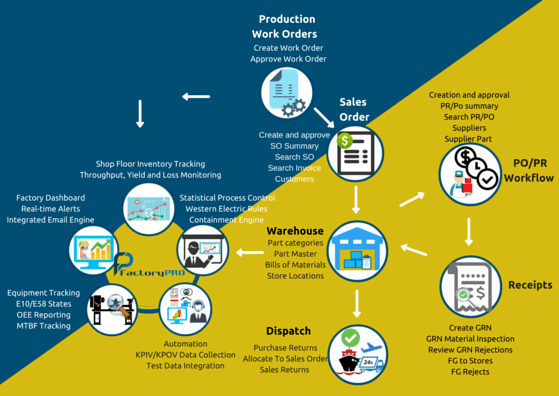
In the past automating a process meant integrating a custom solution into a company’s systems. The thing that makes RPA special is that it works by mimicking human behavior: users can just teach it to do stuff.
It can follow your movements through a UI and write its own steps, or you can use a program with a GUI that lets you specifically lay out the steps of the process and give the bot detailed instructions. As long as the bot isn’t required to adapt to new information or new environments, it can keep going for a long time.
If the processes are a little more complex and could result in error, you can always involve a human somewhere to sign off on the robot’s work. It’s still way more efficient than just having a human do everything.
How is RPA different from AI?
If you had to assign roles, RPA would be the “doer” while AI would be the “thinker.” RPA is pretty much the definition of a robot: it does what it’s told and doesn’t really have the capacity to do much else. AI, on the other hand, is all about taking in large amounts of data and updating itself accordingly. Where RPA would be perfect for filling in a form with data, you might need an AI in order to scan an email and figure out which data needs to go where on the form.
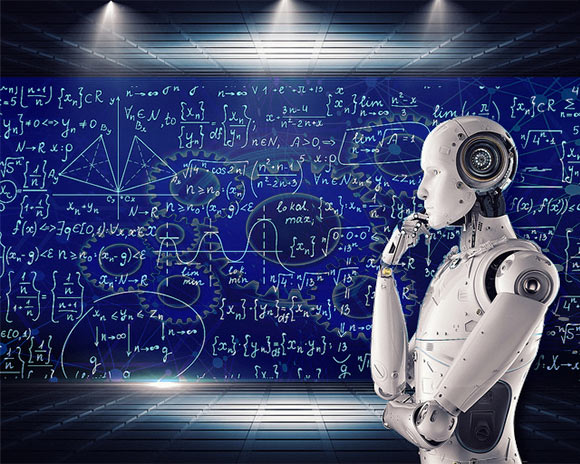
When it comes to actually implementing them, though, RPA has the advantage, as AI needs a lot of work to get up and running. Not only does it require some pretty specialized knowledge, but it will need a fair amount of high quality data to train on.
Simple RPA can be implemented using a relatively simple user interface and some time spent thinking through the steps involved in completing a task. Of course, RPA can get much more complex, with large networks of bots bouncing information between each other and running entire workflows, but it still tends to be a simpler proposition than AI.
Cognitive RPA: making the bots smarter
The doer/thinker distinction isn’t a hard dividing line, though, since “cognitive automation” is a growing trend. This essentially combines robotic process automation with AI-based tools like natural language processing, image processing, and other analytical tools that can feed unstructured information to the right bots. The AI essentially takes the place of a human operator, making judgements about the data and putting it where it belongs.
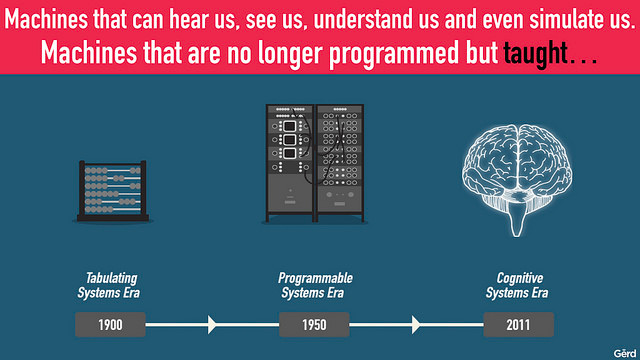
This can be a lot more complex to implement than simple RPA, but AIs with prepackaged abilities like speech recognition could be integrated into existing processes without a lot of trouble.
When do you get your own virtual assistant?

The bright side of RPA/AI is that it will make human jobs less monotonous and probably more interesting. This could free us up to do more high-level, creative work and will definitely make some peoples’ lives easier, especially once personal, easily-programmable assistant software makes it to the consumer level.
There is already freely available RPA software like UiPath on the market, and it might eventually lead to a version of Clippy that actually does something helpful for us. “It looks like you’re trying to fill out a big batch of invoices! Just point me in the right direction, and I’ll do it for you!”
Also read: Should We Be Worried About Artificial Intelligence?
So the future belongs to the robots?
If you want to know if a job will exist in a decade or two, ask yourself if it could be done by an AI that can read, listen, and analyze images feeding data into bots that can create output, package it, and send it off. Robots are going to take over the mental grunt work that a lot of people find fairly meaningless, which is great, but labor markets will have to adjust.
Ideally, the future looks a lot more like humans working side by side with robots, filling in where they fail and making the meatspace judgment calls that only human meatstronauts are qualified to make.
Image credits: FactoryTotal, Artificial Intelligence and AI Machine Learning, Gerd Leonhard