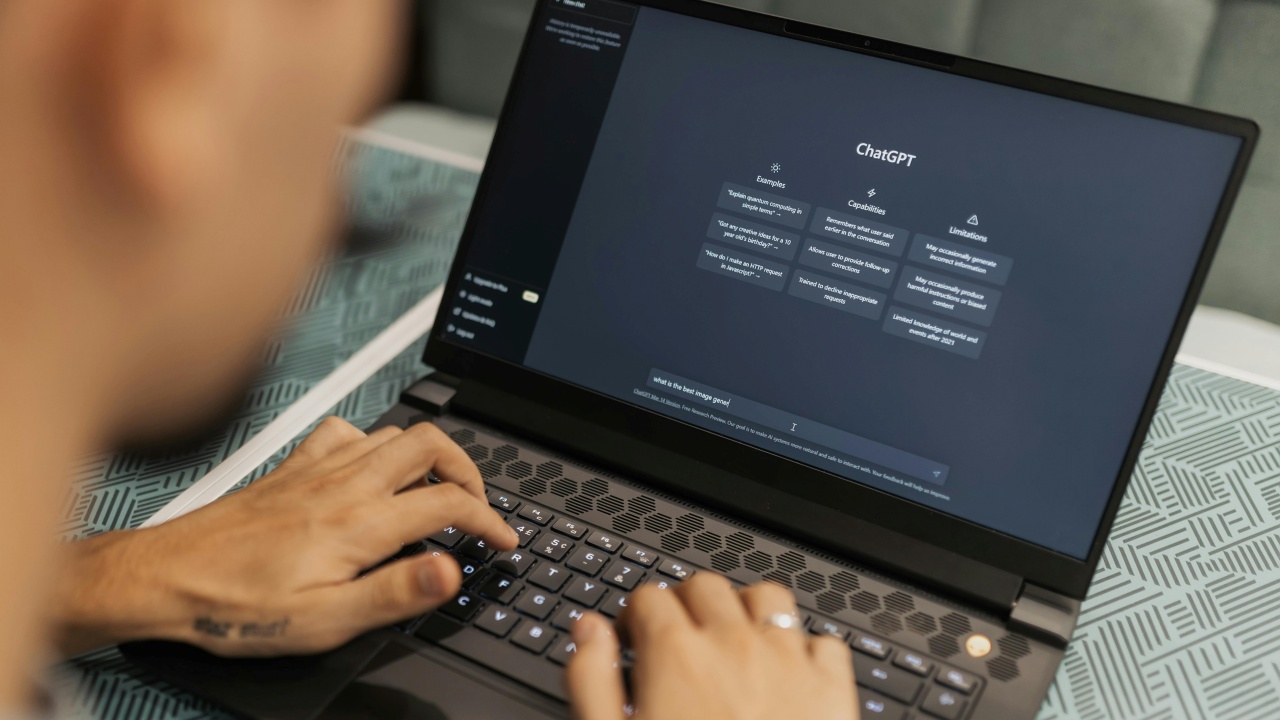
OpenAI’s brand new ChatGPT 5 model, launched last week with a host of upgrades, is now the default for both free and paid users. But the reception hasn’t been entirely positive, as many still prefer the older ChatGPT 4o. The good news, however, is that OpenAI has listened to feedback and has re-added a way to switch back to the older model. Here’s how to get chatting with ChatGPT 4o again.
Good to know: learn how to set ChatGPT as your default search engine in various browsers.
Why the ChatGPT 5 Launch Is a Mixed Bag for Users
Although ChatGPT5 introduces a range of upgrades like faster coding skills, new personalities, and improved voice mode, a considerable number of users have taken to Reddit and other platforms to voice their dissatisfaction with the new model.
The main gripe? Users report that GPT-5 tends to offer shorter, colder replies and feels more disengaged and detached. Meanwhile, ChatGPT 4o is being praised for its creativity, a quality users say GPT 5 lacks.

It’s likely that GPT 5 will refine its tone and responsiveness over time, but that’s not the only concern users are addressing. The model picker allowing users to switch between various GPT models has gone missing following the new update. On top of that, Plus subscribers are now capped at 200 messages per week.
Seeing the deluge of complaints, OpenAI was quick to take action and is now giving paid subscribers the option to return to their beloved GPT 4o.
Tip: here’s how to disable Meta AI fro your WhatsApp chats by following a few easy steps.
Switch Back to ChatGPT 4o from GPT 5.
As noted above, you need to be a Plus account subscriber to be able to revert to the older model. Free users can’t access this option, at least for now.
If you’re using ChatGPT on your PC in your browser, go to the website. Log in with your email address and password if you haven’t done so already.
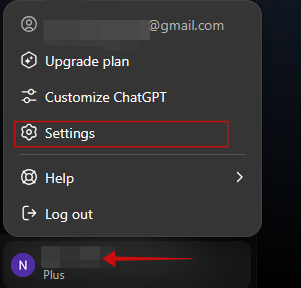
Click on your email address in the lower left corner of the display. Select Settings from the pop-up menu that appears.
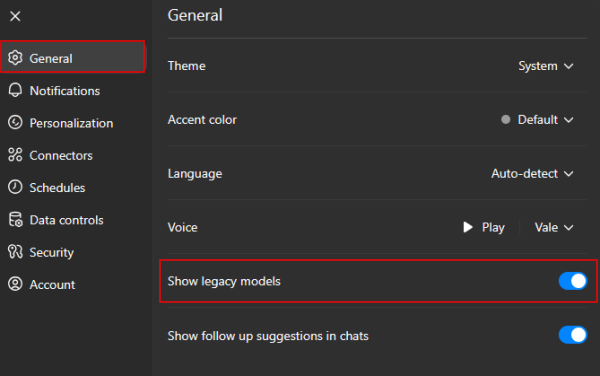
In the Settings window, go to General and enable the toggle for Show legacy models.
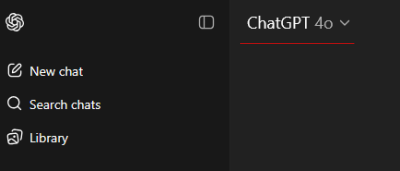
Press Esc to exit this menu. Now, in the main ChatGPT window, press on ChatGPT-5 at the top. Select Legacy models and click on ChatGPT-4o.
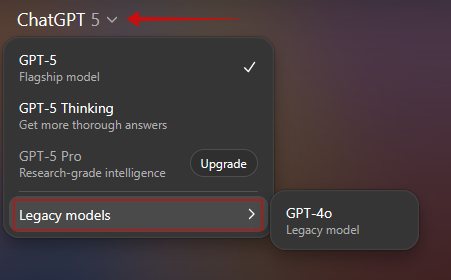
Now you can chat with the older model.
You can’t enable the Show legacy models option directly from the mobile app. You’ll have to either log in ChatGPT with your Plus subscription credentials via your mobile browser and activate the option from there, or you can do so from your PC.
Once the feature is on, open the app. You should see the ChatGPT 5 option at the top. If you don’t, make sure you update the app from the Google Play Store or App Store. Then close the app and fire it up again.
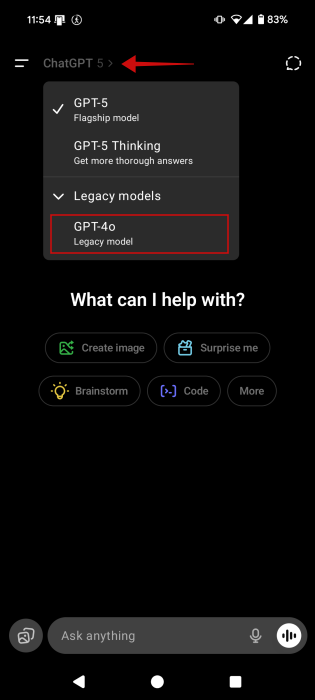
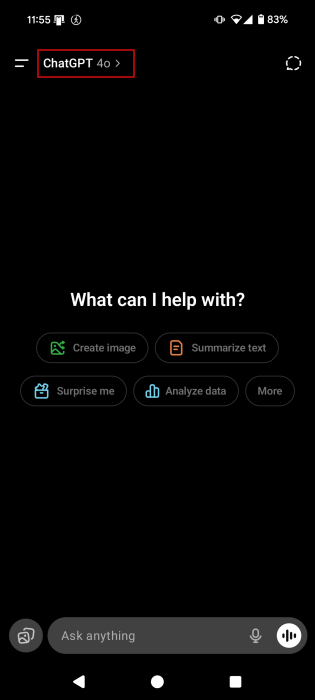
Press it and then select Legacy models -> GPT 4o.
Now you can go out to interact with ChatGPT 4o, as before.
FYI: Google Photos also has AI now. Check how you can use it to turn photos to videos.
What to Do If You Don’t Have ChatGPT Plus or Another Paid Tier?
What if you don’t have a Plus subscription? In that case, you might want to start looking at alternatives. For instance, Google’s Gemini might be a good replacement. The AI chatbot recently gained the ability to create custom storybooks based on your prompts.
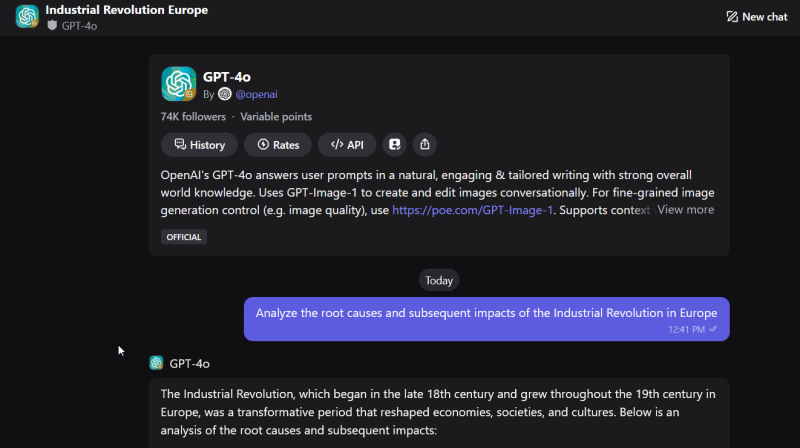
Another workaround is to opt for a chatbot alternative that offers access to the older ChatGPT model. Once such option is Poe, which offers access to a whole library of chatbot models, including multiple ChatGPT ones.
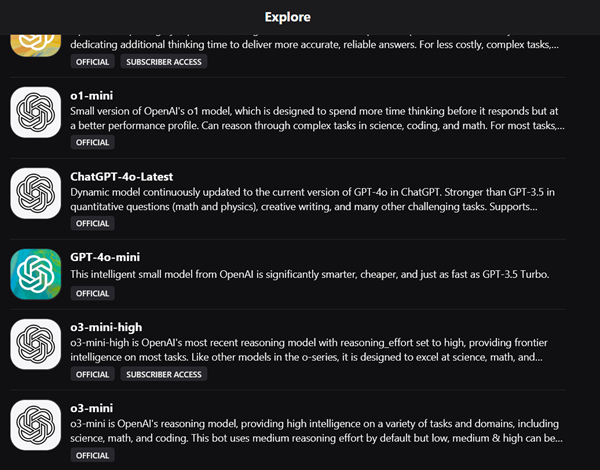
The tool has a handy compare feature that allows you to view replies to the same question as generated by multiple models. However, questions costs points on Poe, and as a free user you only have access to one. If you want/need more, you’ll have to sign up with a paid subscription.
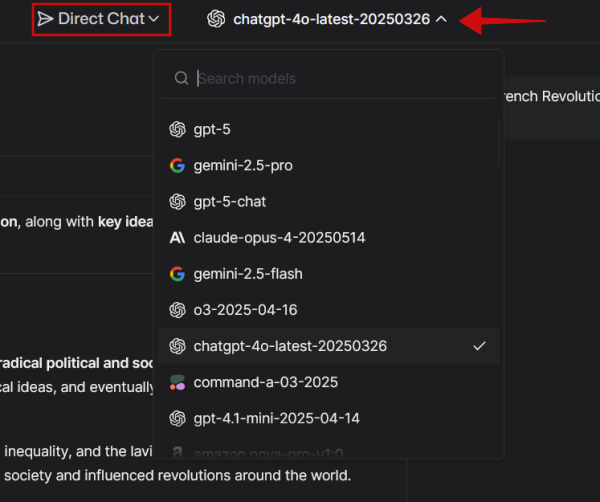
Another worthy alternative is LMArena. As opposed to Poe, you don’t have to sign up with an account to use it. Switch to Direct Chat mode, and then simply select the AI model from the top of the page to start a conversation. It’s all free of charge.
You might not have to use these workarounds for long, as OpenAI might re-add the ability to switch back to older models for free users as well. For now, however, you can give our suggestions a go. If you need more tips on how to better take advantage of OpenAI’s chatbot, check our guide on how to access ChatGPT from WhatsApp or Telegram. Alternatively, here’s how to use ChatGTP to reverse location search photos.








