
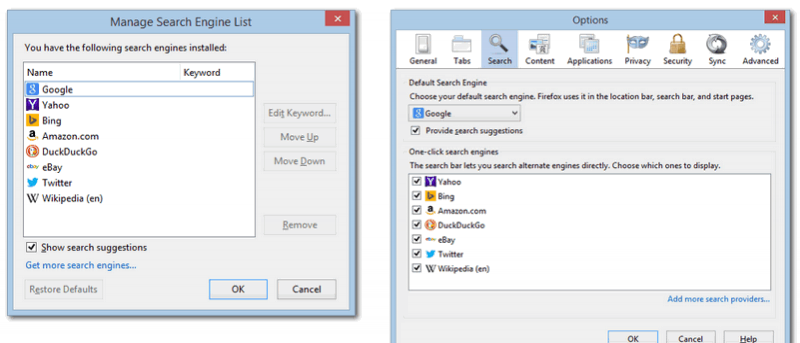

For the most part, Firefox doesn’t change massively between iterations. The old versions feel similar, if not totally identical to the newer versions, and many people grow accustomed to what has been familiar for so long.
With the release of Firefox 34, the search box on the right was changed. We previously explained how to massively upgrade Firefox’s searching capability, so for some it may be a desirable change.
It is entirely possible that the new search system is compatible with the tweaks we presented, but there is no guarantee. Thus compatibility may be restricted, and the older search UI may need to be restored.
Revamped Search
The newer search bar contains a number of search engines as standard and assumes that you’ll use it quite differently.
Rather than using predicted results, it allows you to type a full term and then choose the engine you’d like to search with. The results are then opened in a new tab.
By default the new search experience looks like this:
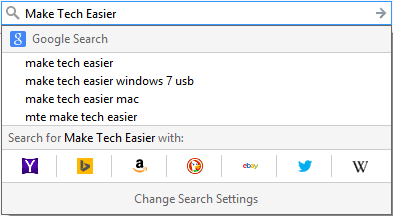
Clicking the “Change Search Settings” option at the bottom of the drop-down will open another window, which also differs from the old UI.
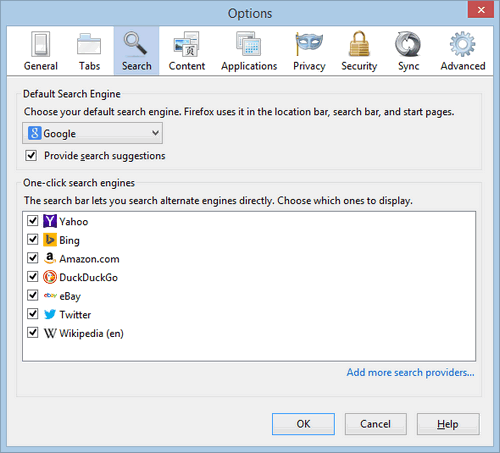
Reverting Search
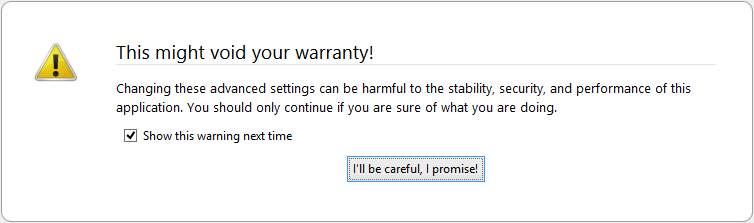
Open a new tab in Firefox, and type about:config into the address bar. You will receive a warning, but since we’re not doing anything too risky, it poses no risk to the browser’s performance.
Along the top of the page is a search box which can be used to filter through the many, many options available. Type “oneoffbuttons” and it will show only one entry: browser.search.showOneOffButtons.

If you’re using the new search UI, then it will be set to “True.” Double click it, and it will change to “False.” The line of text will be bold when you have changed from the default setting, making it easy to spot.
Close Firefox fully; download windows and extensions are still considered part of the overall process, so must also be closed.
Open the browser and check the search bar; it should now have the familiar old layout.
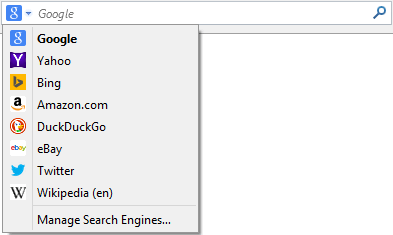
Even the older search settings, identified with the “Manage Search Engines” button, are restored through this simple configuration tweak.

While we’re not entirely sure why Mozilla chose to keep a toggle for the older search UI, we’re glad that it is the case. Not everyone will mind the change, and not everyone will want to go back, but it is pleasant to have made it so simple for all parties.
Which search UI do you prefer? Let us know in the comments below.