
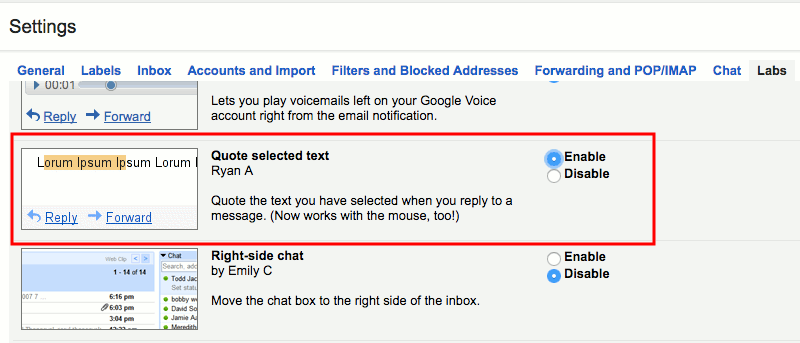

Gmail offers a really intuitive interface to easily exchange hundreds of emails. However, it can be a little difficult to pinpoint your reply in an email with loads of text. By default, Gmail will just put your reply at the end with the whole text quoted.
If you find this a little confusing in your conversations, then we have a solution for you. Gmail has a hidden feature that will let you quote a phrase from a conversation and reply directly to it. Let’s see how you can reply to a specific phrase in Gmail.
Note: this feature only works in Gmail and will not work on the smartphone apps.
Enable Quote selected text
Gmail comes with a “Labs” section where it has some experimental features that you can add to enhance your Gmail experience. Some of these features might graduate to become the main features in Gmail, while others will continue to be in the “Labs” section or be removed altogether. “Quote selected text” is one of these Labs features; when this feature is enabled, you can easily reply to a phrase just by highlighting it in a conversation. From my experience, it works fine without any negative impact.
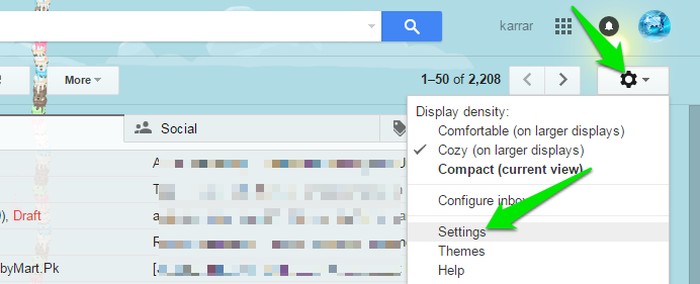
To enable “Quote selected text,” click on “Settings” on the top-right corner of the window, and then click on “Settings” again in the menu.
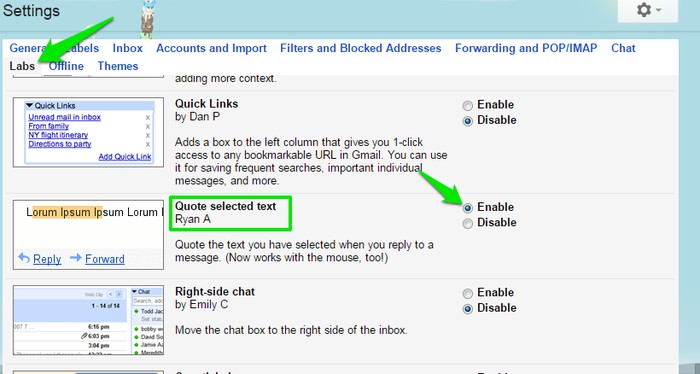
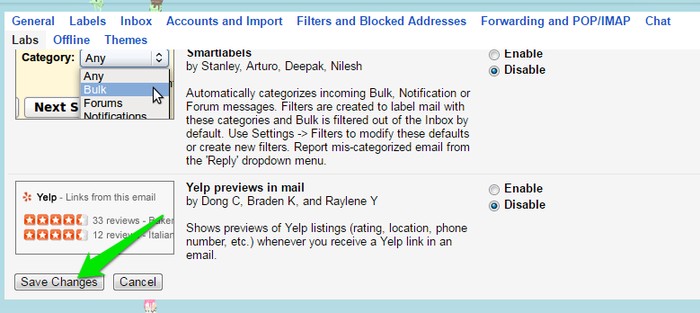
In the Settings move tot the “Labs” tab, and scroll down until you see the feature “Quote selected text.” Click on the “Enable” button next to it, and then scroll further down and click on “Save changes.” Gmail will re-launch, and the feature will be enabled.
Replying to a Specific Phrase in Gmail
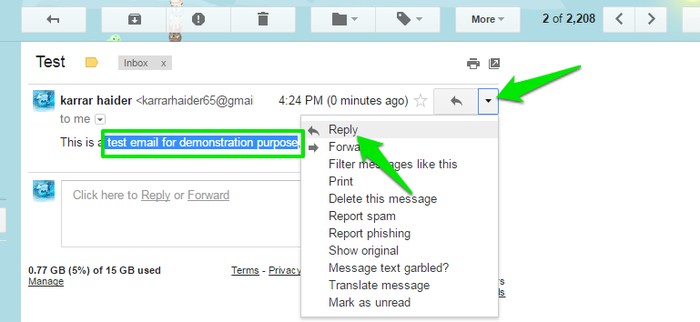
While you are in a conversation, highlight the text you would like to reply to, and then click on “Reply.” If you have highlighted text in the last response you have received, then click on the “Reply” button inside the bottom text box. However, if you have highlighted text in an older response, then you will have to click on the “upside down arrow” next to that email and select “Reply” from the menu (see the below screenshot).
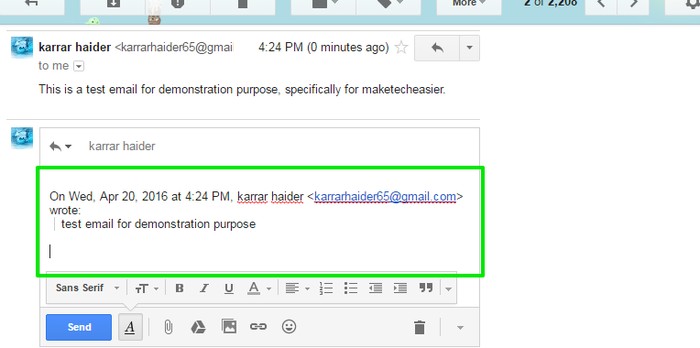
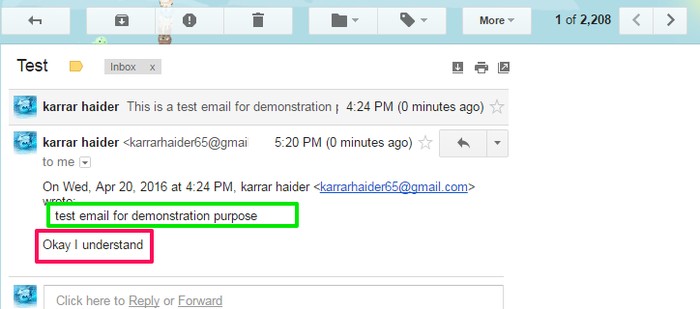
The specific phrase you have selected will be quoted in the reply box, and you can write your reply below it. When you send the email, it will show the quoted text above and your reply below it.
While using the “”quote selected text” feature, if you experience any negative behavior, then disable this feature immediately. Also, let us know in the comments to help other users as well.
Good To Know: this feature is not only limited to Gmail for Web; you can also use this feature in other popular email clients like Outlook, Apple Mail, Thunderbird, etc. You don’t need to enable the “”quote selected text” feature either; it is enabled by default.
Conclusion
This is a very simple feature, but it will surely make things a lot less complicating and also save some time. You can also “quote” text manually by clicking on the “quote” button in the Gmail text editor and copying/pasting the text you would like to quote. This might be handy in quoting multiple phrases of text in the desired place, but it is not thesame as what we have explained above (no time/name stamps will be added). Do let us know in the comments if this was helpful to you.