
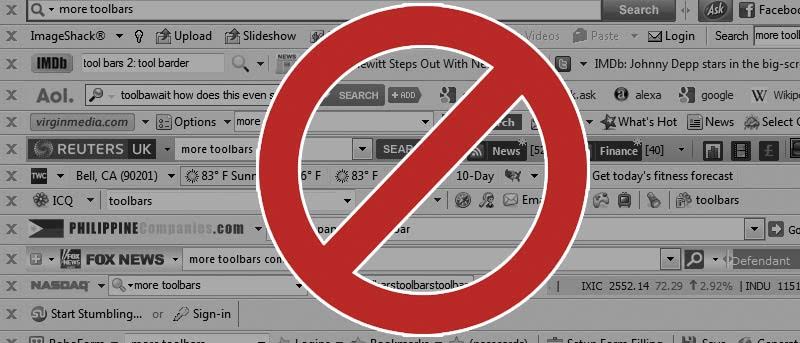

Toolbars. The word “toolbar” is considered a dirty word on the Internet, especially when associated with Internet Explorer or Firefox. Prior to the days of Firefox and Chrome’s powerful extensions to truly expand a browser’s capabilities, toolbars were all the rage. In fact, a few toolbars were even released by companies like Google before later versions of web browsers removed the need for a separate search box in a browser.
Nowadays, most people don’t want toolbars. Not only do they take up unnecessary room on your screen, they also tend to carry advertisements and can even be malicious. Whether you forgot to uncheck a box while installing a free program, a malicious virus has left behind a toolbar, or you simply want to remove something you installed, you’re in the right place.
Read on and I’ll tell you how to remove a toolbar from Firefox.
Removing a Simple Toolbar
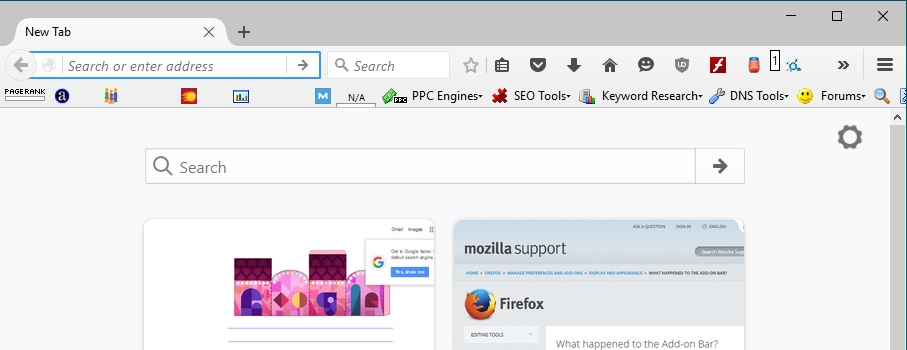
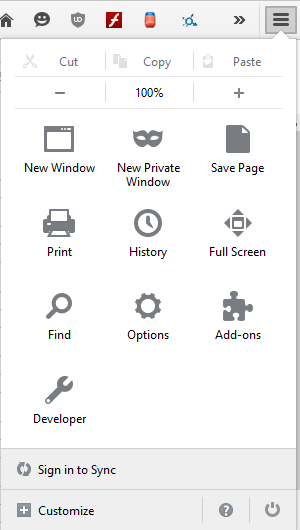
So, you open Firefox and you see a Toolbar you don’t like. In this case, I’m using a nifty toolbar – SEO Toolbar – that actually isn’t bad, but for demonstration purpose, I’m going to remove it. To start, you want to click your Menu button and then select “Add-ons.”
From the Add-ons screen, it’s time to click “Extensions.”
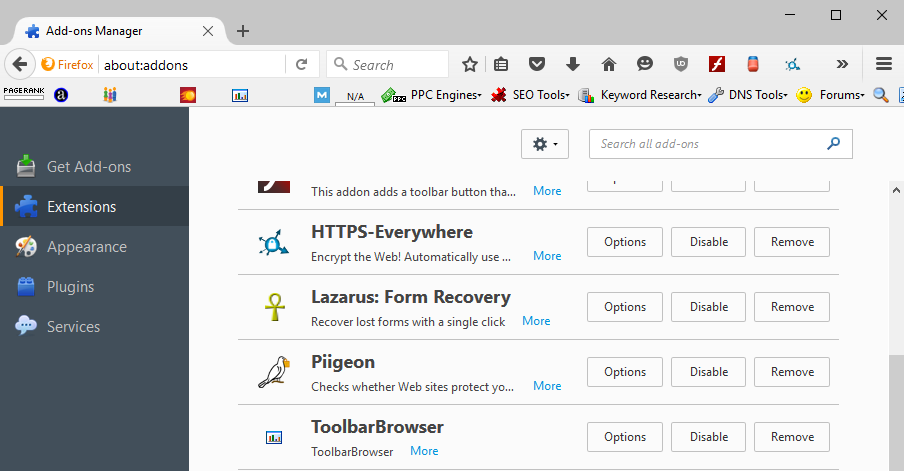
To find the one you want to delete, the toolbar is called SEO Toolbar on its page, but its actual name, for me, is ToolbarBrowser. Your toolbar may have a different name than expected, too, but it will show this name during the installation process. Click Remove, then restart your browser.
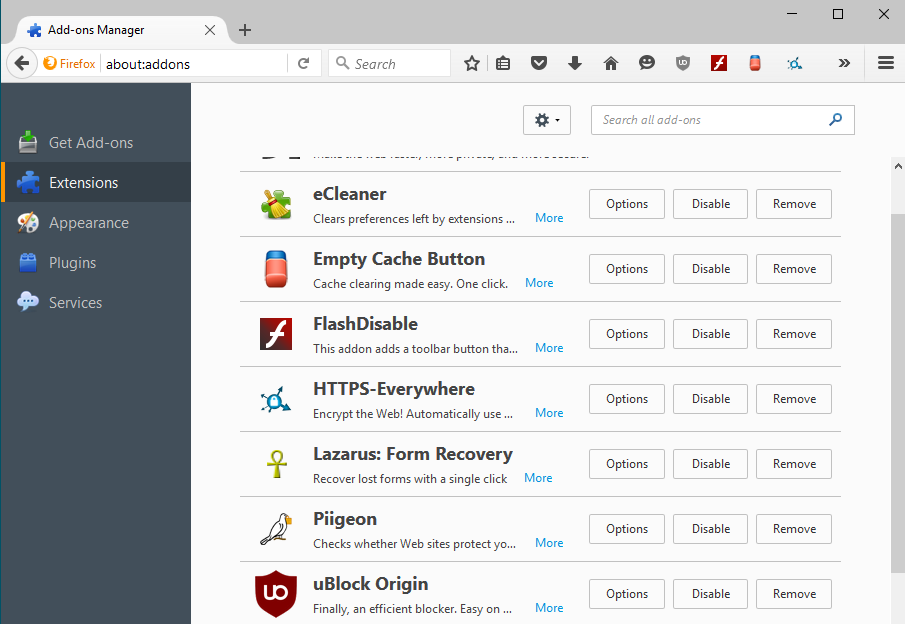
And it’s gone!
If this didn’t work, or it did and the toolbar keeps coming back, you may be dealing with a malicious toolbar. Malicious toolbars are installed by external programs and may resist removal to get rid of them. You’ll be required to take care of what’s putting them there to begin with.
Removing a Malicious Toolbar
Sometimes on the Internet people get accused of being “biased.” Personal bias is a thing. But in my honest, professional opinion, Malwarebytes is literally one of the best pieces of software you could ever ask for: if you know how to use it, it can remove a malware infestation from even the most crippled machine. I’ve saved so many friends’ and family members’ machines by going into Safe Mode and running Malwarebytes off of a flash drive.
Where you can’t remove a toolbar or extension from your browser on your own, Malwarebytes will do the job for you. In addition to malware and viruses, Malwarebytes also searches for what’s called a PUP (Potentially Unwanted Software), and it removes shady installers, toolbars, etc., from your PC.
Download and install Malwarebytes, then launch it. Once you’ve launched it, click “Scan Now” to run a simple scan.
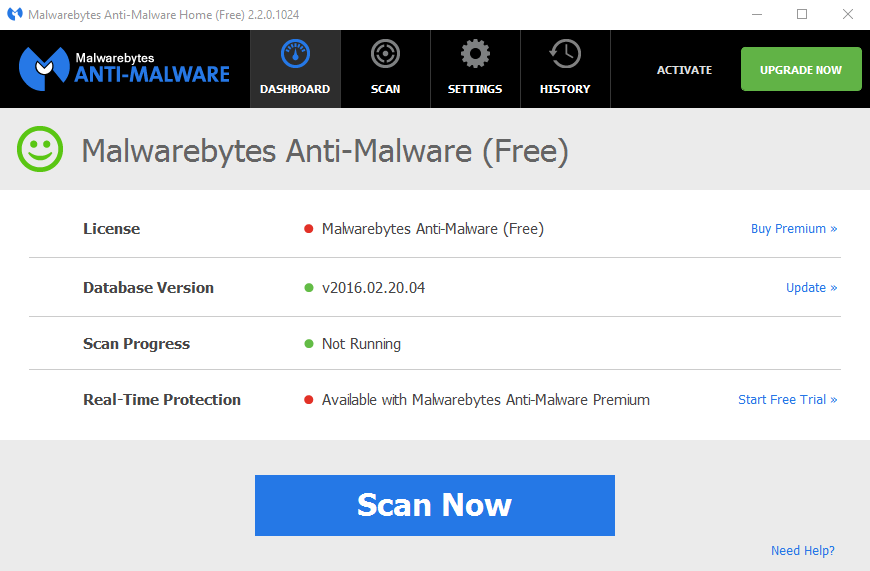
Depending on the power of your computer and the size of your hard drive, this can take quite a while. Malwarebytes doesn’t usually slow down your computer much, but definitely don’t run it when trying to play a game or perform another high-intensity task. General browsing while it runs is usually fine, though.
Once it’s completed, restart your computer, and you should be fine. Chances are Malwarebytes will also pick up on whatever else managed to get in there if you’ve never run it before or haven’t run it in a while.
If you have any other questions or concerns, feel free to sound off below! The instructions in this article should cover most scenarios, but if you’re dealing with something else, we’re more than willing to help you through your personal situation.