How to Remove Google+ Birthdays From Google Calendar

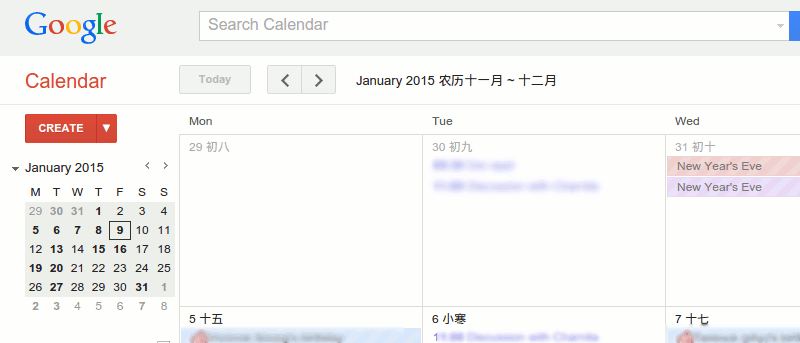
If you have been a Google Calendar user, as well as a Google+ user, you will notice that additional Birthday entries are showing up in your calendar. The worst thing is most of them are from your Google+ contacts which you probably aren’t interested in knowing which days their birthdays fall on. It seems that Google has taken a drastic approach to integrate Google+ into all its services with no options to disable them.

Previously, the “Birthday” calendar was an additional calendar which you had to manually add to have it displayed in your calendar. However, a recent update by Google seems to push the “Birthday” calendar to the main calendar app and there is no way to disable it. For those who are not aware, the “Birthday” calendar grabs the birthdays of all your contacts, including Google+ contacts, and displays them on your calendar. For those who want to get the Google+ Birthdays off their calendar, here is a workaround:

1. Go to your G+ page and click on the “Settings” option under the “Home” dropdown.

gplus-settings-options

2. Scroll down until you see the “Your Circles” section and click the “Customise” button.

gplus-customise-circles-button

3. Now, uncheck the box beside the circle of the contacts whose birthdays you don’t want to see on your calendar. This also means that when you share posts, photos, profile data and other things with “Your circles,” they won’t see it.

gplus-uncheck-circles

Click “Save.” Now refresh your calendar app. You will find that the Google+ Birthdays will no longer be there, except for those in the circles that you have selected.

As mentioned above, this is a workaround rather than a fix to the issue. Until Google provides the option to disable it, this is the only way to prevent Google+ Birthdays from showing up in your calendar.

Let us know if this is useful to you.

Update: To remove the Google+ birthdays from your Android phone, you first have to open the G+ app, make sure you are sign in, and get it to refresh. This will make sure it syncs with the settings you configure on your desktop. Lastly, run the Google sync and all the Google+ birthdays will be removed from your mobile calendar.

Subscribe to our newsletter!

Our latest tutorials delivered straight to your inbox

Damien Oh Avatar

Read next

Suzanne Simard sealed paper birch and Douglas fir seedlings inside plastic bags, fed them carbon-14 and carbon-13 dioxide, and nine days later found carbon had crossed between species through fungal threads in the British Columbia soil beneath her boots
A species of jellyfish called Turritopsis dohrnii can revert its adult cells back to a juvenile polyp stage when injured or starving, effectively restarting its life cycle, and biologists have so far failed to identify any natural limit to how many times it can do this.
A Japanese man named Jiroemon Kimura, who lived to 116, was born in 1897 when Queen Victoria still ruled and died in 2013, meaning a single human life personally overlapped with the invention of the airplane, the atomic bomb, the internet, and Instagram
The Hollywood sign originally read HOLLYWOODLAND when it was built in 1923 as a real estate advertisement for a housing development, and it was only meant to stand for 18 months, but nobody ever got around to taking it down and the city eventually adopted it as a landmark
Almost all of the world’s internet traffic does not travel by satellite but through fibre-optic cables lying on the ocean floor, a hidden web of wires crossing the deepest parts of the sea to connect the continents.
People who flip their phone face down on every table aren’t being secretive. They figured out that staying interruptible meant handing their time to whoever rang first
Twitch vs. Facebook Gaming vs. YouTube Gaming: What’s the Best Live Game Streaming Platform?
Chrome Extensions Ownership Transfer is a Direct Threat to You: How to Stay Safe