


Much of our time is spent on the Internet, and being productive on the Internet is the key to improving our productivity. There are many apps available online that can help you to be productive, but we have found a new Chrome extension that will surely help you keep up with your schedule. Readism is a Chrome extension that tells you approximately how much time it will take to read an online article.
You can use this information to easily decide whether you want to read the article right now or save it to read later.
Tip: Readism can also be used in Opera using the Download Chrome extension. Just install this extension in Opera, and get all the Chrome extensions in Opera, including Readism.
Using Readism
Install Readism from the Chrome Web Store, and you will see its icon next to the address bar. Using Readism is extremely simple: Just visit any article on the Web, and it will show the approximate time required to read the article at the bottom-right corner of the screen. Readism uses special algorithms to predict the reading time such as the number of words, natural reading style, writing style and some other factors. This makes sure that the estimated time is as accurate as possible. It is not an extension that just compares total words with average reading time.
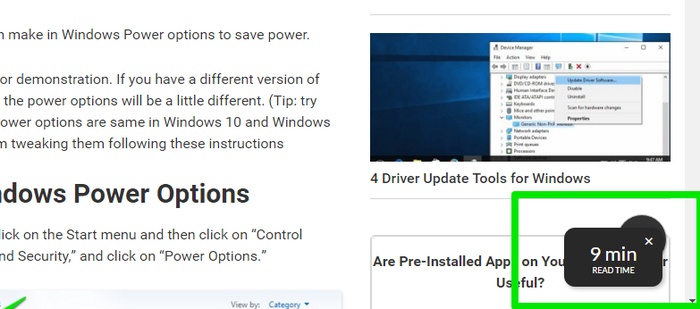
The extension takes approximately one to three seconds to estimate the reading time when an article is opened. Additionally, it is really light on the browser, and the estimated time notification box is minimal and only stays for a few seconds.
I have tested the extension on many of our articles and read the articles myself. There was hardly a difference, with only a few seconds difference between reading time, with the exception of two articles that I read one to two minutes faster. However, those were my own articles, so I believe it was natural for me to read them faster.
One problem I had with Readism is the inaccurate time for really long articles, especially those with videos and lots of pictures. Readism always gave less reading time for such articles. I suppose this is because the heavy web page takes a lot of time to load, and Readism scans the page earlier. This leads to scanning less content and showing less reading time.
Know Reading Time Before Opening the Article
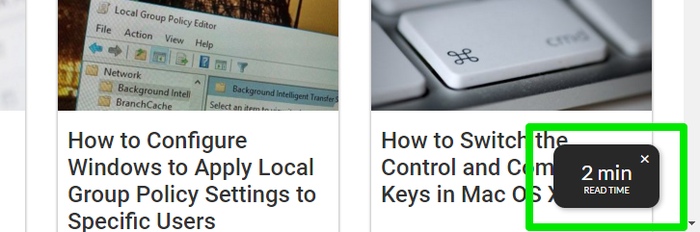
Readism also lets you right-click on an article link and click on its icon to see reading time without actually accessing the article. This feature literally seemed like a life changer to me; unfortunately it was very inaccurate. I tested it on many articles on multiple websites, but it always gave one to three minutes less reading time than what it showed when I actually opened the link. Also, for many article links, it just said “No article found,” even though it gave a reliable reading time when I opened the link. From my experience, this feature isn’t worth depending on (no matter how cool it is).

Readism’s Official Website
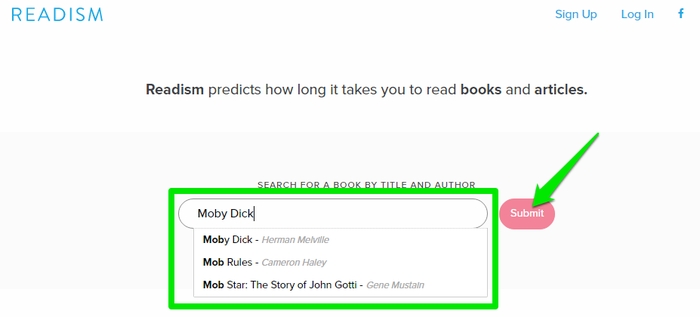
Readism’s official website is really cool as well and worth a try while you are enjoying the Chrome extension. Go to readism.io or click on the Readism icon and select “Web” from the options. The Chrome extension focuses on giving reading time for online articles, but the official website provides reading time for popular book titles instead. This is perfect for book readers who would like to get an estimate of reading time to manage their schedule.
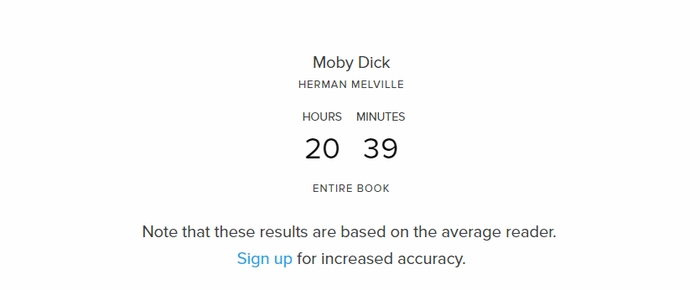
Just type the name of the book in the main search bar and click on “Submit.” Readism will show the total time to read the book in just a few seconds. They don’t cover all the books, but you should get the reading time for popular titles.
Conclusion
Readism is a perfect online companion to ensure you easily manage your online reading time. We can clearly see Readism is not perfect yet, and there are many tiny issues to be addressed. I’ll try to send a friendly report to the developer to see if they can fix these issues or at least provide some insight. However, it plays its actual role really well – providing accurate reading time for the article you are about to read.
How do you manage your online reading schedule? Are you thinking of using Readism? Let us know in the comments.