
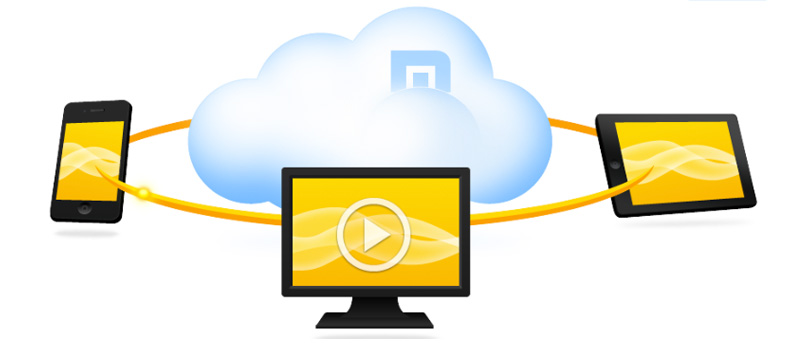

Do you love surfing on multiple devices? What if you could send the article you are reading on your desktop to another device in a jiffy with a little cloud push? Maxthon’s Cloud Browser says it can. It claims it will “set you free” and also boasts “seamless web browsing.” Can Maxthon convince users to switch to its browser with these features?
Install and Use Maxthon’s Cloud Browser
Maxthon Cloud Browser is available for Windows, Android, Mac, iOS, Windows Phone, and Linux for free. To download Maxthon’s Cloud Browser, you just have to visit its website and click the download link. Depending on your OS, it will either redirect you to the Mac App store or to download the .exe file (for Windows) or .deb/.rpm file (for Linux). The download for Mobile OSes can be found at the App Store, Google Play Store, and Windows Phone Store.
Note: In this tutorial, the main device is the Mac computer. Screenshots will be provided below on how it works across devices.
How Maxthon’s Cloud Browser Works Across Platforms
For the Cloud Push to work, you will need to set up a Maxthon Passport account. After activating your account, use the login details to connect to Maxthon passport on the Maxthon browser on all your devices.
Now, let’s say you stumbled upon an interesting article in The New York Times about Game of Thrones updates on your Android device. If you plan to read it later or in another device, tap the “Cloud Push” button (the small arrow beside the URL bar). Here it gives you the option to either push to the cloud or to other devices. Choose where you’d like to push the content to.
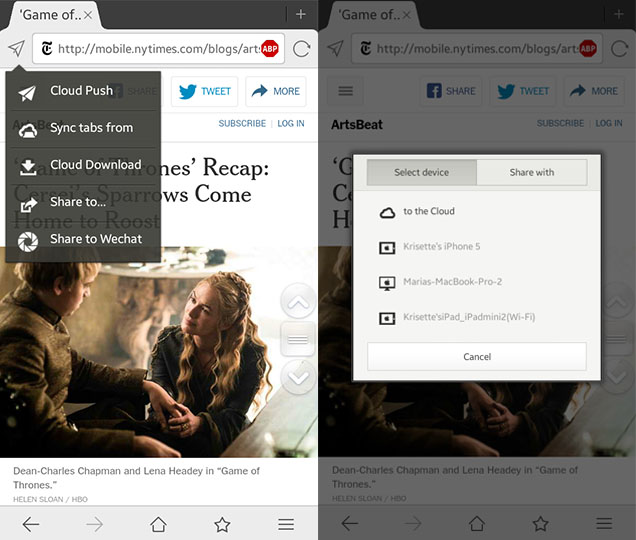
Note: in this tutorial, the article/link from the Samsung device was pushed to iPad and Mac.
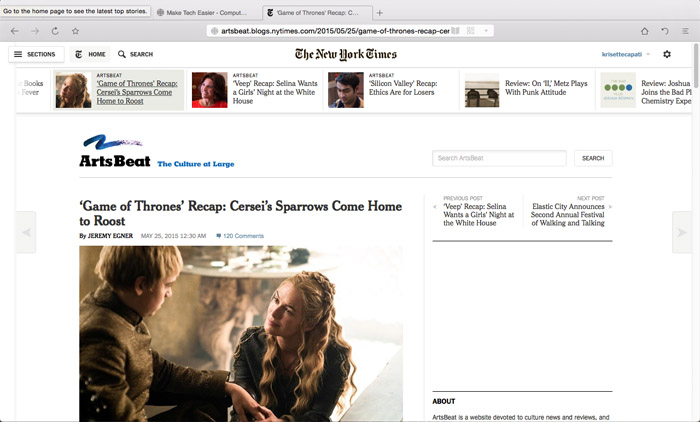
After you click “Cloud Push,” you will hear a notification from both devices that it was completed. If the devices are both online, Maxthon Cloud Browser will automatically add a tab for the link while browsing in real time. Here’s what the iPad shows.

When pushing to the desktop browser, it may take a few seconds (or minutes) to see the result; it may also depend on the speed of the Internet connection and response time of the server. If the “Sync items only in Wi-Fi” option is selected, it will only push the links when the device is connected to Wi-Fi.
Additional Features
Aside from the Cloud Push option, you can also check out other features.
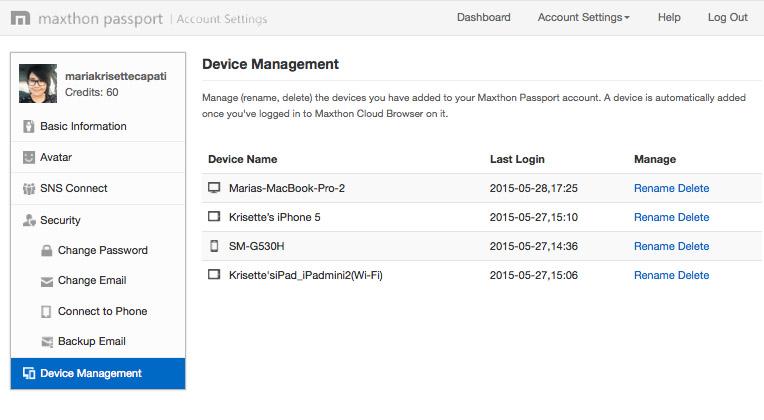
1. Device Management – you can check your registered devices under the “Device Management” tab that you have added and logged in with using the Maxthon passport account. Plus, if you’re using the Mac desktop version, you can customise your tab’s dashboard under the settings.
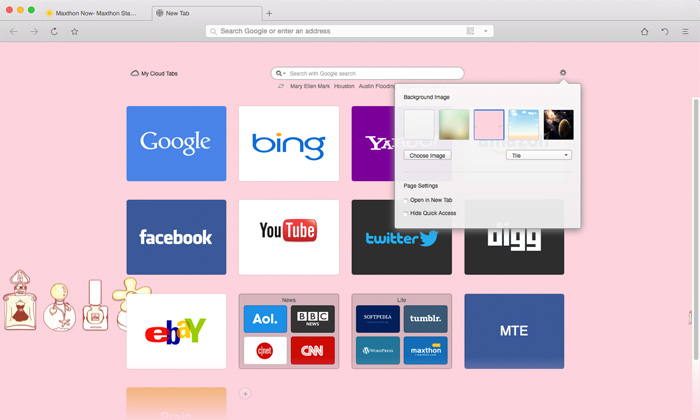
2. Personalise your browser – change the dashboard with a background image; you can upload one or choose from Maxthon’s themes.
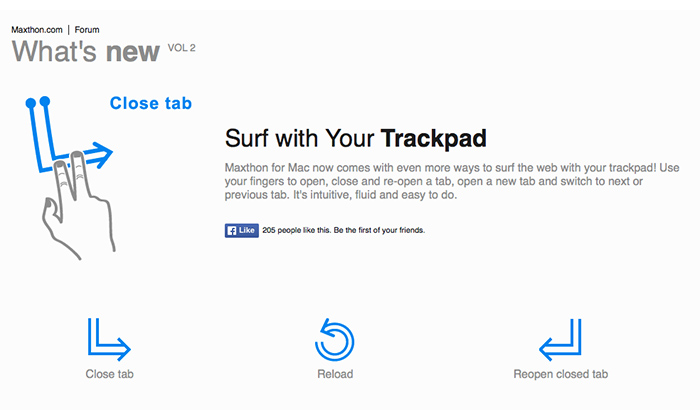
3. Special gestures for Mac – There are special trackpad gestures on Mac, too. Users can (see below) close a tab, reload, or reopen a closed tab.
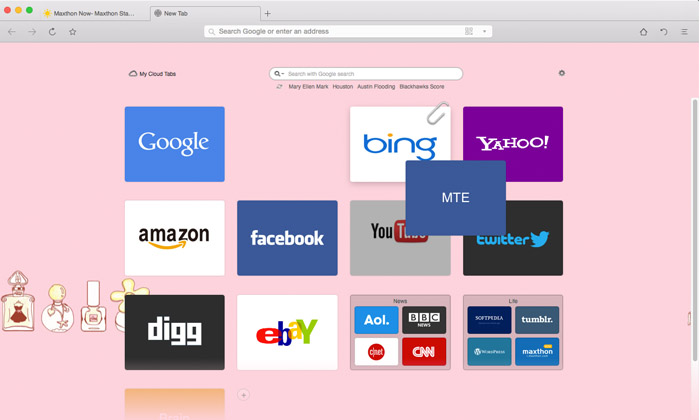
4. Drag-and-drop to arrange cloud tabs – you can drag and drop the icons and arrange them according to folders, categories or your preferences.
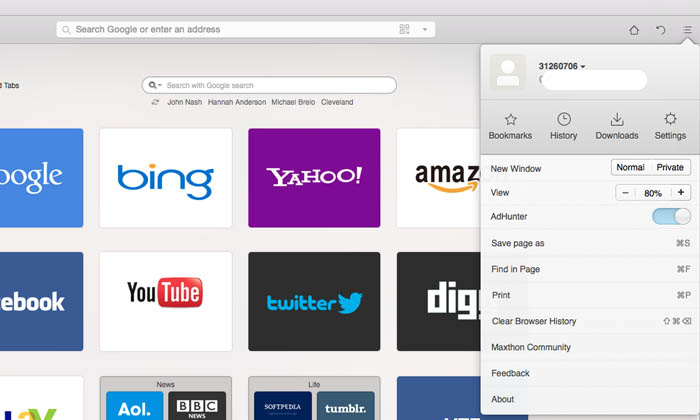
5. AdHunter – you may turn on this feature to block the ads while browsing the websites. However, there are still advertisements showing up on other sites.
Is It Time to Switch?
There are two things you can do with this app: use the “Cloud Push Share With” option with your team members or friends and share the links via email whether they have Maxthon passport or are unregistered. The unregistered recipients will receive an email and a link to Maxthon’s Cloud Share page which they can visit ten times within seven days before the link expires. Second, for personal use, if you have multiple devices and would like to sync all data and tabs, plus if you want to get rid of the ads on web pages you’re visiting, Maxthon Browser Cloud’s Android version comes with Adblock Plus (beta) that automatically scans and blocks the ads. However, there are some glitches on other sites; there are ads that still pop out despite this feature. The desktop version has the AdHunter feature as well.
However, though Maxthon Cloud Browser delivers that seamless web browsing, it’s impossible to switch and use it as the default desktop browser because it doesn’t support plugins and extensions as of this writing. Maxthon’s Cloud Browser has an edge across smartphone and tablet users, but for desktop, I’d stick with Google Chrome for my Hootsuite and Grammarly add-ons which are integral in my editorial stints.