

Dropbox is more than simply a convenient way to share, store, and sync files. Thanks to some clever individuals in the development community, you can do much more with Dropbox.
One of the more interesting and useful third-party applications for Dropbox is DropPages. It turns Dropbox into a simple web server, letting you publish static web pages quickly and easily. You don’t even have to buy a domain or pay for hosting.
Here’s a look at how to get up and running with DropPages.
What You’ll Need
Obviously, you’ll need a Dropbox account. It’s free, and you get plenty of storage. Especially if you only use your Dropbox account for serving your web pages.
You’ll also need some files called themes. These provide the framework for your web site, and you can download them here. There are only three themes available, but they’re not bad looking.
That said, you can fine tune or create your own theme. How? Well, the themes are formatted with Markdown, a lightweight markup language that’s similar to Textile (which was covered by Make Tech Easier). Once you learn a bit of Markdown, you can customize your theme.
Once you have all of that, you’re ready to go.
Getting Set Up
Log into Dropbox and create a new folder. Click the New Folder button, and then type a name for the folder in the space that appears.
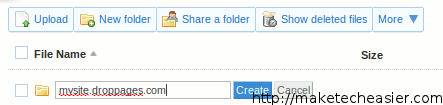
The name of the folder must contain .droppages.com – for example, scottnesbitt.droppages.com. This will be the URL to your web site. When you’re done, click the Create button.
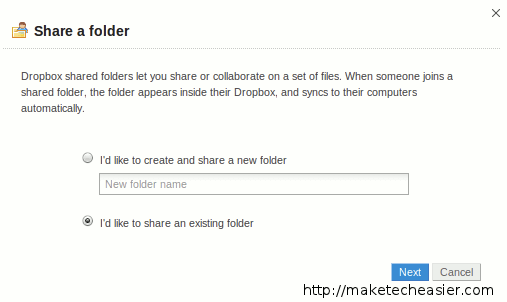
From there, click the Share a Folder button in Dropbox. In the window that opens, click I’d like to share an existing folder and then click the Next button.
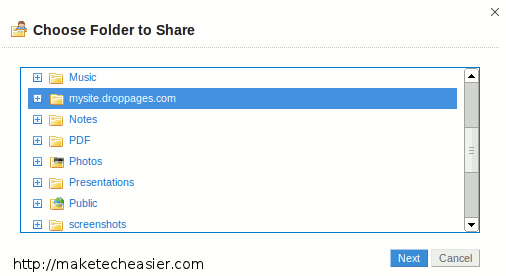
Click the folder that you created earlier, and then click the Next button.
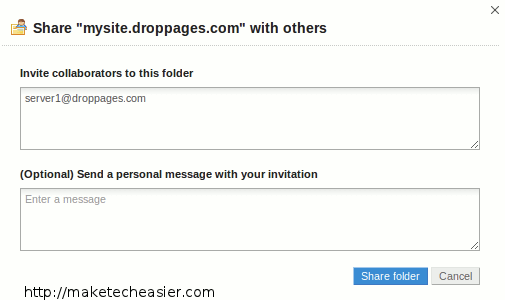
In the next window, type server1@droppages.com in the Invite collaborators to this folder field. Doing this shares the file with the DropPages server and turns Dropbox (or, at least, that shared folder) into a basic but workable web server. When you’re done, click the Share folder button.
The request needs to be manually approved by Dave McDermid, the developer of DropPages. That approval can take anywhere from a few hours to a couple of days.
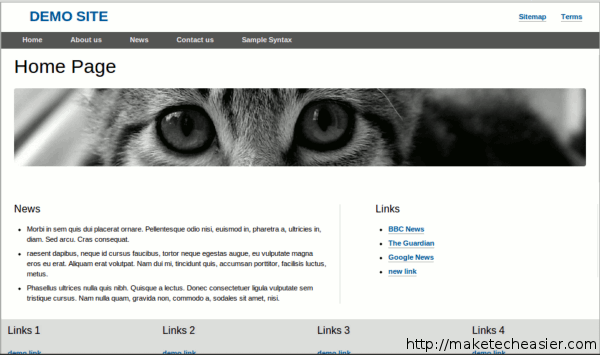
Finally, remember that theme file you downloaded earlier? Extract it into your DropPages folder. Once your share request has been approved, your site will look something like this when you (or someone else) goes to the URL:
Final Thoughts
DropPages isn’t high-octane Web publishing. But it’s not meant to be that. If you want to quickly put up a Web page or site, even just for a short while, the combination of DropPages and Dropbox is a great solution. Especially if your needs are simple and you don’t want to fool around with buying a domain, dealing with hosting, and coding web pages.