

Recently, a major flaw in WiFi’s WPA2 protocol was revealed to the world. This flaw allows a hacker to peek at a user’s network traffic and learn information such as sensitive passwords and private information. It was given the name “KRACK” (which stands for “Key Reinstallation Attack“) and works by exploiting a point of weakness that occurs when someone logs into a WiFi network with WPA2 security.
How Does It Work?

When your computer wants to talk to your router, it will need an encryption key to do so. These keys should only be used once in order for them to be effective, but an exploit has been discovered that forces a connection to use an old key again. This flaw occurs during the “4-way handshake” when your computer logs onto a WiFi network. This handshake is, essentially, a series of security formalities your computer and router undertake when connecting.

Step three of the 4-way handshake involves the router handing a fresh encryption key to the computer. If the router doesn’t receive a message from the computer saying it received the code, it will resend it to make sure the computer received it. If a computer detects that step three has been resent, it will reinstall the encryption code. However, this re-installation resets its cryptographic nonce to its default value which compromises the encryption.
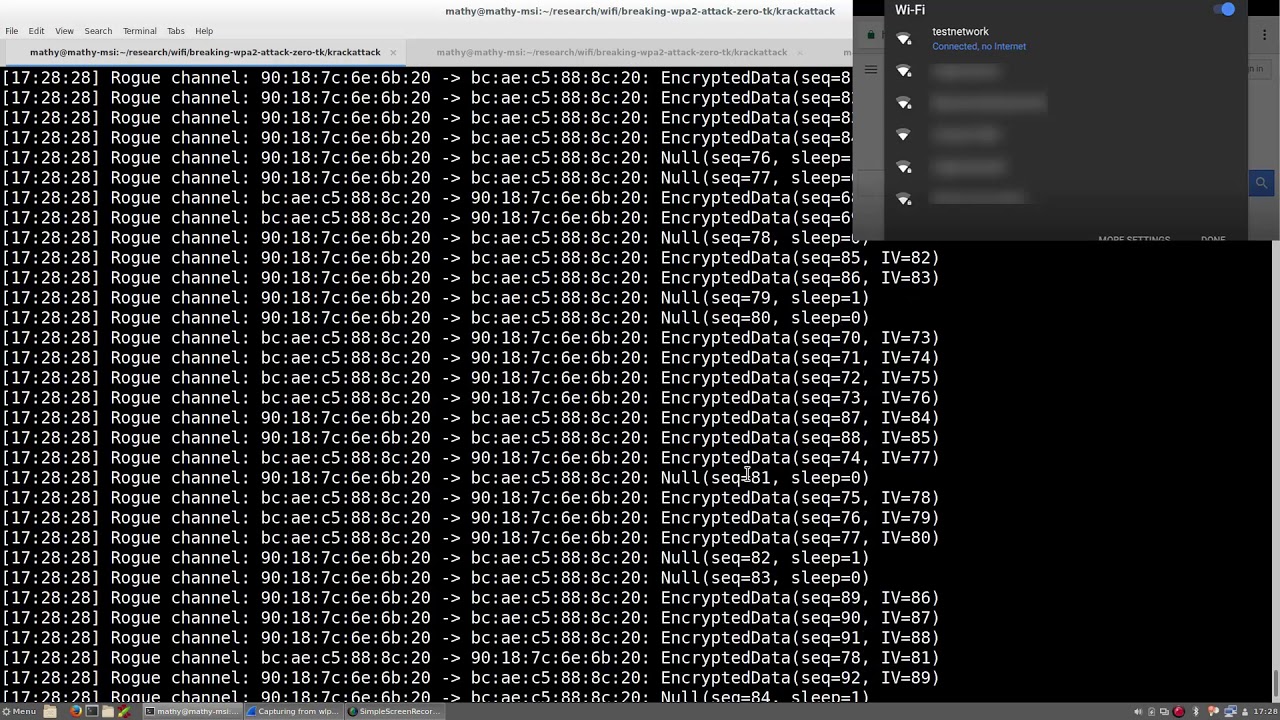
Hackers exploit this by watching the traffic as someone connects. When they detect a connection, they copy the router’s transmission during step three of the handshake and send it to the victim’s computer. The computer, now seeing two identical transmissions, thinks the router is re-sending step three. This causes a reinstallation of the key, which then resets the nonce.
Now that the computer is using an old nonce that has been used before, the hacker can get past the encryption and read the data packets. This completes the KRACK WiFi vulnerability method. A more in-depth description of the attack can be found on the KRACK Attacks website.
How to Protect Yourself
The main problem with the KRACK WiFi vulnerability is that it’s not targeting a specific device or OS. This is exploiting the WPA2 encryption standard which is used by every device with WPA2 WiFi capabilities. Given how WPA2 has been a popular WiFi standard for a long time, this affects most computers, devices, and routers that connect to the internet via WiFi.
In order to stay safe from KRACK, you can do the following to help protect yourself.
Update Your Devices and Routers
With this being such a huge exploit, the companies that use WPA2 in their products are pushing to get a fix out. This includes both operating systems and routers. For your operating system, check for any updates to see if a patch has been rolled out. Windows has already published a patch that fixes this issue, so make sure you’re up to date on your Windows Updates. For your router, check to see if a firmware update has been pushed that patches this vulnerability. If not, get in contact with its manufacturer for any updates.
Don’t Use Public WiFi
Public WiFi has always been a honeypot for hacking attempts, and this new exploit does not help matters. If the owner of the public WiFi hasn’t updated its router’s firmware, it may still be susceptible to the KRACK WiFi vulnerability. As such, it may be a hotspot for a hacker trying to glean personal information from the packets. For the time being, try not to use public WiFi connections. If you have to use one, try not to enter any personal information while using it.
Use Sites with HTTPS
When you’re logging into sites, make sure the security certificate beside the website says “HTTPS.” A KRACK can strip the connection of HTTPS encryption to read the data within the packets. If you see a HTTPS certificate on a website, your connection should still be secure. If it’s gone, it’s a sign that something has gone very wrong. Do not enter your information into sites without a HTTPS certificate, especially if it had one previously.
Get Off WiFi Altogether
If you can’t update your devices or your router, you can go the WiFi-less route instead. Set mobile phones to use cellular data for the time being and connect computers and laptops to your router via Ethernet. The KRACK WiFi vulnerability won’t affect you if you don’t use WiFi at all, so this will keep you safe from any potential attacks.
Cracking Down on KRACK
While KRACK is a serious issue that affects a lot of devices worldwide, efforts are always underway to fix it. Now you know how KRACK works and how to protect yourself from the attack.
Does the KRACK WiFi vulnerability worry you? Let us know below.