

Multiplayer games over local area networks (LAN) took off once the “cybercafé” became ubiquitous. The ability to play games with friends opened up a whole new realm of possibilities for the casual and determined gamer. I personally, started playing computer games at cybercafés since 1999. At the time playing at home over the internet was impossible for complex games as the bandwidth over a 56k dial-up connection was insufficient.
The permeation of high-speed broadband internet in the last decade has allowed the growth of games such as the blockbuster massively multiplayer online role playing game (MMORPG) World of Warcraft. Most MMORPG’s have fairly robust servers that allow millions of people around the world to play games simultaneously. However, there are a number of older games, such as the perennial Counter-Strike, which have become increasingly difficult to play on-line.
Firstly, it is difficult to find other like-minded individuals to play these games with. Secondly, stemming from the first reason, you may end up playing with hosts that are far away from where you are playing, leading to slow “laggy” game play.
This is where Garena (short for Global Arena) comes in.
Launched in 2003, Garena is an online gaming platform which supports a number of “LAN Games” including popular titles such as Call of Duty: Modern Warfare 2, Warcraft III: Frozen Throne and Counter-Strike, with new games being added frequently. Garena works by connecting the user to other gamers around the world through a virtual local area network. The connection is also optimised to ensure that the game is “lag” free.
At first Garena can be a little overwhelming, so this guide aims to streamline the process of quickly starting a multiplayer game.
After installation you will have to register a new account.
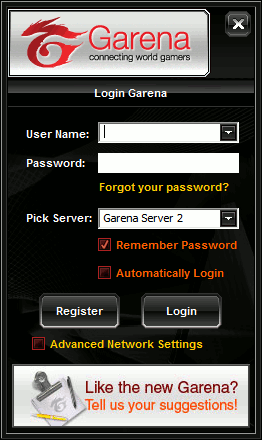
After creating your account, choose a server (default Garena Server 1) and click Login. Note: After the first launch Garena may require an update.
The main Garena page appears extremely busy and can be difficult to navigate. To keep things simple I have outlined the basic method of launching a game.
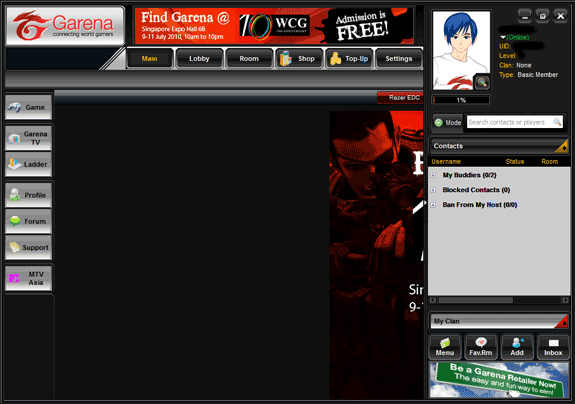
First, click on Game on the right hand side of the screen. This will launch the LAN Game list.
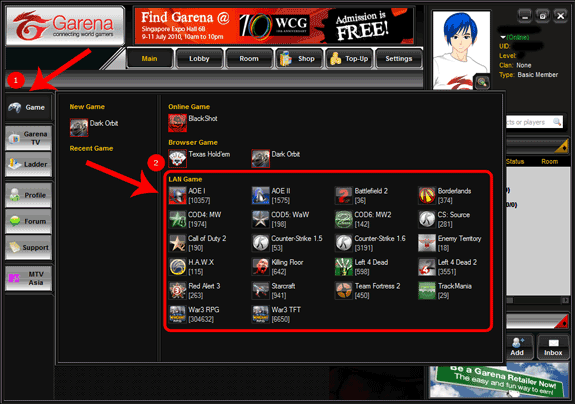
Next, select the game you would like to play (for example COD4:MW – Call of Duty 4: Modern Warfare).
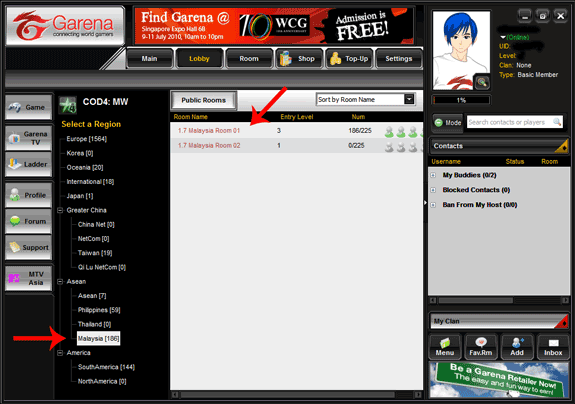
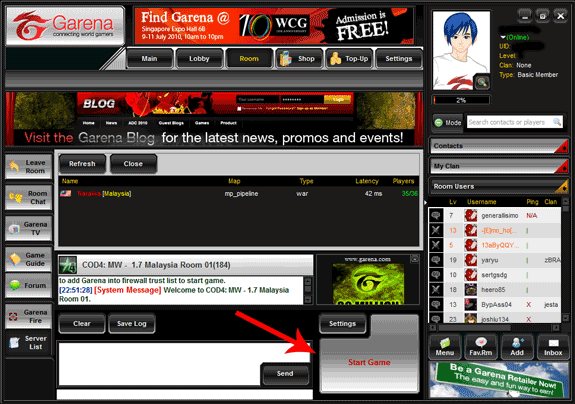
This will launch the room select screen. Here, you must “Select a Region” you want to play in. Choosing a region close to where you live ensures that your connection is more reliable (I live in Singapore, hence I like playing games in Malaysia). Next, from the middle panel, select a Room you would like to join. Here, I tend to pick a room that has more people. As you can see 1.7 Malaysia Room 01 has 186 persons (out of a maximum 225). Choosing a room with more people ensures that there are actually people for you to play with!
Once the room opens you will notice the standard chat box and a large “Start Game” button. Just above the “Start Game” button there is a “Settings” button. Click on this button to configure your game options.
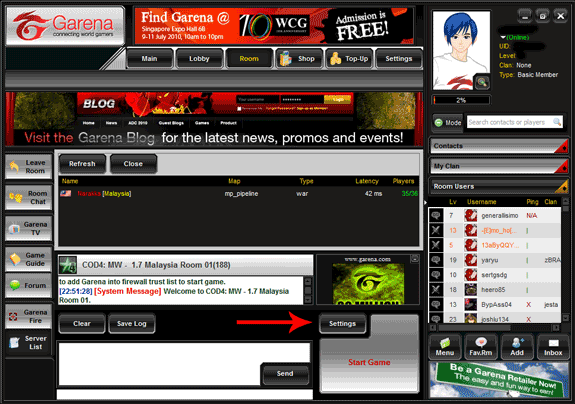
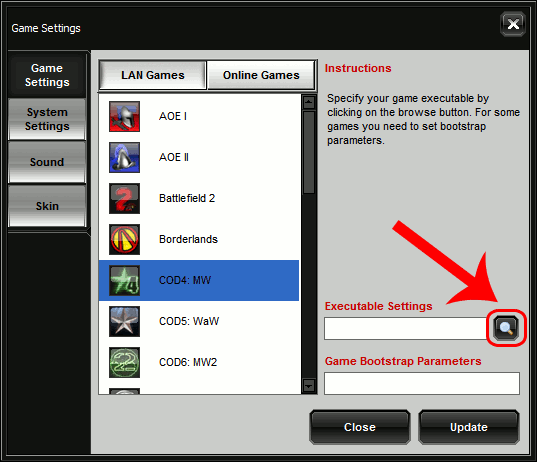
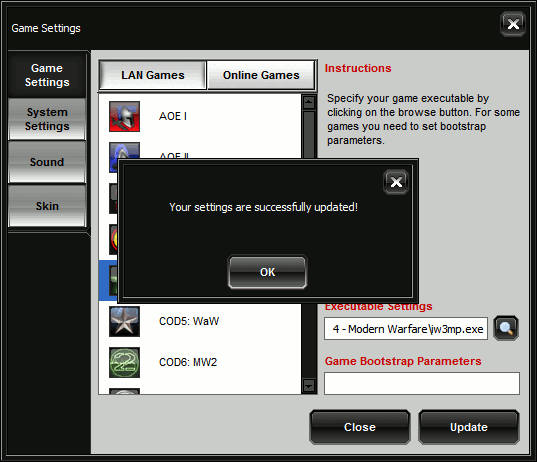
The Game Settings window allows you to manage the specific settings for all your games. Here, click on the magnifying glass next to the Executable Settings dialog.
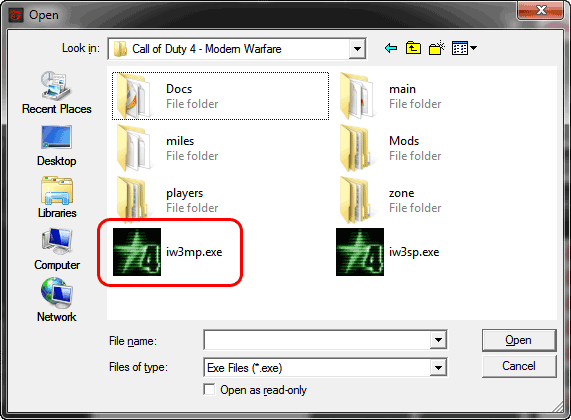
In the next window, navigate to where the executable for your game is and click “Open”. Since this particular game was Call of Duty, I navigated to “C:\Program Files\Activision\Call of Duty 4 – Modern Warfare\iw3mp.exe”.
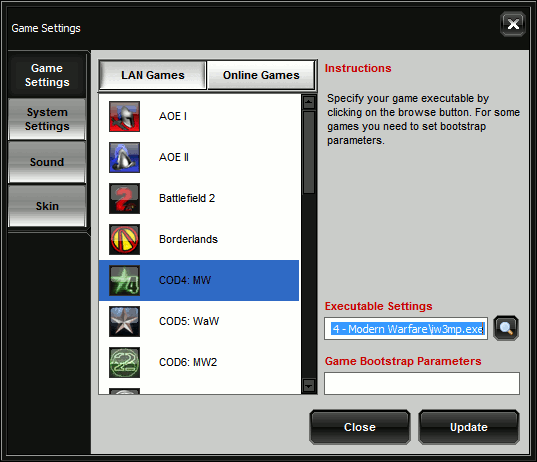
Ensure that the path to your game executable is correctly inputted in the “Executable Settings” dialog and select “Update”.
Finally, select “OK”.
Once you are ready to launch the game select “Start Game”. Your game of choice should now launch.
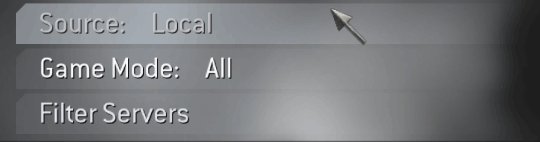
Remember Garena emulates a local area network, so ensure that you change your multiplayer settings to “Local” (and not “Internet”).
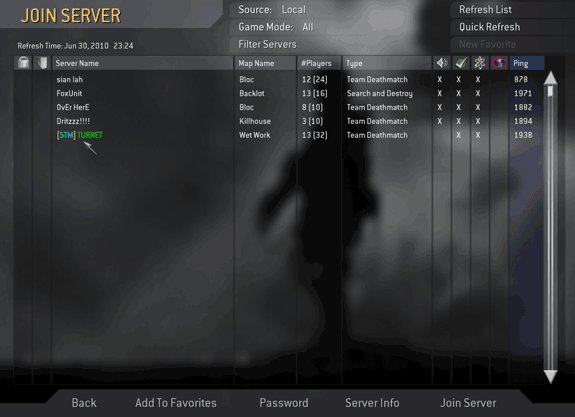
Hit “Refresh” and a list of servers should start appearing.
Garena has a multitude of other features, so let us know if there are any exciting ways you use Garena. Enjoy!