

Most popular applications usually have a lesser know competitor with very similar features. The better know software is more heavily marketed and the freeware versions – which are equally as good – usually are not. Springpad is one of these freeware apps.
You hear a lot of people talking about how if they did not have Evernote, they would be lost. They use it from their mobile device and computer. Evernote is a great information catch-all, but what happens if you are not a very creative or organized person to begin with?
Starting to use Evernote is a lot like starting to use Twitter. You learn as you use it and see example of how really creative people use it. Sure this is kind of the way a lot of applications can be, but doesn’t it defeat the purpose of a productivity app if you need to spend a ton of time trying to figure out how to use it?
This is the area where Springpad excels.
Springpad apps
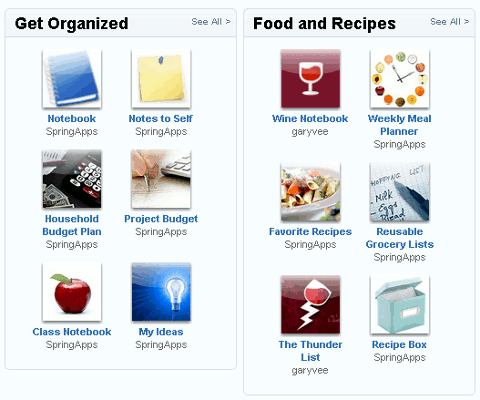
Springpad offers a large selection of what they call apps. These are simply add-ons of different kinds to help streamline your usage. For example, if you are a fan of Gary Vaynerchuk and his show on Wine Library Tv, you can get a Garyvee wine notebook Springpad app. (You need to sign in to check out the app).
You will also find task, budget planners, receipt managers, reusable grocery lists, blog post planners, to-do lists and many more.
Making you more productive
By offering access from virtually anywhere you have an internet connection – both mobile and from your computer – you don’t need to keep track of several different versions of the same to-do list on different machines.
Pre-notebooks
One of the hardest parts of productivity applications is figuring out how to make it work for you. Most applications are either too specific in how they intend you to use it or too generic. Springpad has a pre-designed notebooks to help you spend less time making the notebook do what you want, and more time getting things completed.
When you create a notebook, you have a tab bar at the top with many of the commonly used features. You have the choice of adding one or more items to your notebook. For example, if you are making a notebook for home, you could add a to-do list, coupons, shopping list, recipes, alarms and calendar events. For work, you can add a packing list, notes, up to a 5mb file, alarms for events you need to attend while on your trip, search for restaurants in the area and much more.

Reminders
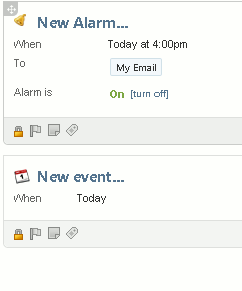
I don’t know about you, but with everything going on, I have been known to forget a task or two. If you are in a similar situation. you can use the event or alarm feature to send yourself reminders. All you need to do is verify the email address or phone number you would like the reminders or alerts sent to.
Tags
If you are accustomed to using tags for everything, Springpad lets you tag each item, file and notebook. You can later use these tags to search for similar items later.
Bookmarklet
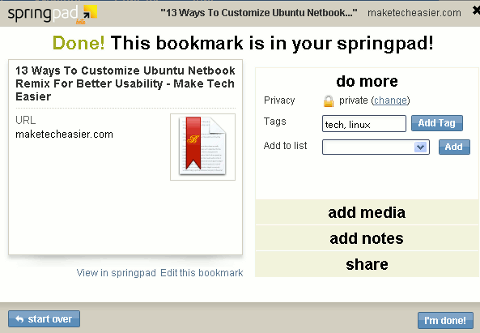
Use the bookmarklet to bookmark pages while you are surfing the web. You can tag and file them into the appropriate notebooks. You are also given the choice to add notes and media from the page you are bookmarking.
Accessing Springpad
As I mentioned earlier. you can access your Springpad account from anywhere you have an internet connection. Unlike other apps, there is NOT a desktop client for Springpad. This makes it great for netbooks and people who do not like a bunch of space resources taken up by applications on their primary computer.
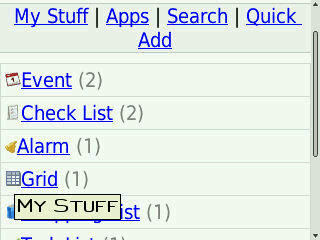
If you are mobile, you have a few options. You can use the iPhone or Android application from your device. If you do not have a device that runs on either of those operating systems, you can access your Springpad account via their mobile site.
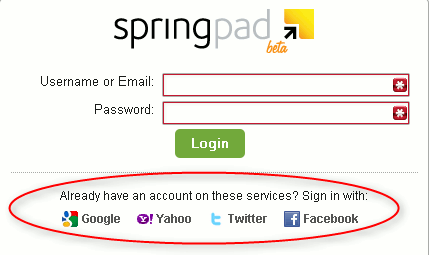
Another nice access feature is being able to log in with your credentials from other accounts you currently use. If you have a Gmail, Yahoo, Facebook or Twitter account, you can use any of these log in username and passwords to initially sign in.
Conclusion
If you are looking for a way to get your life in some sort of order, this should fit that need. In trying out the mobile version on my Blackberry and using the web app, I felt more at ease starting out. The add-on apps, layout, search and the other simplicities make it a better choice for the person who wants to get started quickly.
Do you think this would be easier to start using than other similar productivity apps?