


Today, many websites and content creators rely on advertisements to generate revenue or even to cover their basic running costs. While there are ad blockers available, these can affect a website’s ability to turn a profit and remain operational. If you enjoy a particular website or creator’s content, you may not want to block all their adverts.
In this scenario, opting out of personalized ads can be a good compromise. This means you’ll no longer encounter targeted ads that reflect your recent search history and user profile. Instead, you’ll encounter generic ads that could be targeting anyone.
In this article, we show you how to opt out of personalized ads across Google’s services, including YouTube. I’ll also show you how to block certain kinds of advertiser content. This can make the Web a safer, more pleasant place if you find certain subjects upsetting – or even if you’re simply sick of encountering the same handful of targeted ads over and over again!
Also read: How to Perform a Google Search Anonymously
Opt out of targeted ads across Google services
You can opt out of personalized adverts across all Google services. Although you’ll still encounter ads, they will be far more generic. This can be a great compromise if Google’s targeted ads are starting to feel a little too targeted, but you also want to continue supporting your favorite content creators.
Alternatively, you can tweak the information that Google uses in its targeted advertising. This can be useful if you’re regularly encountering irrelevant or even potentially upsetting advertiser content.
You can access Google’s ad settings via your Google account:
1. Head to the My Account page.
2. If prompted, enter your Google username and password.
3. In the menu on the left, select “Data & personalization.”
4. Find the “Ad personalization” card and select its “Go to ad settings” link.
5. This will open the Ads Settings for your Google account. At this point, you have a few options.
1. Turn off personalization
If you want to completely disable personal ads, Google makes things nice and easy. Simply find the “Ad personalization” slider and push it to the “Off” position.
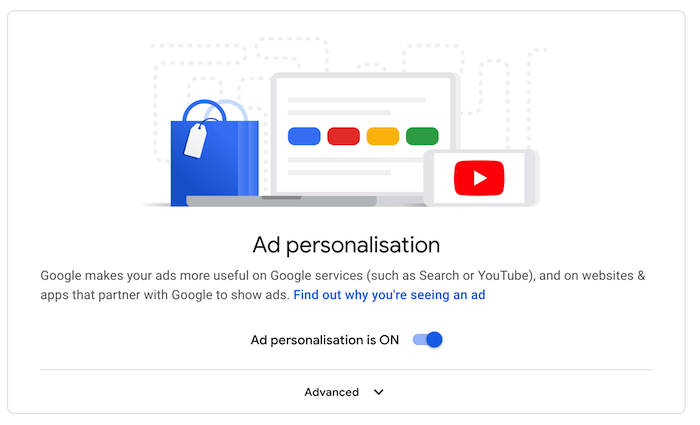
At this point, Google will warn you about the negative consequences of disabling ad personalization. This includes losing your ad preference settings and encountering completely irrelevant adverts.
Read the disclaimer, and if you’re happy to proceed, then click “Turn off.” You should no longer encounter personalized ads across all of Google’s services.
2. Exclude non-Google activity
By default, Google uses your data to personalize the adverts you encounter across third-party apps and websites that partner with Google. You can prevent Google from using your Google Account activity and data in these third-party ads.
It’s important to note that even after excluding non-Google activity, you may still encounter personalized ads on third-party websites and apps. However, these ads won’t be based on your Google Account activity and data.
To prevent Google from using your data in these third-party ads, click to expand the “Advanced” section.
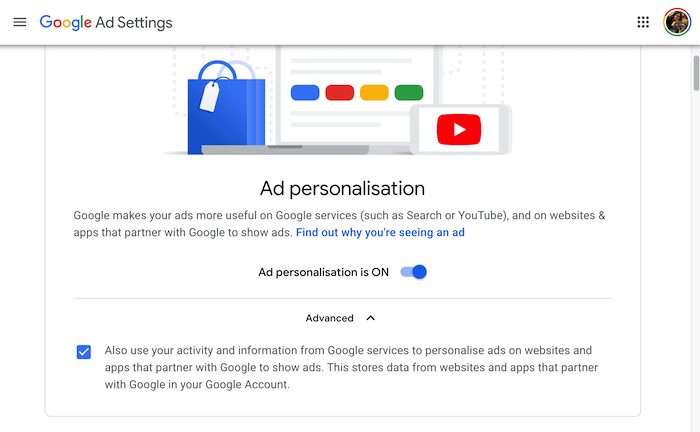
Deselect the following checkbox: “Also use your activity and information from Google services … ” Read the disclaimer, and if you’re happy to proceed, then click “Exclude.”
3. Get greater control over your personalized ads
You may want to leave personalization enabled, but tweak the kind of personalized adverts you encounter. This can be useful if you keep seeing the same handful of irritating ads, over and over again.
There may also be a chance that Google has incorrectly identified your interests or a personal characteristic such as your age, relationship status, or location. By customizing your advertiser settings, you can help Google display more relevant ads.
You may also want to customize these settings if you’re being exposed to content that you find distressing. For example, it’s possible to block adverts related to gambling and alcohol.
To edit your advertising profile, scroll to the “How your ads are personalized” section. This section contains information that Google has gathered from your accounts, such as your age and gender. It also displays information that it’s inferred based on your browsing history, such as your parental and marital status. Finally, this list includes the topics and areas that Google believes you may be interested in.
When you find an item you want to remove from your profile, give it a click, then select “Turn off.”
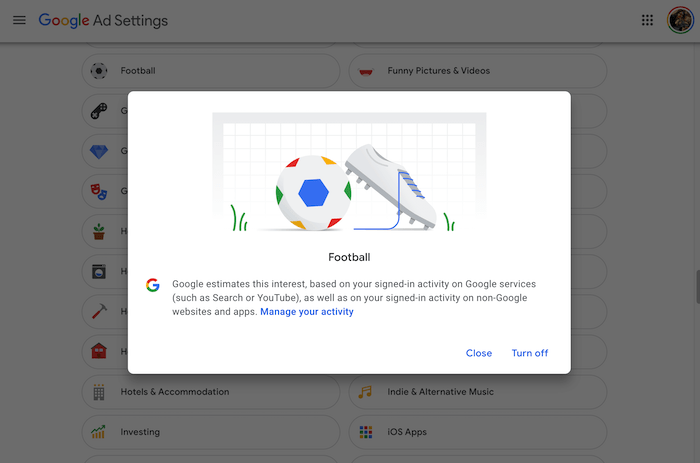
This will reduce your chances of encountering adverts related to this item.
When you find an item you want to remove from your advertiser profile, give it a click and select “Turn off.” Google will no longer use this information to influence its targeted ads.
4. Disable Ad Categories on YouTube
At the time of writing, Google is trialing a feature that enables you to block adverts related to alcohol and gambling. This feature is still in beta, so it may not be available for your particular Google account.
To check whether these settings are available, scroll to the bottom of the Ad Settings page. If you encounter a “Disable Ad Categories on YouTube” section, then you have the option to disable all adverts that fall within the displayed categories.
Conclusion
Now you can support the websites you love without being bombarded by targeted ads. For additional privacy, you should also learn how to protect your privacy when using Google Chrome or use these Google alternatives instead.