


It is old news that Facebook doesn’t really care about your privacy. The latest news isn’t much different either, as we’ve now learned that Facebook is selling your search history to help advertisers better target you with specific products. This may be delightful for some, but is entirely bad news for many, particularly for those who are concerned about their privacy. Fortunately, there’s an option to opt out if you wish, and today, we’re going to show you how to do exactly that.
In a positive sense, tailored ads are a better deal all round. What tailored ads do is that they show specific ads based on your browser or search history. They prevent users from viewing absolutely irrelevant ads that are inappropriate to your particular taste. And more importantly, Facebook’s ad spots are more valuable if they’re shown to users who are interested in the advertised products. Facebook’s advertising system already checks on your likes and status updates to better determine the kinds of products and services you may buy, but interest-based ads will take the current system to new heights, which many didn’t really expect from the social media giant.
So, due to the main reasons above, Facebook will be utilizing your search history, alongside information on apps you use for tailored ads. This feature will initially roll out to the United States users, and will then continue to release in different countries worldwide.
We’ll be showing you how to opt out on your iOS and Android device, along with the Web app on your computer.
Opt Out On Your iOS Device
1. On your iOS device, open up the Settings app from the home screen.

2. Tap on Privacy, and scroll down to Advertising, and click on it.
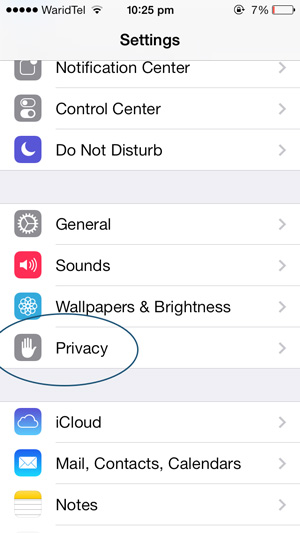
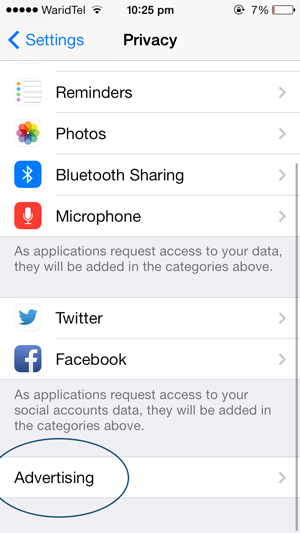
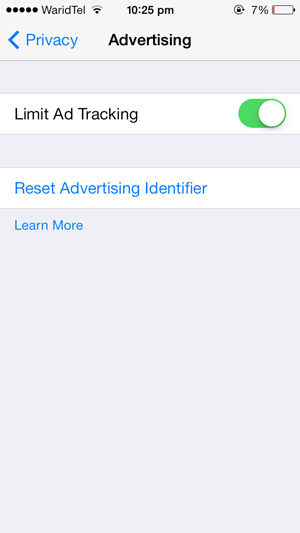
3. In the opening window, turn on “Limit Ad Tracking.”
Opt Out On Your Android Device
1. Open up the Google Settings app from the apps screen on your Android device.

2. Navigate and click on the “Ads” option.
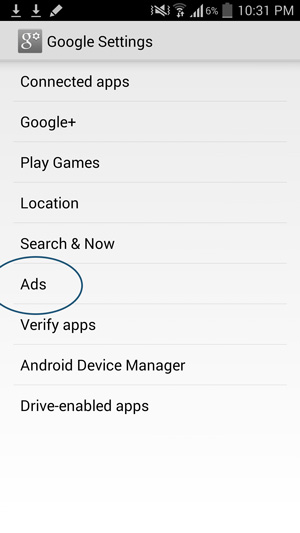
3. Here, tap on the “Opt out of interest-based ads” options to enable ad tracking limitations.
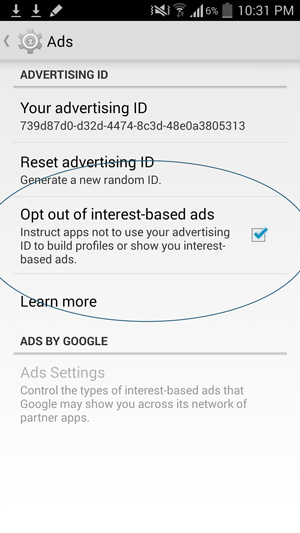
Opt Out Via Facebook.com
The last method is to opt out on your Windows/Mac/Linux device by navigating to Facebook.com, and continuing from there:
1. Log in to your Facebook account. Click on the arrow in the top-right corner of the screen, and select “Settings.”
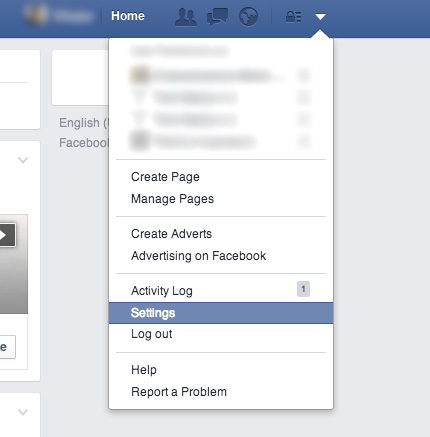
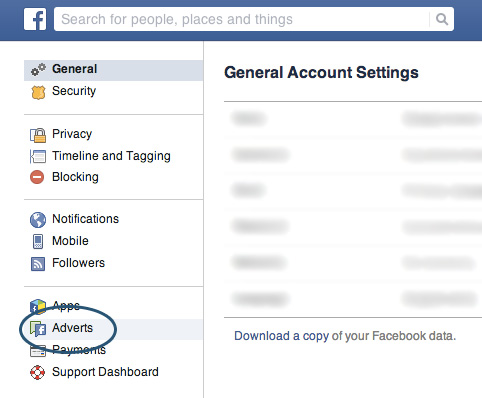
2. In the left-hand pane, click on “Adverts.”
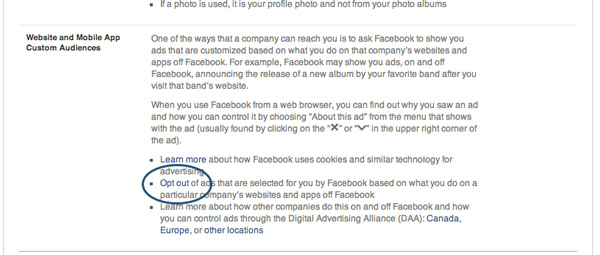
3. Click on the option to “Opt out” in the “Website and Mobile App Custom Audiences” section.
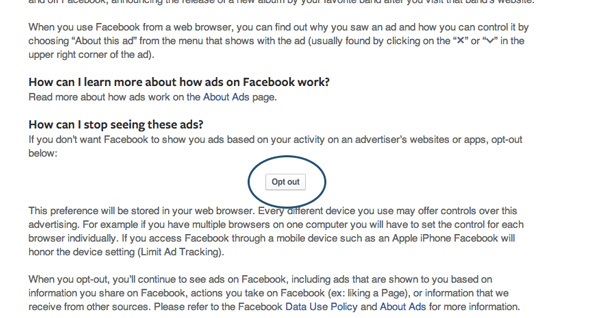
4. In the window that opens, click on the main button to “Opt out.”
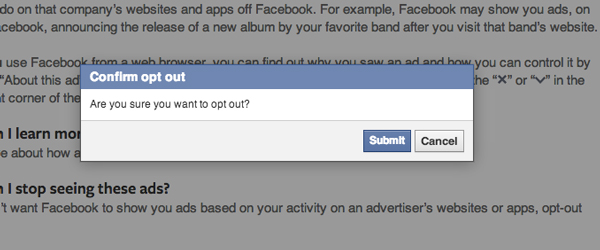
5. Click on “Submit” in the pop-up window.
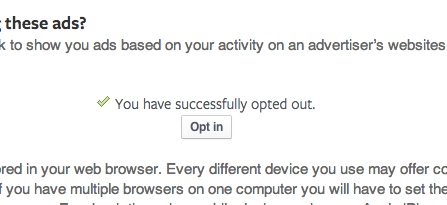
Facebook does note that you’ll have to disable this feature individually on different devices, as following the methods above simply changes a preference in your browser. Yet by using the methods detailed above, Facebook won’t be able to target using its new technique, and to be honest, it’s nice to know that Facebook still has the moral sense to at least allow people to opt out of such advertising techniques.
What do you think of Facebook’s new tailored ads? Is this an invasion of your privacy, or do you think that these can really help improve a user’s experience? Be sure to share your thoughts with us in the comments below.