


With Opera’s latest release, the company added an unexpected feature that surprised everyone. Opera now has a built-in ad blocking feature to block all types of ads. Being the owner of an advertising company itself, this is a surprising move from the company. However, Opera said they care more about user experience than ads, which is why they added this feature.
As Krystian Kolondra, SVP of Engineering and Head of Opera for computers, said, “Advertising fuels the internet, allowing for many services to be free for users. But, as our new research shows, most webpages today are significantly slowed down by bloated ads and heavy tracking. We don’t accept it – we want the Web to be a better place for us all, as users.”
As an avid user of Opera myself, I gave Opera’s new ad blocker a spin. And in the end I happily ditched my Adblock Plus for Opera’s adblocker. In this post we will review Opera’s adblocker and see if it can replace your current adblocker.
Why Go for Opera’s Ad Blocker?
Below are some of these reasons why Opera’s ad blocker could be a better solution for ad blocking:
- You don’t want to use a third-party extension that may put load on your PC.
- It is a native feature and blocks ads at web engine level. This means it offers more web page loading speed compared to third-party extensions.
- Opera claims it can speed up web page load time up to 90%.
- Opera compared it to Adblock Plus running on Google Chrome and found it to load pages 45% faster (sixty-six websites compared).
- It is extremely simple to enable and use.
Enable Opera’s Ad Blocker
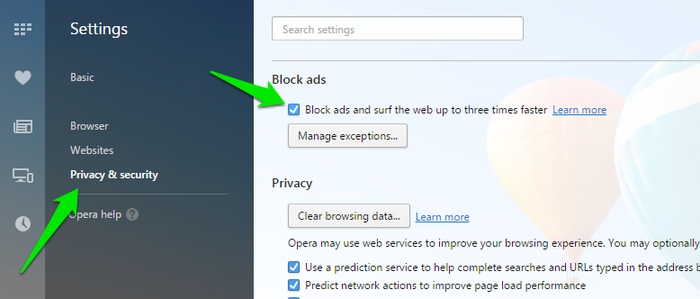
If you have Opera’s latest version (such as Opera 37), then you should get a recommendation to enable ad blocker when an intrusive or heavy ad is shown on a web page. Otherwise, you can also enable it from the “Privacy & Security Settings.”
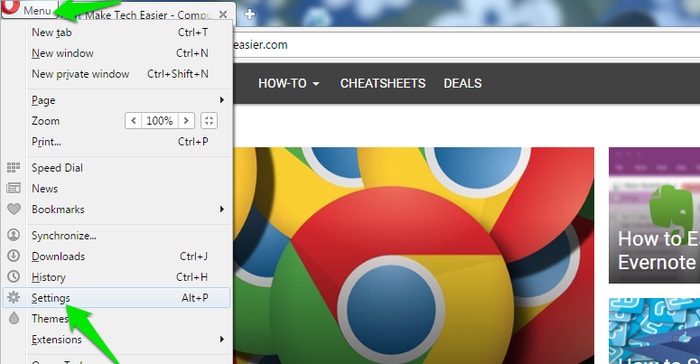
Click on Opera’s main menu on the top-left corner and select “Settings.” Move to the “Privacy & security” tab on the left and enable the “Block ads” feature at the top.
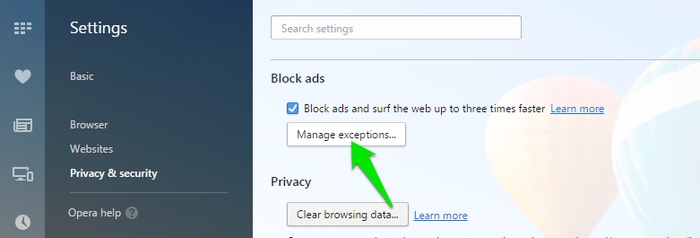
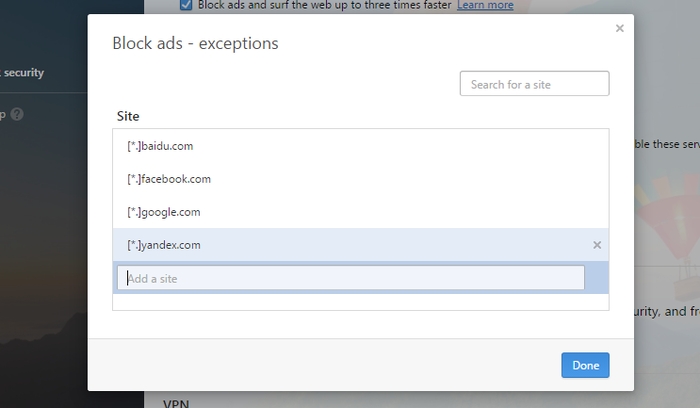
Just like ad blocking extensions, it also comes with a whitelist option to whitelist websites you like and want to support. Click on the “Manage exceptions” button, and you will be able to easily add your favorite websites to the whitelist. Be default, Opera puts Baidu, Google, Yandex and Facebook in the whitelist for demonstration purposes. If you don’t want to see ads on these platforms as well, then I recommend you remove them from the whitelist while enabling the ad blocker.
Using Opera’s Ad Blocker
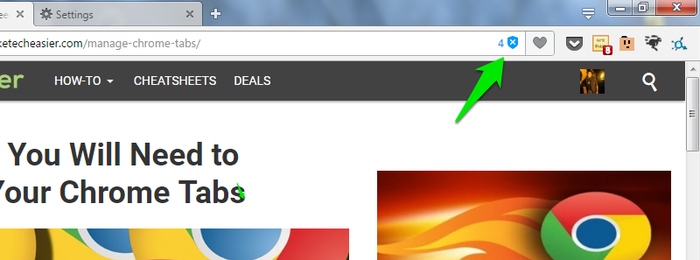
Once enabled you will see a “Shield” icon in the address bar with the total number of ads blocked on the web page shown on the left side. I have compared Adblock Plus with Opera’s ad blocker to see how many ads they are blocking on web pages. After many tests, I found Opera’s ad blocker to be blocking at least three to six more ads compared to Adblock Plus. I am not sure what “Extra” ads Opera is blocking, but the greater number seems nice.
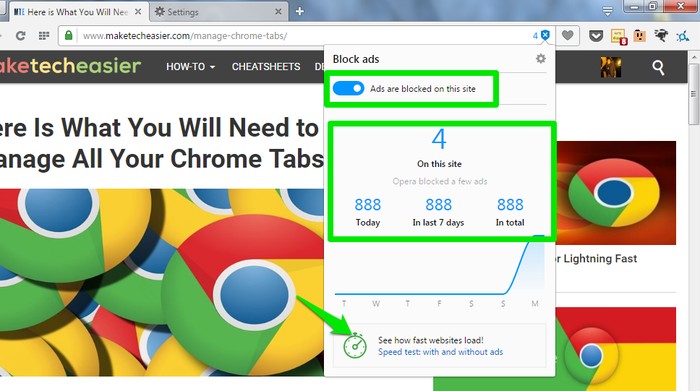
If you click on the shield icon, you will see a button to disable ads on a website (whitelist it) and statistics of how many ads were blocked in the last seven days. At the end you will see an option of “See how fast websites load.” This is a really cool feature that lets you compare the speed of a web page load time with and without ads.
Using the Benchmark Tool
When you click on the “Speed test: with and without ads” button, a new tab will immediately open where your currently opened page will reload with and without ads. Once the benchmark finishes, you will be shown how fast the webpage loaded in a percentage. This test is affected by numerous variables, so it is best to run the test multiple times (at least ten times) before you check an average.
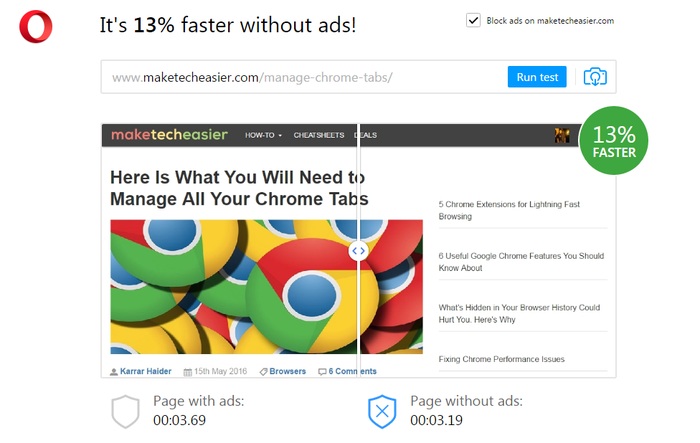
I have tested this on MakeTechEasier and found it to load the page 7% faster without ads. It isn’t much, but this is not ad blocker’s fault as maketecheasier hosts less ads and very light ones, so it doesn’t makes much difference without them. However, I tested it on some other popular websites and their average is below (your milage may vary):
- TechCrunch: 22% Faster
- Facebook:19% Faster
- PC World: 45% Faster
- CNET: 13% Faster
- Parents: 38% Faster
Conclusion
For Opera users, the addition of an ad blocker is definitely good news. I can see that it doesn’t offers much customization options unlike some other ad blocker extensions, but if your only intention is to block all the ads and get some speed boost in return, then it’s perfect. I think this move seems more like a protest against intrusive ads, as Opera wants ads to be light, safe and the least invasive.
What do you think about this new move by Opera? Are you going to try out Opera’s new ad blocker? Let us know in the comments.