

There are lots of web apps and browser tools that make surfing the web quicker and more efficient. When it comes to links, I always find it more convenient to open them in new tabs, that way I can keep the original page (where the link came from) still open in case I need to refer back to it. However, a tool called LinkClump might just change all that.
LinkClump is a Chrome extension that allows the user to open two or more links in one go.
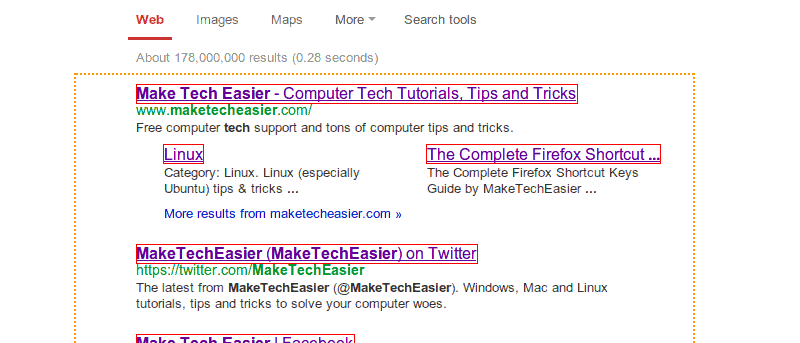
After downloading the extension, you can now use LinkClump to open multiple URL links. To do this, you’ll need to hold down the right mouse button, then draw a box around the links you want opened.
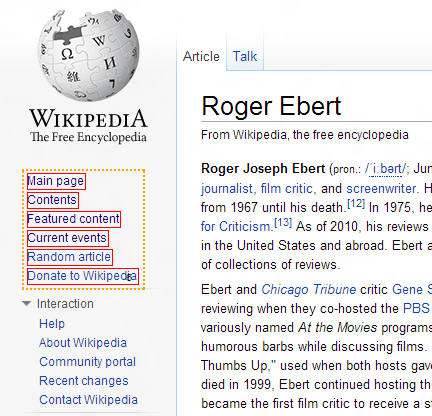
A tiny number appears on the bottom right corner of the selection box to indicate how many links will be opened.
As soon as you release the mouse button, all selected links will open at the same time. As a default, the links open in new tabs, but you can change this (and other controls) in the extension’s Settings page. You can also find a short guide in this page.
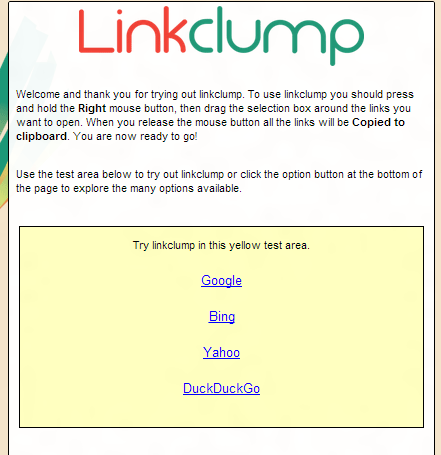
After highlighting the links, you should now see these links open in a new tab within the same browser window.
To access the extension’s Settings page, click on Chrome’s control icon located on the top right corner of the browser then go to “Settings -> Extensions”. You should see the options window as shown below. To start changing settings, click on Edit under the Actions section.
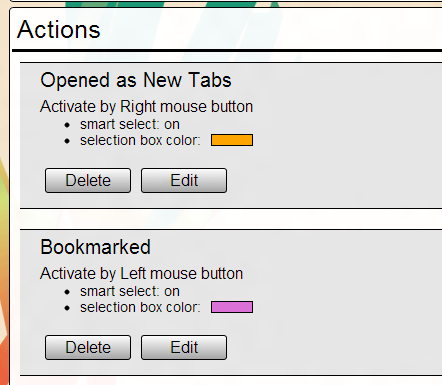
Here, you can change controls such as using the middle or left mouse buttons to activate selection, or opening links in a new window instead of in a new tab. You can even customize the highlight color used.
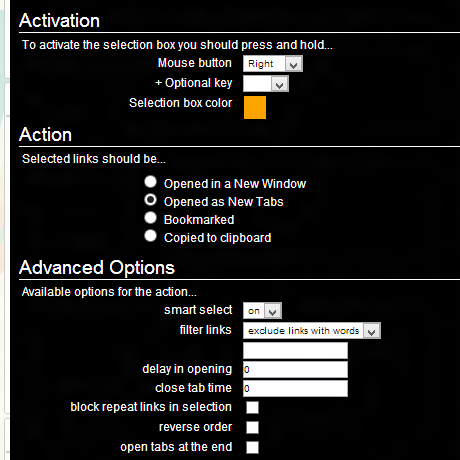
LinkClump does more than just open multiple links. It can also save links as bookmarks or copy them to the clipboard. To do this, you’ll need to go the Settings page again and create a new action by clicking on Add Action. Here, you can assign other mouse buttons and different colors for a new action. Under the Actions section, you can choose Bookmarked or Copied to clipboard.
Remember that activation buttons cannot be the same for two different actions. If you entered a choice which is already being used, then you’ll be prompted to pick another one.
Bookmarked links will appear in Other bookmarks>LinkClump. Bookmarks are grouped in folders so it’s easier to track them.
Links that are copied to clipboard will appear as the full URL address of each link in plain text.
You can also apply filters in opening links. Under Advanced Options, you can specify a word that will exclude or include a link to be opened.
Lastly, you can also disable LinkClump for certain websites. You’ll need to enter the sites under the Blacklists section in the Settings page.
This extension is extremely useful to those who need to open lots of links at any given website. If you’re looking for a fast, efficient way to open links in the fastest way possible, then LinkClump might just help you with that.