


One of the first blogging platforms to hit the webosphere was Blogger in 1999. It was easy to set up and start posting right away. However, some time later, WordPress came into the scene, and it changed the way people saw blogging platforms. On top of the fact that it was easy to use, users also could personalize it with themes that they could further customize with CSS and HTML. Flash forward to 2010, self-hosted WordPress is usually the blogging platform of choice. What do you do if you started with Blogger, but want to switch to a self-hosted WordPress blog? Here are the methods to migrate from Blogger to Self-Hosted WordPressm, quick and painless.
1. Find a domain and hosting provider
If you did not have your own domain, then you will need to find a domain provider. Find one that also has hosting plans (we recommend Hostgator), so you don’t have to look around for another service.
2. Setup the WordPress database
Create a new database for your WordPress. If you use a Macbook, then you can use this guide to install and test WordPress. If you need a more general guide, then check out the one the WordPress team put together. Some of the services actually have a way for you to press one button, and they will install WordPress for you. With the popularity of WordPress, many of them should be jumping on the bandwagon.
3. Export your blog out of Blogger
You always want to protect your blog, just in case something doesn’t go right. Therefore, I recommend exporting your Blogger blog, if something doesn’t go right. You do this by logging onto Blogger, and you go to your blog’s settings, you will see Basic tab. You will see the Export blog link.
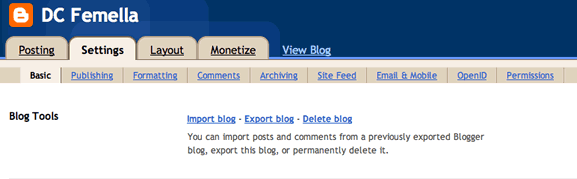
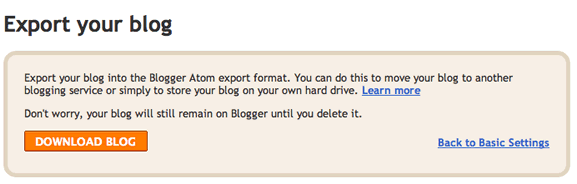
When you click the link, you will be able to download your blog after pressing the Download Blog button.
4. Import your blog into your self-hosted WordPress
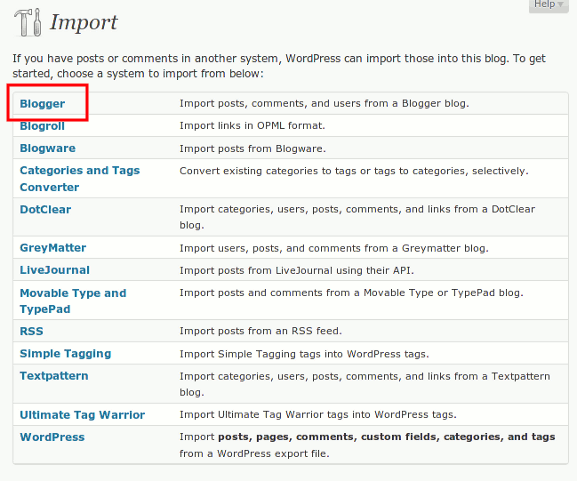
After exporting your Blogger blog, log into WordPress. Click on Tools -> Import. All the blogging platforms that can be imported into WordPress are shown. Click on the Blogger link.
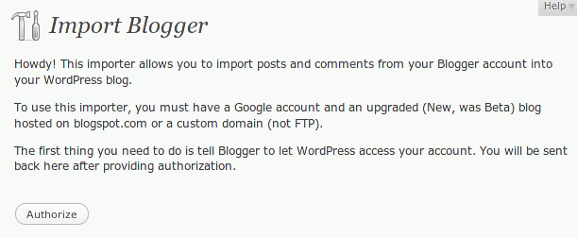
Press the Authorize button to start importing your posts, comments, and users from Blogger into WordPress.
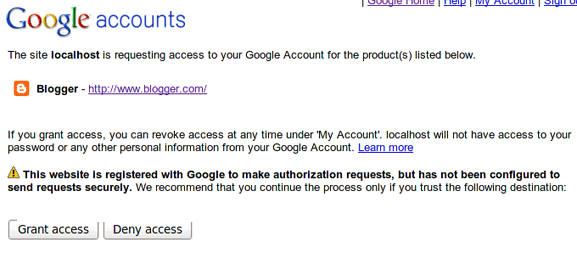
You will be taken to a Google window where you have to press the Grant Access button
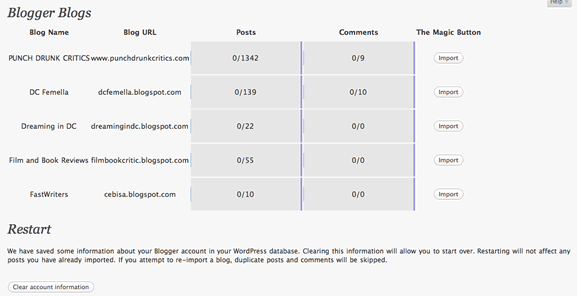
You will see all your Blogger blogs. Select the one you want to import, and press the Import button.
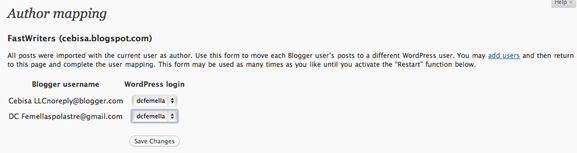
After your Blogger posts and comments are imported into WordPress, you will be able to import the authors by pressing the Set Authors button.

You can map your Blogger name to your WordPress one. If there is a new author, then there is an add users link that will allow you to create a user in WordPress that you can map to the new Blogger one.
Have you imported your Blogger blog into a self-hosted WordPress? How did it go for you?