

I’ve written about Microsoft Edge before. In fact, it was my fourth article on this site – go back here to check out my early beta impressions of Microsoft’s latest browser. It wasn’t exactly a glowing recommendation back then, but there have been many changes in the browser market since then. A lot of my issues with Edge have been amended (aside from the Favorites Manager, which is still not functional), and now it’s a perfectly solid browser. Let’s talk about what sets it apart from the rest.
The New Tab Page Is Microsoft’s Answer to Google Now
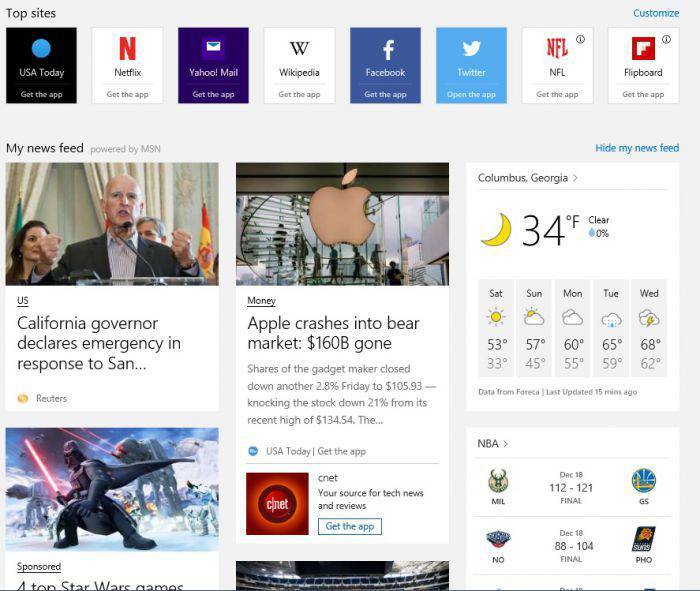
Surprisingly, this is my favorite addition to Edge. The news feed, sponsored spots and app recommendations don’t typically fit with my preferences, but I’m a huge fan of Google Now on Android, and Google Now not being usable on Chrome for Desktop has always frustrated me since it’s a genuinely fun way to find new content. More often than not it’s well-tuned to my preferences. Edge isn’t yet tuned to my preferences, unfortunately, but once it is, I see a viable competitor to Google Now in Edge.
Step up your game, Google. I should be able to do this on Chrome, too.
Netflix Is Better on Edge (And Edge Still Supports Flash)
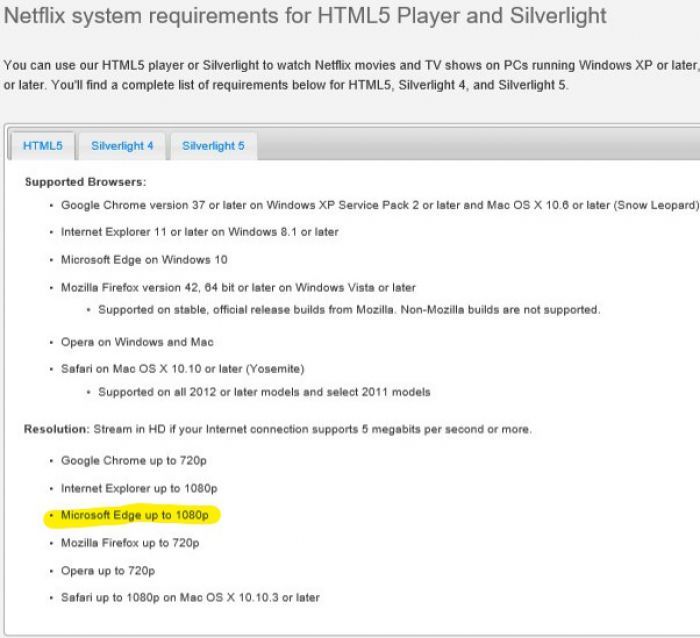
If you’re in disbelief about that image, check out the page it’s from. I was surprised, too. I love using Netflix, especially for watching Daredevil or binging shows like “Breaking Bad” and “The Flash.” Resolution makes a huge difference in viewing experience, especially where Netflix is concerned, since all Netflix originals support up to 4K resolution, and some shows, like Breaking Bad, also enjoy 4K streaming on Netflix. 720p and 1080p are two very different resolutions, and on large monitors/HDTVs, the winner is clear as day. (It’s 1080p. 1080p is great.)
If you’re an avid fan of flash movies and flash games, Edge is also the browser for you. Chrome dropped support for Flash some time ago, and Firefox blocks Flash too. Edge doesn’t, and for that web content that still requires Flash, Microsoft Edge is your best bet for getting your fix.
Cortana Is Still Amazing
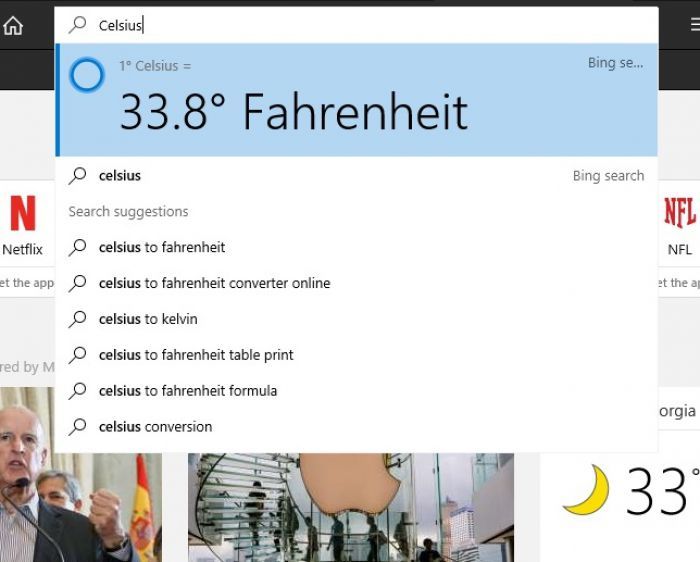
Cortana is fun to play with. I’m not the biggest fan of it considering privacy concerns, but what it’s capable of as a personal assistant in Edge and in Windows 10 as a whole is something that should be commended and respected. Cortana alone couldn’t sell me on anything, but it’s a fairly powerful tool, and no other browser has anything like it integrated. In addition to finishing searches, Cortana can also pull up notes and address according to context (like restaurant pages) as well as help you do scheduling and other tasks via Windows 10.
Web Notes and Reading View Are Great
Reading View has taken great strides forward since I first tried it, and I quite like what’s been done with it. Chrome doesn’t have a reading view, but iOS users enjoy specialized reading views on their iPads and iPhones – finally having an experience like that (or better) on a desktop computer is a welcome change and one that I hope sticks around and continues to be implemented in other browsers.
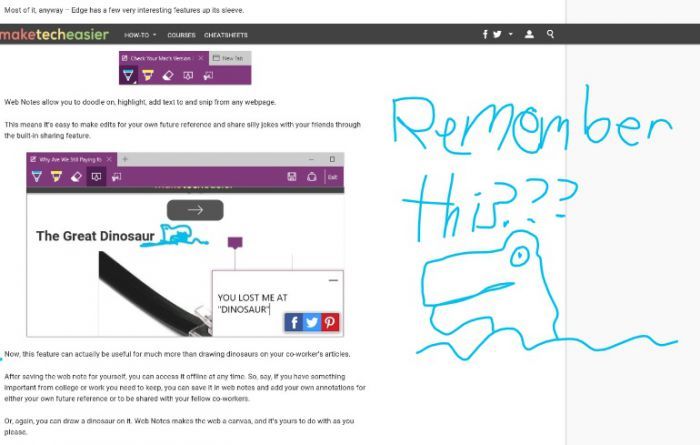
Also, I can still draw dinosaurs on everything. Web Notes has not lost its appeal in that manner at all.
Conclusion
Microsoft Edge isn’t without flaws. Namely, if you’re highly-invested in Chrome or Firefox, making the switch will be difficult. Even I couldn’t use Edge as my daily browser. What I can do, however, is use Edge for what it’s good for. I use Edge to watch Netflix or use Flash plugins, to save offline versions of pages I want and to scroll through the news feed and recommendations that I wish were available on Chrome. (Google, please.)
If you aren’t invested in Chrome or FireFox, though, Edge is a welcome change. It’s become a good browser.