

In our previous post on cleaning up tags in WordPress, some of you feedback that you are looking for ways to merge categories too. In this tutorial, I will show you how to merge categories in WordPress.
Situation
When iPhone first launched, we created a category called “iPhone” for every article related to iPhone. Later when the iPad was released, we again created another category call “iPad”, since at that time, iPhone and iPad are two different devices. When Apple merged all its mobile OS into the current iOS, there seems to be very little differences between iPhone and iPad anymore. In this case, rather than maintaining two different categories of similar context, it is much more efficient to merge them together into one single category.
The merging process
Here is what we need to do:
1. Move all the posts from one category to the other (the one you want to merge into).
2. Delete the duplicate category.
3. Add a URL forwarder to redirect the previous category URL to the new URL.
The steps
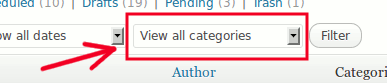
1. In your WordPress dashboard, go to “Posts -> All Posts”. Filter all the posts with the category you want to delete.
2. Check out the number of posts in this particular category.
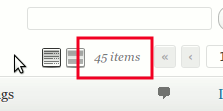
At the top of the screen, click Screen Options and enter the number of posts to appear on the screen.

3. Check every single post in this category. Click Edit.
4. Add the category that you want to merge into.
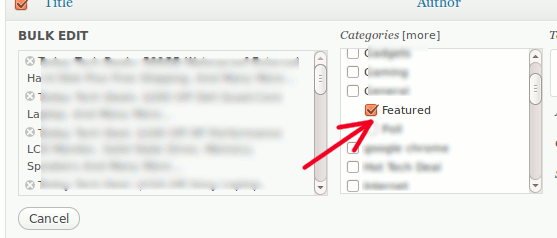
5. Once done, go to “Posts -> Category”. Delete the category from the list.
6. Lastly, using a FTP application, download the .htaccess file (assuming you are using a Linux web host) from your server root. Open the .htaccess file with a text editor and addd the following line to the top of the file.
redirect 301 relative-path-to-old-category-url http://your-domain.com/path-to-new-category-url
For example, the old category URL is at http://your-domain.com/category/old-category and the new category URL is http://your-domain.com/category/new-category. So in your .htaccess file, you will put:
redirect 301 /category/old-category http://your-domain.com/category/new-category
Save and upload (and replace) the .htacess file to your server.
That’s it. Alternatively, you can install the Redirection WordPress plugin to manage the redirection. This will, however, increase your server load. Using the .htaccess method is more straightforward, though it can be a little bit intimidating to the new users.