


For the most part, tabs look and perform in much the same way across different programs. Tabs in Firefox operate in much the same way as they do in Chrome, and while we covered how to introduce vertical tabs, Firefox has another variation that might catch your attention.
Tree Style Tab is an add-on for Firefox that turns your tab bar into a tree-style tab bar like a folder tree of your file manager.
Installation and Customization
Begin by going to the Mozilla Firefox add-ons page and installing Tree Style Tab.

You’ll have to restart the browser, and when you do, there will be a very obvious difference.
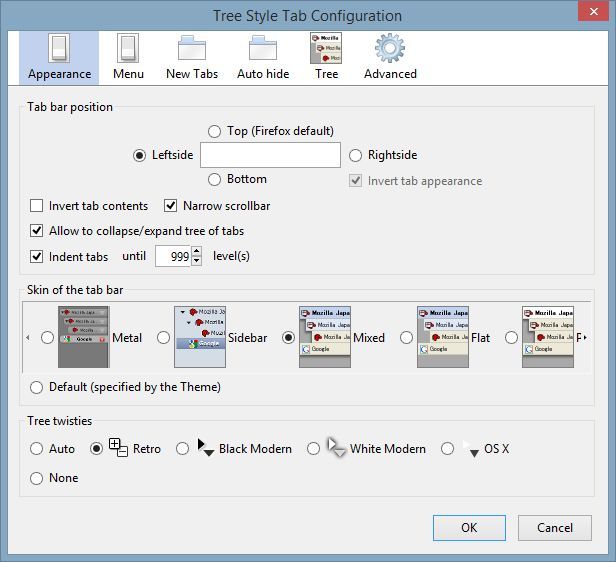
Having installed the extension, it’ll be possible to go further and use collapsible tabs quite contentedly. However, we assume you’ll want to tweak the extension a little, if only to better suit your preferences. Press “Ctrl + Shift + A” to bring up the Add-ons Manager, then click “Options” for Tree Style Tab.

The window that appears is broken down into different categories, with the first being “Appearance.” The position of the tab bar can be changed, though moving it to the top is not recommended. Doing so removes much of the appeal; instead group tabs together so that moving one means moving them all.

We suggest keeping the tabs on either the left or right of the browser and then tinkering with the inversion options. It’s possible to, for instance, put the close tab buttons on the left or right by inverting their appearance.

There are a handful of skins too: the default appears to be “Flat,” while “Sidebar” is reminiscent of the older Mac OS X Finder. Combining this with the OS X twisties can create a pleasingly consistent aesthetic, but these are purely aesthetic changes.
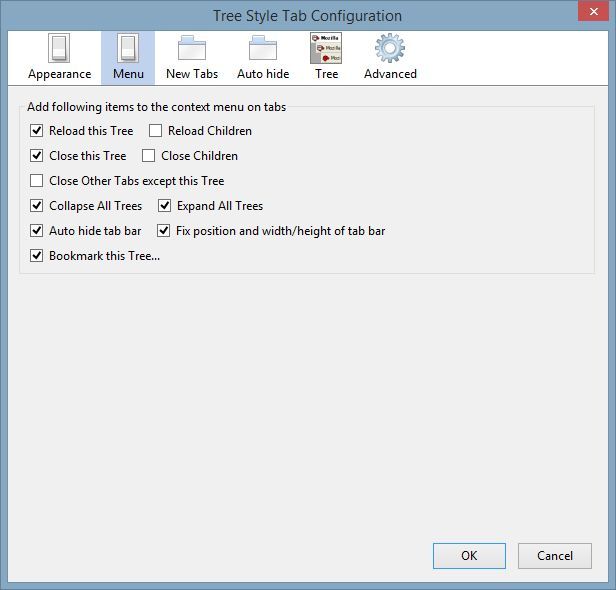
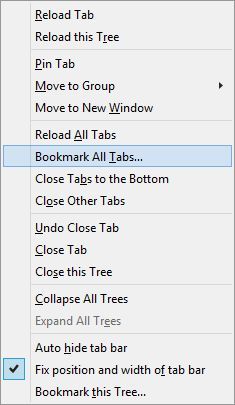
The “Menu” section influences the options found when right-clicking tabs, and you can choose to remove or add options as you see fit. If there’s something you do regularly, you can add it. If there’s an option you find useless, it can be confined to the settings window.
One thing you will find, particularly when tweaking the rest of the sections, is that the description of what each checkbox does is concise but clear. They’re worded in such a way that there can be little doubt about their functionality.
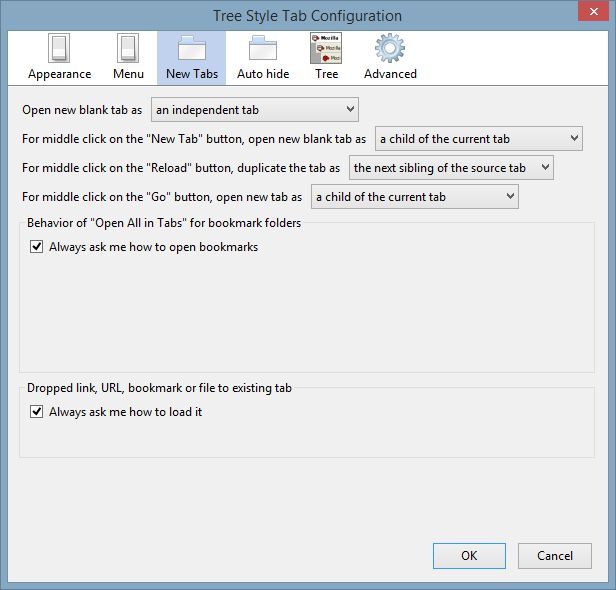
The “New Tabs” section allows you to adjust and modify how the extension treats new tabs. For example, if you’d like them to open independently of existing trees, that can be done. Essentially, they can be set to have any relationship with existing tabs.
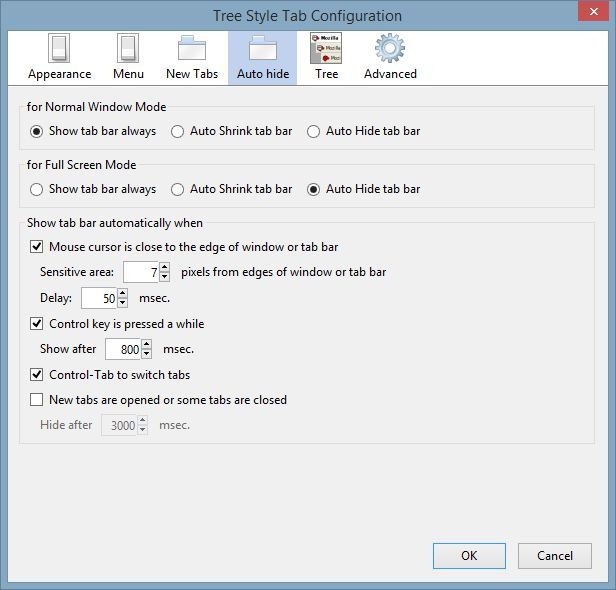
“Auto Hide” is a particularly important tab with concern to aesthetics. If you’d like to slim the tab sidebar down or even hide it entirely, the browser is able to do those things. There’s even a distinction made between having the browser full screen (i.e. when you press F11 on your keyboard) and when it’s being viewed normally.
Usage

We previously looked at vertical tabs and how they are implemented into different web browsers. This extension provides another take on the same idea while also affording you greater freedom to organise groups.
The extension can be used in a manner similar to a mind-map, allowing you to organise things as you think of them. This is achievable by opening tabs and creating a large number of branches, allowing you to track your thoughts, research, and findings.
Conclusion
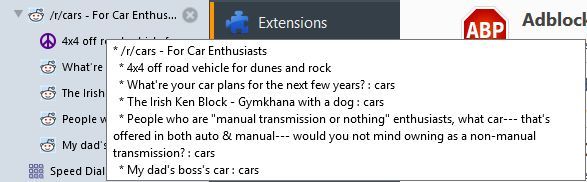
In brief, Tree Style Tabs are a radically different approach to the traditional ‘browser with tabs,’ as well as being seemingly exclusive to Firefox. They’re surprisingly intuitive to work with. They’re flexible enough to let you tweak them, too.

Whether they’re enough of an asset to convince you to switch to Firefox or not, they’re certainly an interesting solution to managing large numbers of tabs. If you’re already a long-time Firefox user with no real intention of changing browsers, the extension is more than worthwhile.
In fact, it may be our favourite solution for tabbed browsing, beating stiff competition from vertical tab extensions for other major browsers.