


WordPress is a popular content management system with a large user-base. With its popularity and user-friendliness, many webmasters and bloggers used it for all of their projects, whether for a client or for themselves. A problem starts to arise, though, with too many WordPress sites, as managing and maintaining them on a daily basis can be a tedious task. Luckily, there are several services out there, free and premium, that allow you to manage multiple WordPress sites at one place. In other words, WordPress site owners can run tasks such as updating themes & plugins, upgrading to the latest WordPress version, moderating comments, and much more without having to log in and out between websites.
This article will help you explore some of the services that let you have the ability to manage multiple WordPress sites easily and effectively, leaving you with free time to focus more on fresh content and delivering awesome products to readers.
1. ManageWP – Multiple Sites in One Dashboard
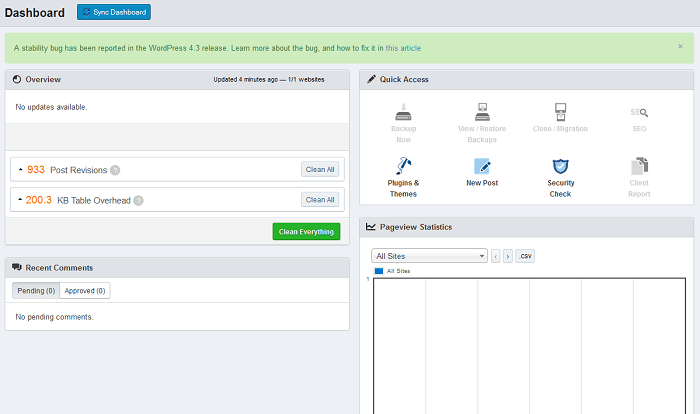
Manage WP is a one of most well-known services that helps you manage multiple WordPress sites online. It makes updating themes, plugins, managing spam, and other tasks easier.
Standard features like one-click update for all themes and plugins are free when you setup an account on ManageWP. However, in order to unlock more managing tools on the site, you will have to pay monthly or yearly. The more sites you add, the less money you will have to spend on the account.
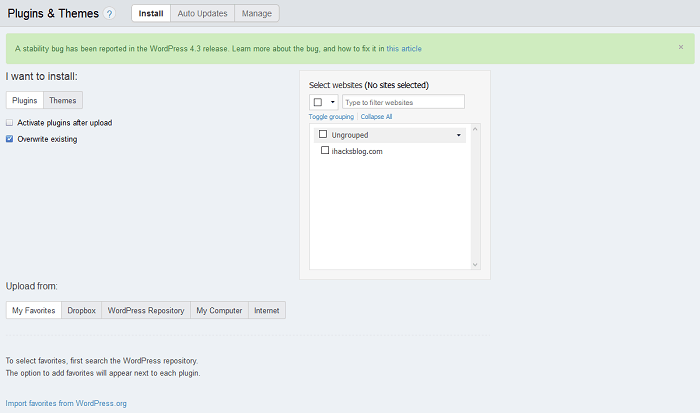
Apart from pricing and limited features for a free account, we see no complaints or lacked functionality with ManageWP. Let’s take a look at some of the important features you can find in this service.
- backup multiple websites at once
- update WordPress package, themes, and plugins
- statistics for pageviews, visitors, and downtime
- built-in SEO features: create your own SEO campaign, backlink, and check for keyword ranking
- clone a WordPress website in seconds
- bulk publish posts to multiple sites
The premium version of ManageWP starts at $0.80 per website (monthly) for all of the outstanding features.
2. InfiniteWP – Self-hosted WordPress Managing Tool
InfiniteWP is a free WordPress managing tool that can be installed on your own server to manage multiple WordPress projects at once. Although this software requires users to download and set up on their own, its features still play an important role in making it popular and accessible to everyone.
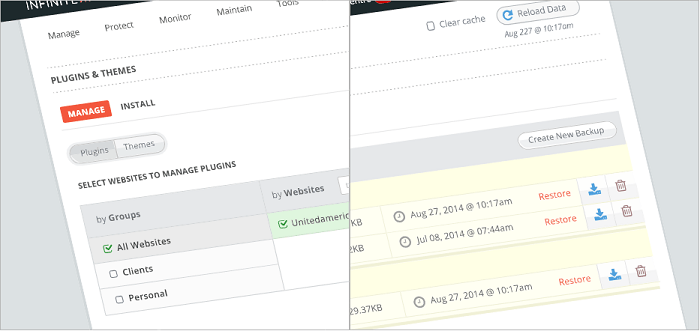
Features of InfiniteWP
- easy to install and configure
- hosting configuration requirements are not too hard. A shared hosting plan would be good.
- lightweight application
- manual guides included and support provided through forum
- unlimited number of WordPress sites you can add
- managing multiple sites based on tabs
- categorize WordPress sites by group
- back up website manually
- update themes, plugins, and WordPress version
Like ManageWP, the working mechanism of InfiniteWP is managed through a Secret Key. This key will be generated when a website is added, and your account will have full rights in InfiniteWP for administration. Setting up InfiniteWP on your own hosting is super easy. If you have installed WordPress before, you won’t have much problem with InfiniteWP.
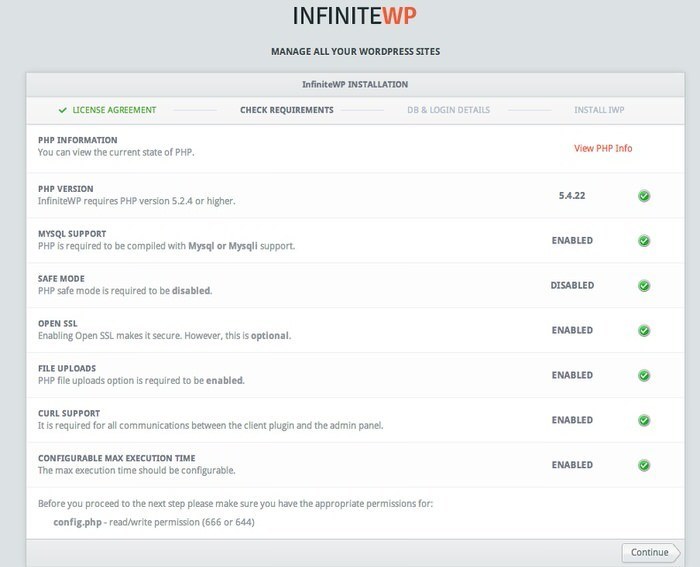
Note: when installing InfiniteWP, only do so on a server that uses Apache, or make sure that you know how to configure the software appropriately for your server to work well with it, especially Cron Job function. shared host users should ignore this because most hosting companies already have the best configurations for you.
Even though InfiniteWP is available as a free package, it’s still missing some important features such as scheduled backups, publish posts and pages, uptime monitoring, website cloning, etc. These premium features can be purchased as add-ons from InfiniteWP marketplace.
3. MainWP – Manage Multiple WordPress Sites for Free
If you are not willing to pay for ManageWP or manually install InfiniteWP on your server, MainWP will be a good solution for you.
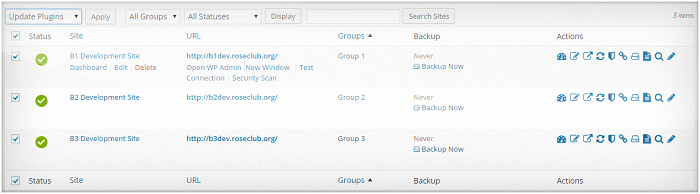
MainWP is a WordPress plugin that allows you to turn a WordPress installation into a central dashboard to control multiple WP sites. It is free and comes with similar features to ManageWP and InfiniteWP. Best of all, it requires no setup on your own server and allows for the publishing of articles in bulk to multiple WordPress sites.
Once you install the plugin, it will create a small on-site management dashboard page. From there you can entirely manage any website. From posting simultaneously on many sites, install and update packages at the same time, and back up multiple sites.
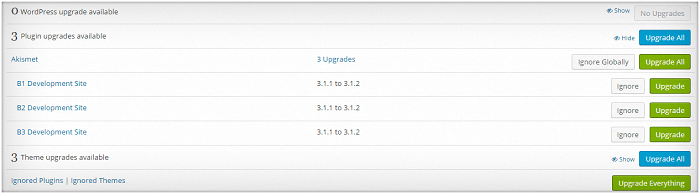
MainWP Features:
- bulk posting for articles to multiple WordPress sites
- fast backup and update process
- check Alexa Rank and Google PR on multiple websites, simultaneously
- full support for backup (both sources and databases) or single database
- support for automatic backup (weekly, monthly, or daily)
- check basic security flaws like iThemes security on multiple sites at once
- uptime moniter
- and more
Although MainWP is available as a free plugin, the developer does make money by selling premium extensions for their product. If you can’t find a feature you’re looking for, chances are it’s being sold for $29.99.
Conclusion
As more and more people use WordPress, it has become a pain in the butt to log in and out between multiple websites just to perform a similar maintenance job. We hope that this collection will help you pick out a good WordPress management tool for your multiple websites or projects.
Besides ManageWP, InfiniteWP, and MainWP, what other services do you think should be included in this list? Let us know in the comment section below.
Image credit: WordPress Schwag