
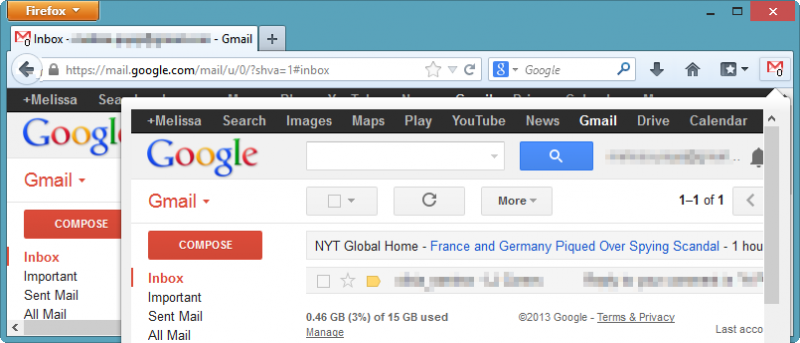

We’re always looking for ways to better manage Gmail, whether it’s using Gmail offline or automatically backing up your Gmail attachments to the cloud. If you use Firefox, you can take advantage of Gmail panel to manage your e-mail account in a single panel.
How to use Gmail panel in Firefox
1. Install Gmail panel from Firefox’s add-on repository.
After restarting your browser, you’ll want to manually head to Gmail before using the add-on. You’ll need to enable Gmail Labs to show notifications for Gmail panel to utilize them to alert you to new e-mails.
2. Click on the “Gear Icon” in Gmail, then click on “Settings.”
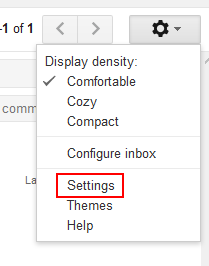
3. Locate the “Labs” tab and search for “Unread message icon.”
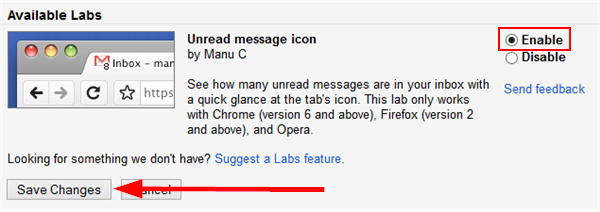
Make sure to enable the Lab, then click “Save Changes.” This lab is now live and will work with Gmail panel to give you live notifications as you receive e-mail.
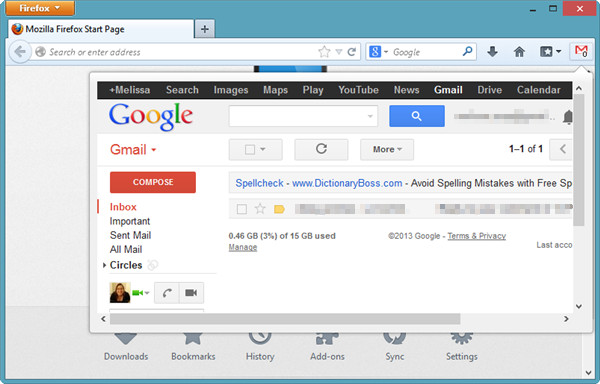
You can work with Gmail panel in three ways: You can right-click the Gmail panel icon to open a dropdown menu that gives you access to Gmail.
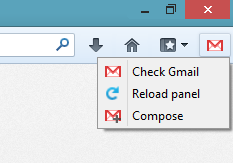
You can also just click the icon to open the panel or set up a keyboard shortcut to quickly open Gmail panel.
4. The first time you use Gmail panel, you’ll need to log in.
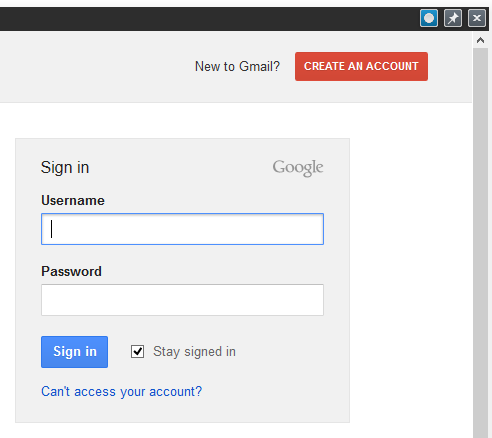
As long as you check the “Stay signed in” box, you’ll stay logged in as long as you don’t clear your cache when you exit Firefox. Gmail panel doesn’t play well with password managers, so you’ll have to copy and paste your password as opposed to dragging and dropping it into the box.
Now that you’re logged in, you’ll see Gmail is now in a panel within your browser. You can read e-mails, compose e-mails and use Gmail like you’re used to. There’s no change in the functionality of Gmail; you’re simply using it in its own dedicated panel.
If you click on any other Google service, such as Calendar or Drive, that service will load in the window behind the panel. If you click away from the panel at any time, it’ll close until you open it again.
5. Hovering over the top right hand corner of the panel will open a menu that allows you to close the Gmail panel, refresh it or pin it.

Pinning the Gmail panel will keep it open even after navigating to another window in Firefox.
6. If you head to Firefox’s add-on settings for Gmail panel, you can customize a variety of features related to the add-on, including the keyboard shortcut needed to use the add-on.
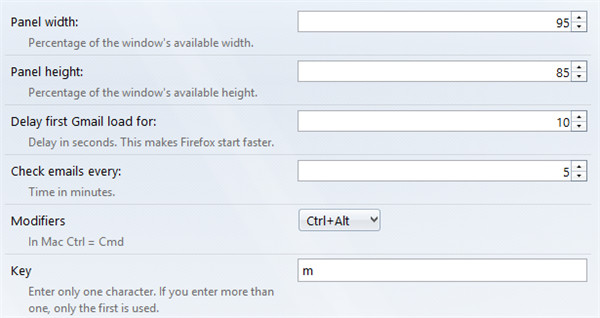
The Gmail panel can be moved around within the browser, but it can’t be manually resized without doing so in the settings. The first two settings you’ll work with – Panel width and Panel height – allow you to change just that.
Depending on your computer’s resolution, it may take some tweaking to get the size just right. Keep in mind that if your panel is larger than your Firefox window, the panel will still open to its full size.
7. We advise you set a time delay within the settings. This changes how quickly Firefox opens Gmail panel when you open the browser. This can drastically increase the speed when opening Firefox. In our tests with Gmail panel, we noted that its initial use made Firefox seem to drag a bit. When we increased the delay to 18, Firefox opened like it normally would.
8. Gmail panel’s add-on settings will also let you change the frequency it checks for new e-mail. This can be every minute to every hour; it all depends on how often you check your e-mail.
9. Gmail panel lets you set a keyboard shortcut and modifier to let you open and close the panel as necessary.
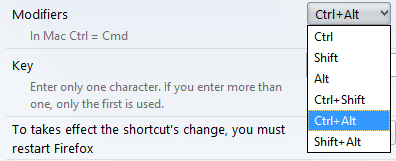
You can use the modifiers to choose a keystroke that when tied together with the Key, will open or close Gmail panel. You will need to restart Firefox to make the keyboard shortcut work.
10. When you receive a new e-mail, Gmail panel will notify you of it.
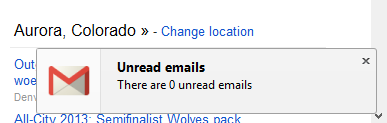
You can turn this off or can enable it to just show you the notification once instead of each time your e-mail is checked.
Unfortunately at this time, you can’t manage more than one account in Gmail panel which makes it useless for Gmail power users. It will always open the secondary accounts in a new browser tab as opposed to the Gmail panel.
Conclusion
Gmail panel lets you manage Gmail the way you normally do within Firefox but by providing you a dedicated window to do so. This can help you check e-mail and still take care of things in the background as you use the Web.
How do you manage Gmail in Firefox? Let us know in the comments below.