


Workers in the US and around the world spend several hours daily on their computers. With so much work done in that period, it’s easy to lose track of what we did a day or a week ago.
Thanks to the April 2018 update Windows 10 now ships with a unique Timeline feature. This feature is like an activity log for all activities you have carried out on your PC.
Think of it as a record of everything you’ve done in the past on your computer, stored for your retrieval. It records activities across programs, games and other apps in your Windows machine.
Sadly, only Microsoft Edge is currently supported. Chrome and Firefox are out in the cold. But there’s a workaround!
Activate Windows Timeline for Chrome and Firefox
First, you have to activate the Timeline feature on your Windows machine. Due to the recent GDPR laws, the Timeline feature doesn’t come pre-activated on your device. Hence, you must give your express permission before you can use it.
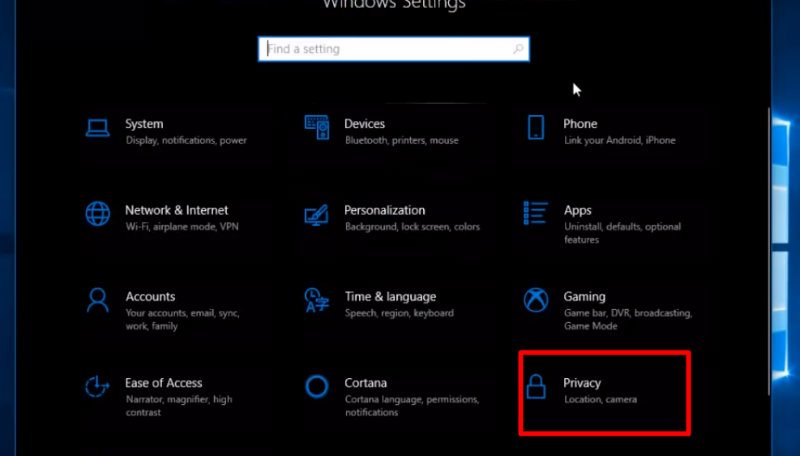
1. Go to “Settings” on your Windows device. Next, click on “Privacy.”
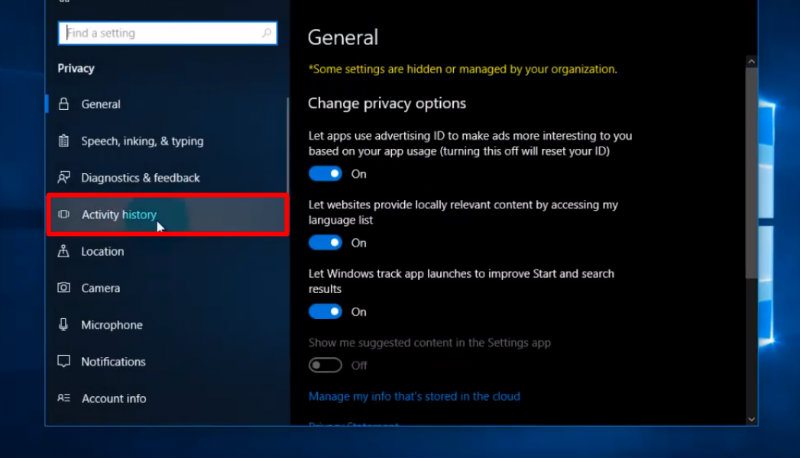
2. This screen shows a couple of new options. Select “Activity History.”
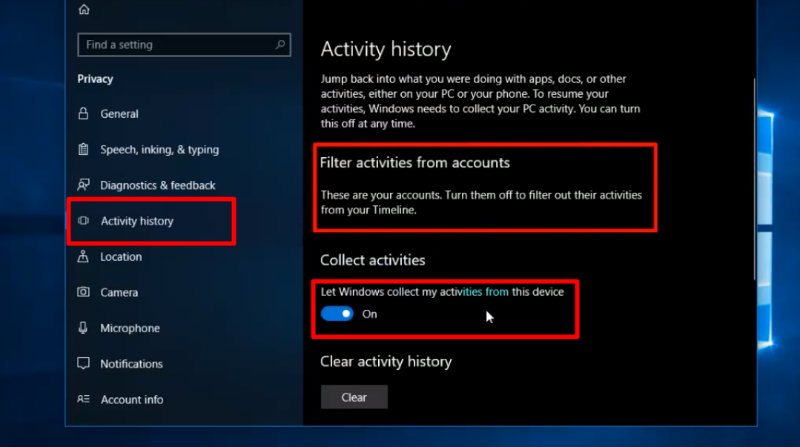
3. On this page there is a toggle button to switch the feature on and off. Under the “Collect activities” header switch on the button that says “Let Windows collect my activities from this device.” As soon as it is on, the Timeline feature begins to log your activities. Note that you must have a Microsoft account registered on the device to use this feature.
To test this feature, press the key combination Win + Tab. It will take you to the page of all your activities. Here you can scroll, search and filter all your Windows activities.
Sync Chrome and Firefox Activities
This method uses a third party application to allow Windows to log your Firefox and Chrome activities. As Windows 10 doesn’t include any native support, this is the only option left to use this feature.
1. Download the Windows Timeline Support extension for Google Chrome. The plugin is still in beta stage but works perfectly for this function.
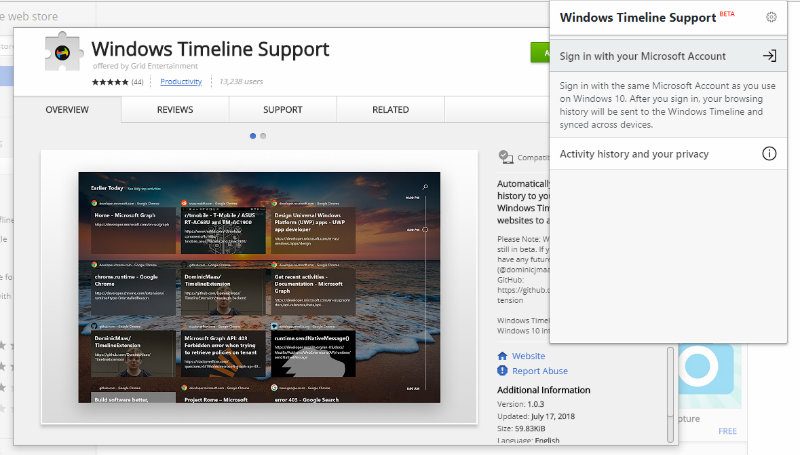
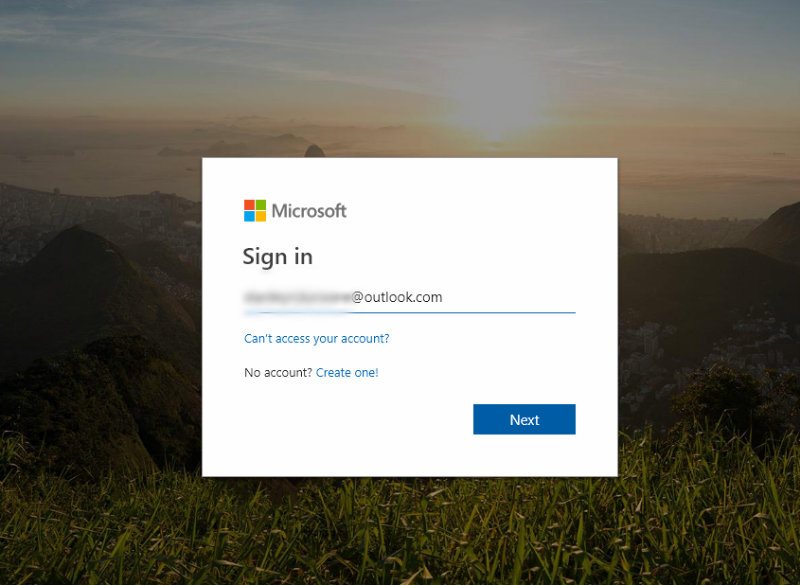
2. Open the plugin on your browser taskbar. Since you are opening it for the first time, you will see a prompt asking you to sign in with your Microsoft credentials. Take care to sign in to the same account you use on your PC or this won’t work.
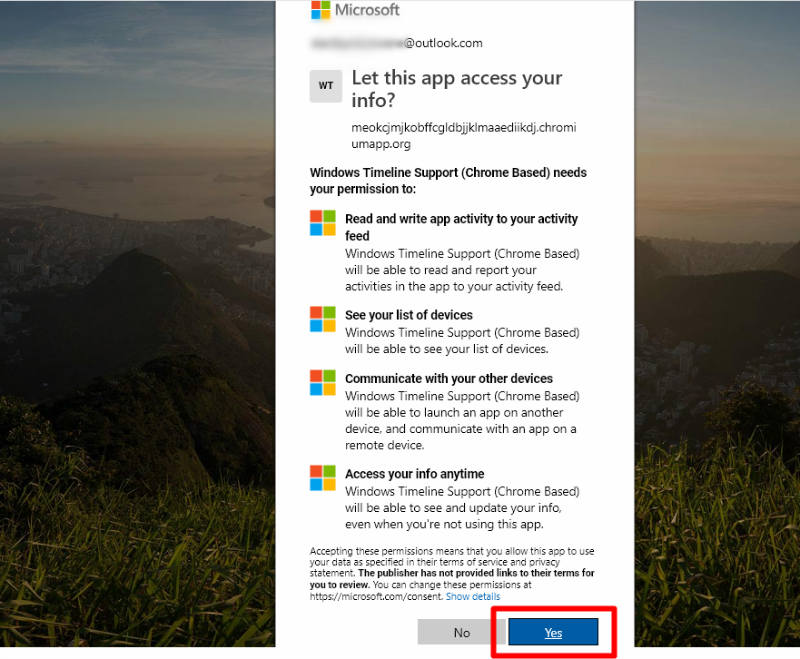
3. A new tab will open requesting that you give the extension/plugin some permissions. Click “Yes” to accept and close the tab. Now you are set.
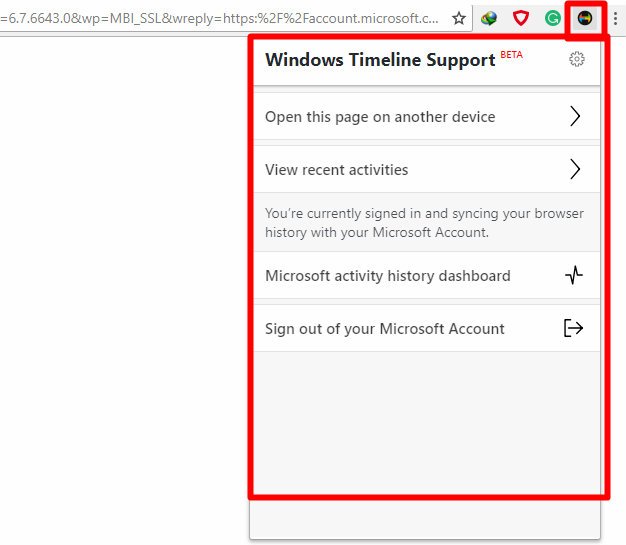
4. Go to the plugin on your browser taskbar. The plugin will now show a couple of new options to help you control your Chrome Timeline feature. You can also log out of your Microsoft account.
That’s all! Now you can see all your Chrome and Firefox activities listed in the Windows Timeline.
Bringing It All Together
The Windows Timeline feature is a powerful productivity helper that blends in the personalization of your PC with seamless multitasking.
With the ultimate aim of integrating and personalizing your PC experience across all your devices, Timeline will surely be staying a while on the Windows platform. Give it a try and boost your productivity today.