

If you are someone who runs a newsletter, whether for business or pleasure, you know that one of your goals is to make that newsletter the easiest to read for as many of your subscribers as possible. You also know that you might be dealing with subscribers who read their email from many devices that come in different sizes. We’re talking anywhere from desktops and laptops all the way down to Androids and iPhone and many other smartphones. MailChimp is here to help.
MailChip has just recently released the news that users can now make use of a handful of mobile themes (more are coming soon) and a few very helpful mobile testing tools. Both of these combined should make creating mobile friendly newsletters a snap.
Mobile Newsletter Themes
Unless you would like to go ahead and design your email newsletters from scratch, coding included (you masochist, you), templates are a gift from heaven. Don’t worry, just because you choose to use a template, you don’t have to settle for a cookie-cutter newsletter design. You can first choose a template, then modify and customize it until it suits your fancy (and MailChimp user already knows this). MailChimp has just released some 14 to 15 mobile-friendly newsletter templates with a promise of many more on the way.
When you get to the design stage of your campaign, choose either basic templates (there are two basic mobile-friendly templates) or designer templates (there are 12 designer mobile-friendly templates). Make sure you glance down the left column and check off the mobile-friendly category so you get the whole list showing.
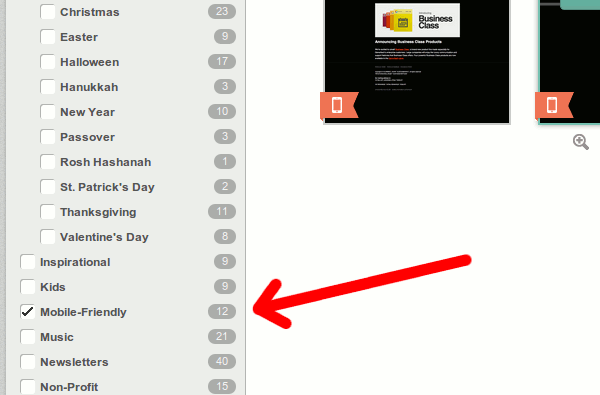
Personally, I like to choose from the more basic templates because I feel they give a cleaner look and I have more of a clean slate to customize from.
Mobile Testing Tools
An important part of getting that mobile-friendly newsletter looking just right is being able to test it. MailChimp has several tool that can help.
1. The “Mobile Styles” view while customizing
When you editing the design of the template, you can use the style editor. Within the style editor is a tab labelled “mobile styles.” When using this tab, you can view what the newsletter will more than likely look like on a mobile device the size of a regular smartphone.
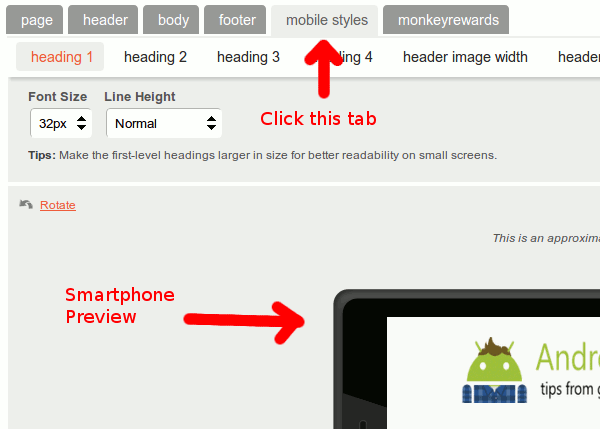
This is only an approximation but it should give you a good idea. You can rotate the preview at will which also helps. Go ahead and make design changes and watch the preview change in real time.
2. Preview and Test tools
MailChimp has a button labeled “Review & Test” which when clicked gives a list of options. Among those options are two tools that help test your newsletter’s mobile design.
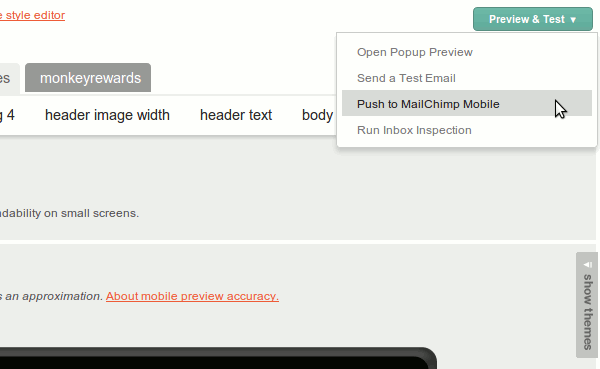
The first option is not necessarily a new one. You can Send a Test Email and you can manually test the design using your own device.
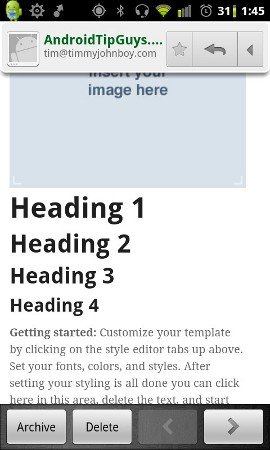
Finally, there’s the Push to MailChimp Mobile option. This requires downloading the app for your device (iOS, Android, etc.). Once installed though, sending a test view of the newsletter is simple. Just select it from the drop down and you’ll get a popup window with a send button.
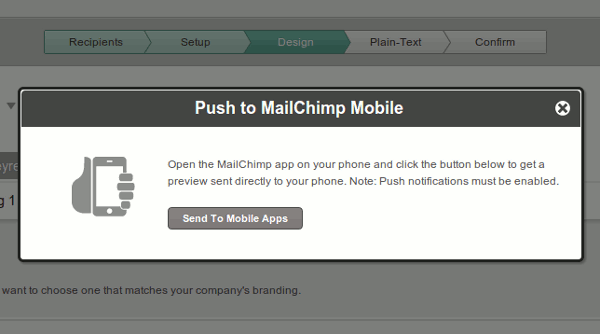
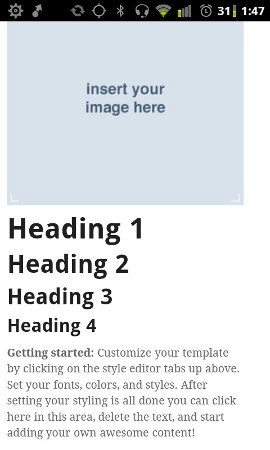
This gives you a very nice preview on your mobile device.
Conclusion
Managing a newsletter is complicated and involved enough without worrying about the design and many different devices subscribers use to read their email. MailChimp is getting ahead of the mobile curve and helping make the mobile newsletter design process simple.