


The online world can be full of dangers for children. Even if its depredation by adults of exposure to inappropriate content, your kids need some kind of filter between their monitor and the uncensored world of the ‘Net. Of course, you need to take the approach that works best for your unique children. Let’s look at some basic ways you can keep your kids safe online.
1. Talk About Online Safety Early
You’ve probably talked with your kids about staying safe in the three-dimensional world. Unfortunately, the same rules don’t apply for online interactions. Obvious danger signs that kids might pick up on in real life don’t show up through usernames and selfies. And many of the dangers in the online world are self-inflicted: children finding inappropriate content or writing something online that they can’t take back. Make sure they know that just being online doesn’t insulate them from the consequences of their actions. A good rule of thumb is to only do online what you would do in person.
2. Maintain an Open Dialogue
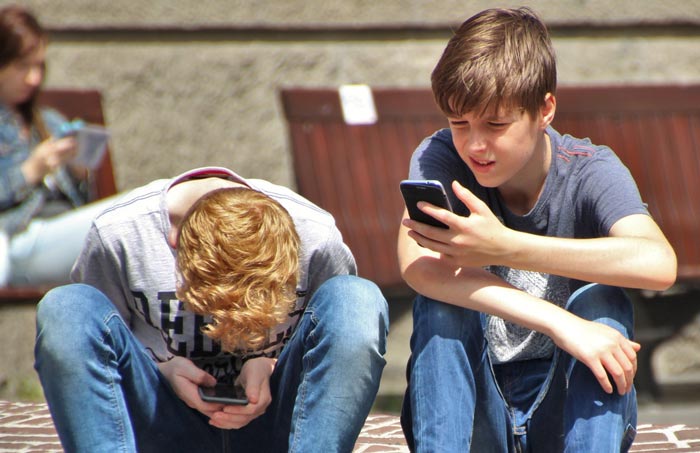
Your kids need to feel comfortable telling you about something bad happening. Paradoxically, giving your children some freedom can make it easier for them to bring problems to you. If you trust them a little, they’ll often repay you ten-fold. Extremely restrictive parenting styles can damage this trust, making kids feel like any problem they have will be met with discipline or disappointment rather than a solution.
3. Keep Content Age Appropriate

There are a variety of ways to keep the content your kid sees age appropriate. You can start by getting young children a tablet loaded with games and logged into Netflix Kids. As your children get older, they’ll need broader Internet access that grows with their maturity. But there’s little reason for a child of ten to a have a Facebook account. Tools like NetNanny and Qustodio can block destructive content, protecting young children from damaging material.
4. Monitor Internet Usage

Digital tools like kid-friendly browsers, anti-virus software and parental blocks have varying degrees of effectiveness and heavy-handedness. Blunt tools like broad content blocks are appropriate for young children but won’t work well with older children. Keeping the computer in an open space is a good way to make sure your kids aren’t getting into things they shouldn’t. You can also check out browser history periodically to make sure nothing’s amiss. This might feel like spying – it is – but children need someone looking out for them online until they’re old enough to do it themselves.
5. Lock Down Social Media Accounts

When your children are old enough for social media accounts, there are steps you can take to improve their security. Snapchat, for example, lets you limit contact to friends and eliminate strangers. Set Instagram accounts to private and lock down Facebook privacy settings. Don’t forget that every major company’s Terms of Service forbids children under thirteen years old.
6. Maintain Basic Security Tools
The most responsible kids are bound to make mistakes that the average adult makes. Even with the most pure-hearted of intentions, it’s possible to unintentionally install malicious software on the family computer. Make sure you have firewall and anti-virus tools running on your kids’ computer to protect them and their hardware. Also make sure you have the latest security patches and software updates to block the most recent exploits.
7. Look Out For Strangers
Kids probably don’t know how to deal with a message from a stranger on a social media platform. Most kids are trusting to a fault and will assume that whatever anyone says is true – unless you warn them otherwise. If a stranger tries to start a conversation with them online, they should let you know so a more experienced person can handle the situation. It’s crucial that your children feel comfortable coming to you about this. This will become even more important as kid-specific apps like Facebook’s Messenger Kids grow in popularity.
Also read: Useful Apps to Aid Parental Control in Linux
8. Set Sensible Screen Time Limits
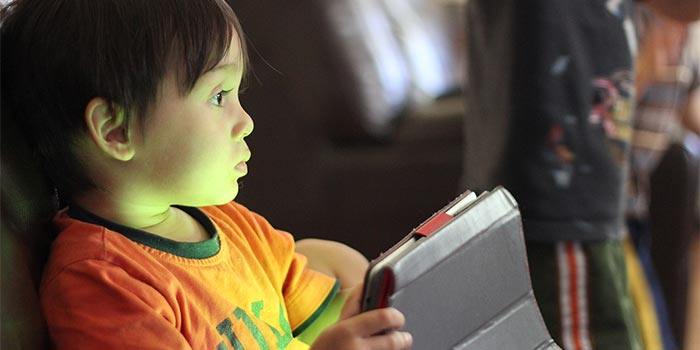
Most experts agree that kids’ screens should be limited. For young children, the Mayo Clinic says that unstructured play is more cognitively beneficial than watching digital content. For children between two and five years old, one hour of quality content should be the limit. After that a one-size-fits-all approach breaks down; you’ll need to set limits based on your experience with your children.
Don’t Introduce Technology Too Early
Television has long been a life-saver for busy or exhausted parents: it’s not called a virtual babysitter for nothing. But make sure you’re only presenting technology to the kids when they’re ready for it. The Mayo Clinic recommends waiting until eighteen to twenty-four months.
Conclusion
It’s impossible to completely control your children, whether online or not. But if you follow some basic precautions, you can rest a little easier.
Image by Children at school