

The latest version of Ubuntu has removed Evolution and replaced it with Thunderbird. For those who are first time using Thunderbird, you will discover that, unlike Evolution, Thunderbird doesn’t come with a Calendar/Task feature. You are not able to add any events/tasks, not to mention the integration of Google Calendar. However, the good thing about Thunderbird is that it supports add-ons and the great number of add-ons in its library makes it one of the best email client around. In this tutorial, let’s take a look at how you can set up Calendar in Thunderbird and integrate Google Calendar with it.
Note: The Thunderbird version used in this tutorial is version 7.01. If you are using older or the bleeding edge version, I can’t promise that this tutorial will work.
Setup Calendar in Thunderbird
Out of the many calendar add-ons in Thunderbird, Lightning is the best. It adds a full feature calendar system to Thunderbird and it integrates so well that you don’t even see the differences.
1. Open Thunderbird. Go to “Tool -> Add-ons”. Search for Lightning.
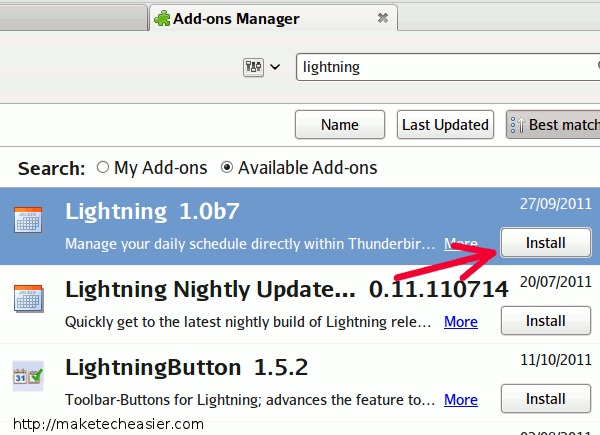
2. Install Lightning. Restart your Thunderbird.
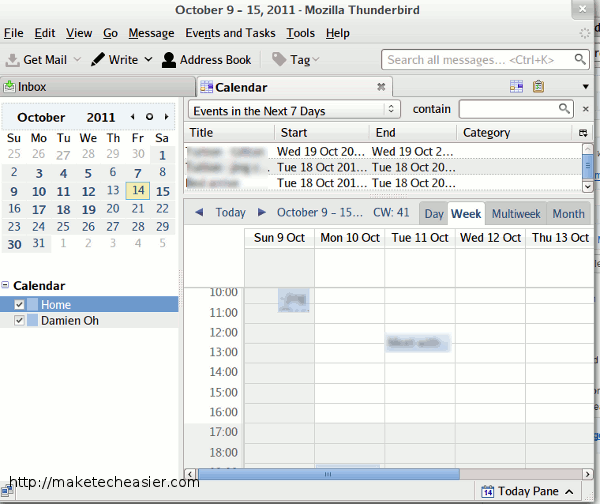
3. You should see a new “Events and Tasks” option in the menu bar. Go to “Events and Tasks -> Calendar” and the calendar will show up in a new tab. You can start adding events and tasks to your Thunderbird.
Integrating Google Calendar to Thunderbird
Now that you have set up Calendar in Thunderbird, the next step is to integrate Google Calendar to Lightning. Provider for Google Calendar is one good add-on that can get the job done.
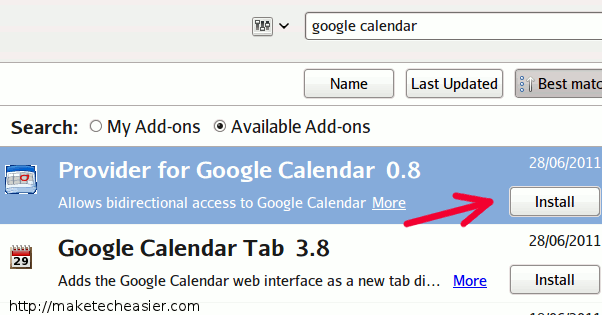
1. In Thunderbird, go to “Tool -> Add-ons” and search for “google calendar”. Scroll through the list to find “Provider for Google Calendar” and install it. Restart Thunderbird.
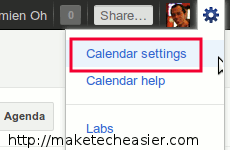
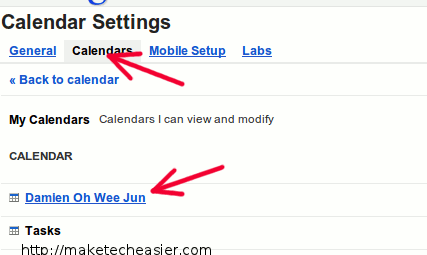
2. Next, open your browser and login to your Google Calendar account. Go to “Calendar Settings”.
3. Click on the Calendar tab, follow by the calendar that you want to integrate to Thunderbird.
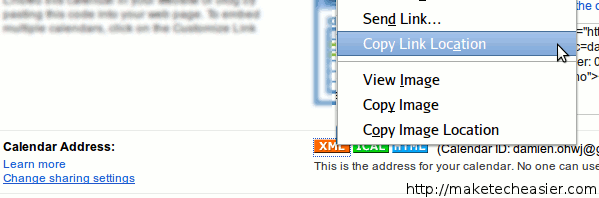
4. Scroll down till you see the “Calendar Address” field. You should see three icons beside it, with the label XML, iCal, HTML respectively. Right-click at the XML icon and select “Copy Link Location”.
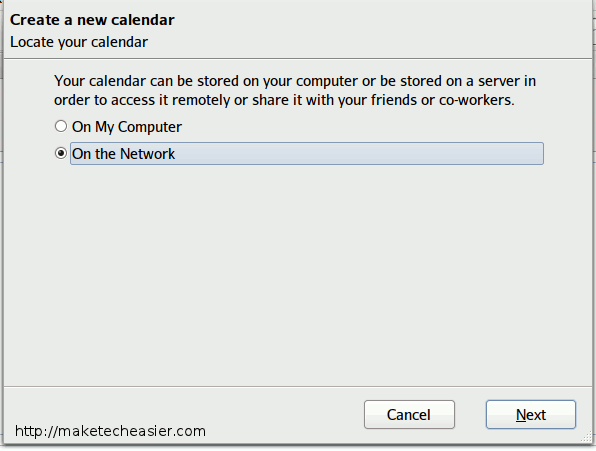
5. Go back to your Thunderbird. Go to “File -> New -> Calender”. On the popup window, select “On the network” and click Next.
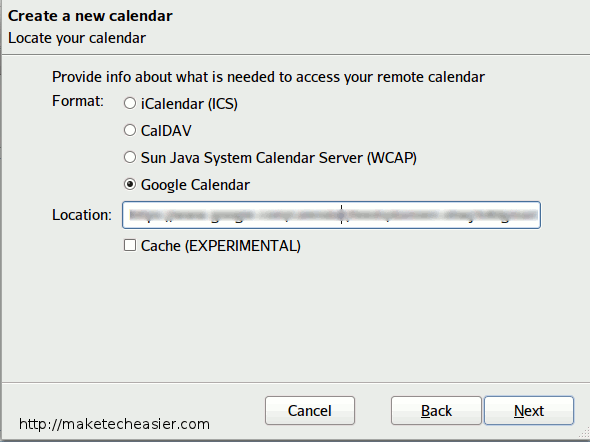
6. In the next window, select “Google Calendar” and paste in the link that you have copied earlier.
7. Give your new calendar a name and set the color.
8. Enter your Google username and password. You might want to check the box “save password in Password manager” so it won’t prompt you for password in the future.
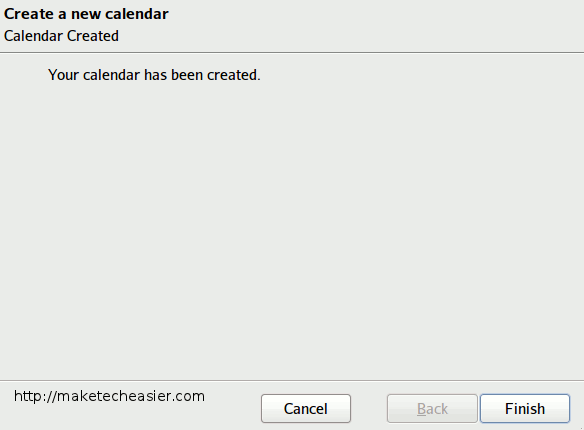
9. Lastly, once you see the “Your Calendar has been created” message. You are done integrating your Google calendar to Thunderbird.
Repeat the same steps for each and every Google Calendar that you want to add to Thunderbird. The “Provider for Google Calendar” supports a two-way sync, so you can add/edit events and tasks in Thunderbird and have them synced back to the Google server.
That’s it. What other ways do you use to integrate Google Calendar to Thunderbird?