
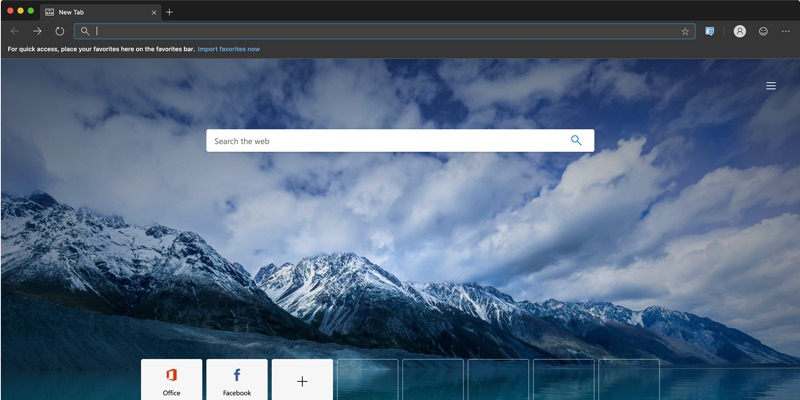

For those of you who are frequent users of Microsoft Edge on Windows and also own a Mac, you’ll be happy to know that Microsoft has recently announced their intentions to bring Edge to macOS. This macOS version of Microsoft Edge is built on Chromium and will be officially available for downloading soon.
In the meantime, the developer previews of Microsoft Edge are available to download from the Microsoft servers, so if you want to test it, you can download and install it by using the guide below.
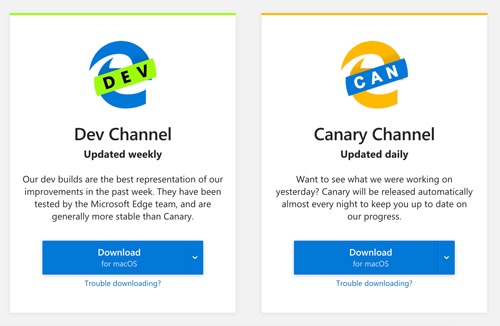
Microsoft has released two builds for the macOS version of Edge: the Canary build and the Developer build. The Canary build is updated daily to fix issues encountered by different users, whereas the Developer build is updated weekly.
The updates for both builds are offered through the browser itself (similar to what Chrome does), so you won’t really be disturbed by updates. While both the build versions have been found to be quite stable in our testing, you must know that this is still a preview (a developer app) and hasn’t been officially released as the complete app by Microsoft yet. You might face some issues while using the browser. It is also not recommended to use it as your primary browser.
Installing the build is quite easy:
1. Navigate to Microsoft’s website and select the Microsoft Edge preview build you’d prefer to download. The beta version is not yet available, so you have the Dev and Canary versions to choose from.
2. Once downloaded, simply install it into the “Applications” folder (or any other preferred location) as you would do for any native app.
3. Once the app has been successfully installed, you can open it from the Applications folder.

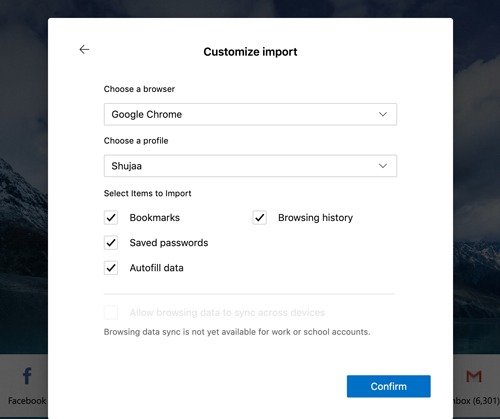
4. If you have Chrome installed on your Mac, Edge will automatically import all data (bookmarks, browsing history, saved passwords, etc.) from Chrome to give you a little help to start using it. You can also choose to “Start from Scratch” if you wish to do so.
Microsoft has been working on the design UI to make the app feel like a native Mac app alongside adding Mac keyboard shortcuts. (I don’t think an app can ever be complete without shortcut support.) The macOS app also features a dark mode which brings support for Apple’s native Dark Mode. Similarly, privacy controls and other additional features are in the pipeline for future Edge versions (both Windows and Mac), so expect them to be added soon.
There’s no confirmed (or tentative) release date for the final version yet, but since the developer builds have been made available to the public, we’re expecting it to be not so far off. Stay tuned to our website for more updates.
If you’ve downloaded and tried Microsoft Edge on your Mac, do let us know what you think of it in the comments section below!