

Whether it is “Incognito Mode” or “Private Browsing,” most Internet browsers offer a privacy mode which changes how your browser behaves. But a lot of people don’t know that there is such a mode, let alone why you might use it.
The good news is that incognito mode is easy to activate in any browser, and there are good reasons to want to protect your privacy. But anyone who wants to use this mode needs to first understand that “private mode” is not as private as that label may claim.
Private Browsing and its Benefits
So what is private mode? When you normally browse the Internet, your browser saves your history and cookies whenever you visit a webpage. This can be convenient. If you visit a particular website once and want to come back to it later, then your browser can bring up the website without you having to type in the exact URL.
But sometimes that is not a good thing. If someone else manages to gain access to your computer, they can see your browser history for themselves. And if you have saved passwords to important websites on that browser, then they could gain access to those websites as well.
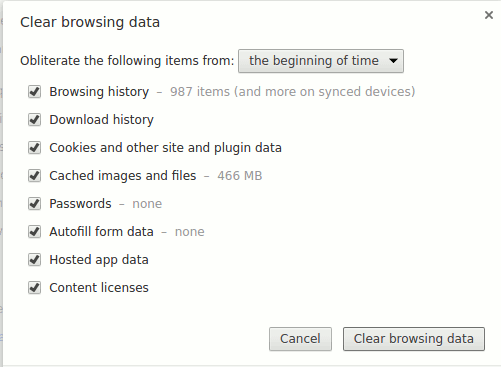
Private mode prevents your browser from saving your history and will often not save other data such as Downloads and Cookies. With private browsing you can feel a bit more secure that your history and information will be protected, (They are deleted once you close the browser, so there is nothing to be protected.)
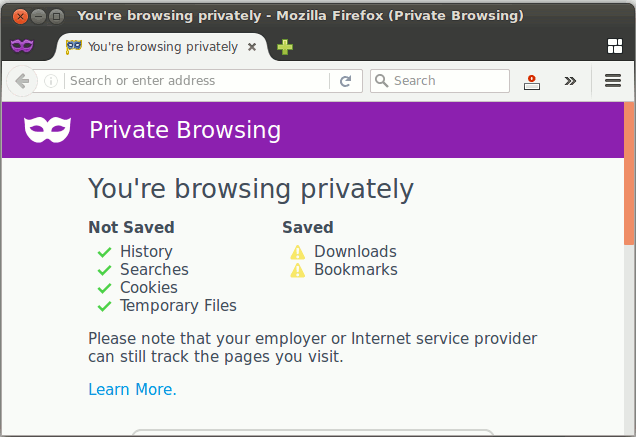
Every browser has a guide for how to activate private mode, but doing it is rather straightforward. For Google Chrome and Mozilla Firefox, all you have to do is find the browser’s menu and select a button which will say either “New Incognito Window” or “New Private Window.”
Mobile phones also have a private browsing feature, though it is easier to activate with an iPhone rather than an Android. An iPhone requires doing nothing more than heading to your browser’s Settings and checking a tab for “Incognito mode.” This method will work for some Android phones, but it can vary from device to device and browser to browser.
Not quite so private
Private browsing can help protect your private information to some degree, but it is not perfect. In fact, it will not protect you from some of the big online privacy threats you may be worried about because while your browser cannot track you when you are in privacy mode, other things can.
These other things include the websites themselves, your Internet provider, and even keyloggers. Search engines can remember your search history (and yes, they will know who you are if you are logged in, even in Private mode). If you are using a work computer, then your employer will be able to track down your browsing history as well.
But that does not mean that private mode is useless. If you are using the Internet on a computer which is not your own, then you should use privacy mode. That way anyone else who logs in later cannot find what you did.
And sometimes you may be searching for something which may be potentially embarrassing. This could include looking for treatment for some medical condition or other personal problems.
While there are other methods which could better protect your privacy such as Tor or a VPN, privacy mode is easy to use and offers adequate protection for most situations you might encounter.