


When it comes to privacy online, few people know how to protect their information and data. That’s why we’ve decided to create this article. It’ll go over some of the basic privacy habits everyone should pick up – everything from the importance of HTTPS, to social media habits, to encryption is mentioned!
Please keep in mind that this is not a definitive list. Chances are as the Internet evolves we may need to add to this list or create another one entirely! As usual, feel free to add any sort of additional privacy tips into the comments!
1. Don’t trust a website that doesn’t offer HTTPS
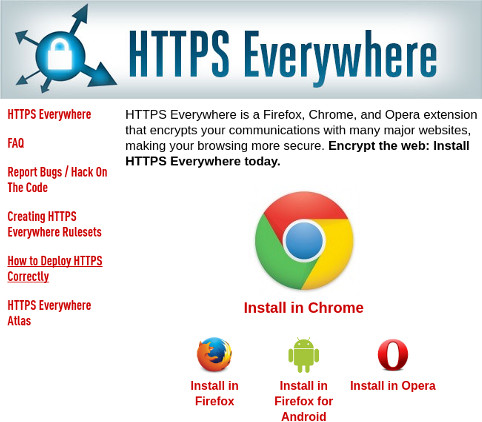
As websites get more and more vulnerable to attack or snooping, it’s always important to try to avoid websites that do not offer any sort of HTTPS mode. If you’re using regular HTTP, any information entered into this website could be easily siphoned without your knowledge. With HTTPS encryption, this is not the case.
Don’t worry, there’s no need to dig through every single website you visit to force it into HTTPS mode. Instead, the Electronic Frontier Foundation has made a useful browser extension called HTTPS-Everywhere. What does it do? It forces a website to use HTTPS if it has it. Install it for most mainstream browsers by following this link.
2. Don’t share any personal information on social media

Social media is a thing of wonder. With it you can connect with friends in different countries speaking different languages all at the click of a button. Still, as impressive as this new media is, it comes at a cost. When you share personal details like your home phone number, address or other sensitive information, your friends may not be the only ones who can see it.
This problem can be neatly avoided by just changing privacy settings on your social media profiles, but it doesn’t really get at the mentality that needs to be corrected here. Even if you have a secure profile, you should never share personal details online.
3. Turn “Do not track mode” on in your browser
Advertisements. They make the Internet go round. If they didn’t exist, a lot of websites would have a serious funding problem. There’s a funny thing that comes with Internet advertisements now, though. They’re increasingly monitoring user behavior and getting incredibly creepy with gathering data.
And it’s not even just advertisements. Have you ever seen a Facebook “share” or “like” button? Chances are Mark Zuckerberg and his friends knew exactly what website you were on and passively tracked your browsing activity on any websites you visited. All to then take this information to serve you ads on – you guessed it – Facebook. The song remains the same with a lot of similar sources, too, not just Facebook.
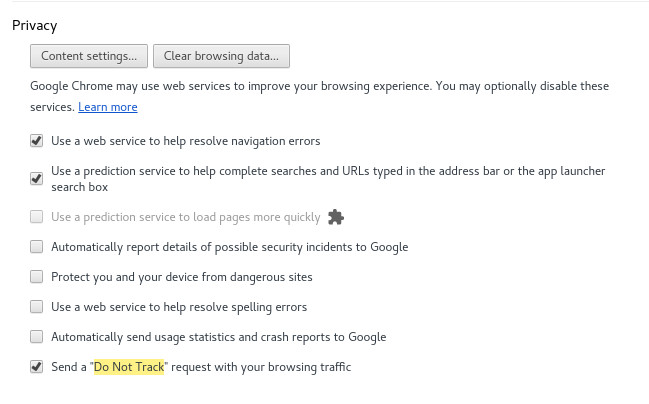
This is why it’s very important to dig into your web browser and enable the “Do not track” option. Most, if not all, mainstream web browsers out today have this setting in one way or another. With this option enabled it’ll be increasingly harder for websites to track your activity with various technologies.
4. Stay away from sites that ask for personal information in exchange for “rewards”

A lot of marketing and research centers online routinely ask people for their opinion on things in exchange for rewards, cash, or entries into sweepstakes. Sometimes these questions are mundane, but other times the questions can be very invasive – often without much reward or benefit for you.
Be weary of giving out your personal information or anything relating to your identity, as it’s very hard to verify the trustworthiness of these types of websites. Sure, a case can be made that some websites like this are totally trustworthy, but it’s better to just avoid all of these as a rule.
5. Keep your Web presence secure
When using the Web you should take all the necessary steps to make sure your online interactions are as secure as possible. This can range from simple steps such as setting up two-factor authentication with your Twitter, Google, or Facebook account, to installing browser extensions (like Privacy Badger or Disconnect), to using a service like Lastpass to generate more secure and complex passwords.
6. Use encryption on your operating system or data when possible
Encryption is a very useful technology for those looking to stay secure and private. Whether you’re just looking to encrypt your phone, your data, or your computer, the message is clear. When your devices and data are encrypted, they are more private. Snoopers or hackers will have a much harder time harvesting personal information from you if your stuff is locked away with a key.
Conclusion
Though user privacy is certainly not at the top of the list when talking about the Internet, there’s no question that it should be. I hope that with the help of this article you will take some of these suggestions into consideration and work to make your online experience more private and secure.
Image Credit: Yuri Samoilov