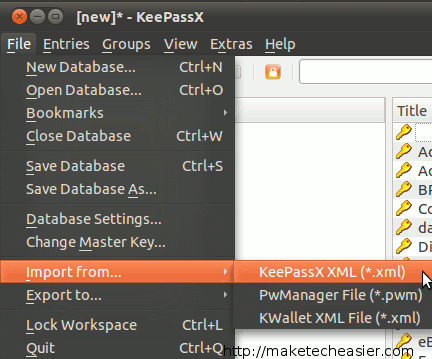
KeePass (KeepassX for Linux) has always been my favorite password manager. It works in all platforms, including portable USB drive and can generate secure passwords and store them securely. One thing that it doesn’t support is a browser plugin that can detect the site you are visiting and auto-fill the login field for you. For that matter, I used LastPass. LastPass is an online password manager that works in (almost) all browsers. You just have to visit the site and it will auto-login for you.
Now, if you are like me, already have a huge database of password stored in your KeePass (or KeePassX), you won’t want to enter individually to LastPass. Similarly, if you are using LastPass and intend to switch to KeePassX (because LastPass don’t support desktop app password), you will be looking for ways to import/export your password database from one to another.
Import KeePassX password to LastPass
Note: I am using KeePassX (the Linux port of KeePass), so this tutorial will be based on KeePassX.
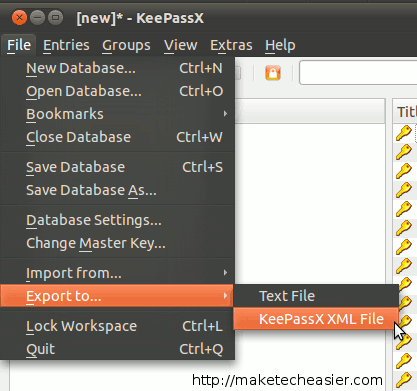
Open your KeePassX and log into your database. Go to “File -> Export to -> KeePassX XML File“. Save the file to your desktop or Home directory.
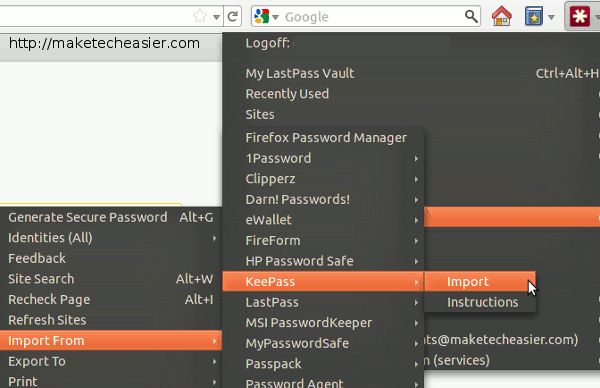
Open a Firefox browser and make sure you have LastPass installed. Click on the LastPass button and go to “Tools -> Import From -> KeePass -> Import”.
When prompted, select the keepass.xml file that you have just exported. LastPass will scan the XML file and ask you which passwords you want to import.
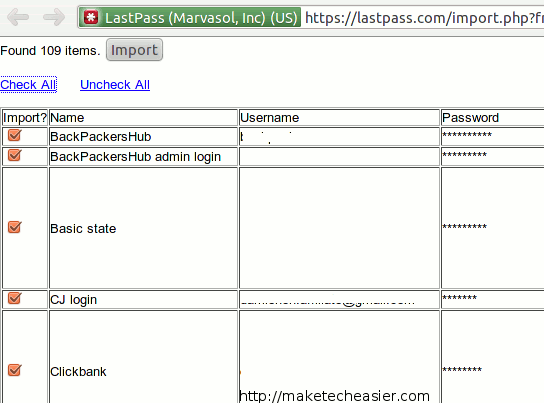
Select the password(s) you want to import and click “Import”. That’s it. Your KeePassX password is in LastPass now.
Note: I have tested it on Google Chrome and it doesn’t work. It could be due to my browser configuration or issue with the LastPass extension. I didn’t verify it. I got it working fine in Firefox.
Import LastPass password to KeePassX
The method to import LastPass password to KeePassX is not as straighforward because the LastPass export format is not supported by KeePassX. We can however use a conversion script lastpass2keepass to convert the password format.
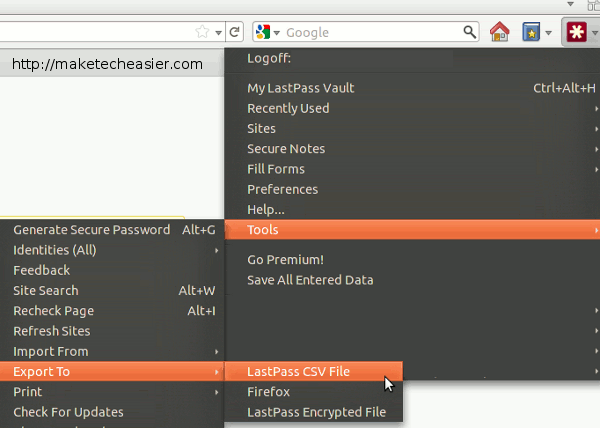
First, in Firefox browser, click on the LastPass icon and go to “Tools -> Export to -> LastPass CSV file“. Save the file to your Home folder.
Next, download the lastpass2keepass script, extract the files and move the lastpass2keepass.py file to your Home folder. (You must make sure that the LastPass export file and the lastpass2keepass.py file are in the same folder)
Open a terminal and type:
chmod +x lastpass2keepass.py
python lastpass2keepass.py lastpassexport keepass.xml
Remember to replace the lastpassexport to the Lastpass export filename.
If everything goes smoothly, you should have a lastpassexport.export.xml file in the same folder. This will be in KeePassX format. Now open your KeePassX and import this XML file in.