

With the evolution of cloud based file hosting services, more and more users are attracted to online file back up services which allows you to store files on the cloud.
This is because a 260 GB hard disk is not enough anymore. You need more and more space and most importantly, you want to access those files from any computer you want.
With an online file hosting service, you can sync all your computers and mobile devices with ease. One of the very popular services is Dropbox. The free plan of Dropbox allows you to store up to 2 GB of data in the cloud and the pro plan costs $9.99 a month for 50 GB while $19.99 for 100 GB of space.
If you are looking for a cheaper alternative of Dropbox, here is another web service called iDriveSync, which offers considerate plans with more space.
What makes IDriveSync better than Dropbox?
IDriveSync offers a similar free plan for general users, which allows you to store 2 GB of data and sync them across multiple computers. What makes the service a strong Dropbox alternative is the Pro plan – with only $4.95 a month, you get unlimited sync space !
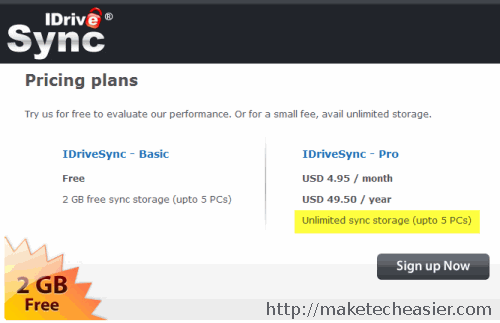
This is surely a great option for power users who work with a lot of data and want more storage space with cheaper pricing.
IDriveSync supports sharing files with anyone via email address, allows web access to your files, apart from synching them across multiple devices. It has all the features of Dropbox, so if you want a pro backup service with unlimited space, IDriveSync is the way to go.
The only downside of IDriveSync is that it is available only for Windows and not for OSX or Linux.
Using IDriveSync to Sync Files Between Multiple Computers
1. First you have to sign up for an account here. After you have signed up, download the IDriveSync client here.
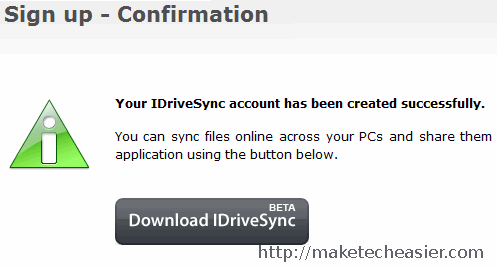
2. After successfully installing the client on your system, you will see the following screen:
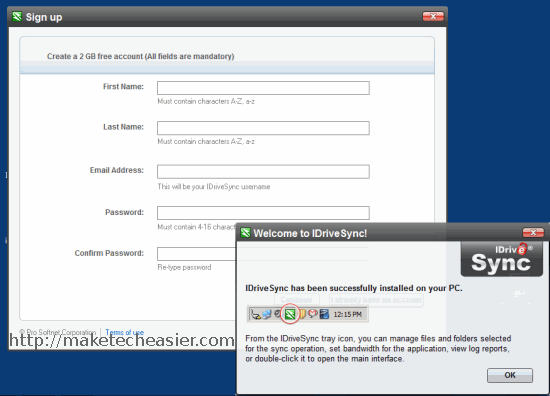
3. If you have already signed up for an account, click” I already have an account”. Otherwise sign up for an account by filling in the necessary credentials, e.g name, email address, password and so on.
4. After the sign up is complete, login to the IdriveSync desktop client.
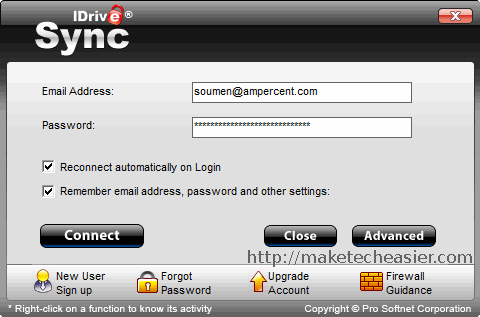
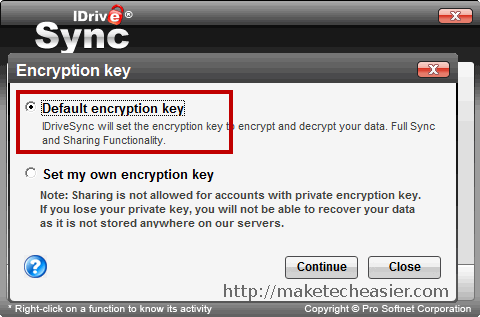
5. In the next screen, choose use “Default Encryption key”. Please note that sharing files and folders with other users is not permitted if you choose a “private encryption key”.
Important: If you lose the private encryption key, you will not be able to recover the data stored in your IDriveSync account.
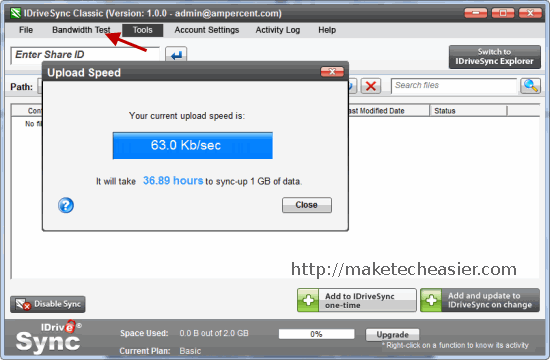
6. Next, you will be shown the main interface of IDrivesync. It’s advised to perform a bandwidth test from the options, this will allow you to check your internet connections upload and download speed.
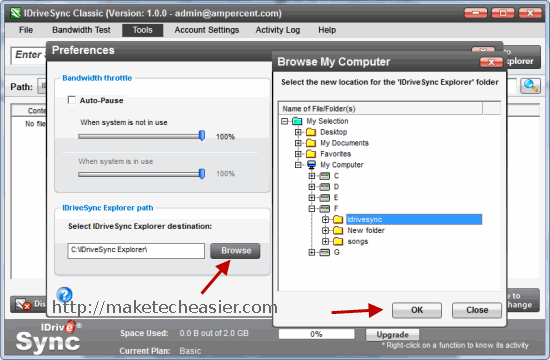
7. Go to program preferences from tools and select a local folder in your computer. This folder is your IDriveSync folder and will be used to sync files from your computer to the IDriveSync account.
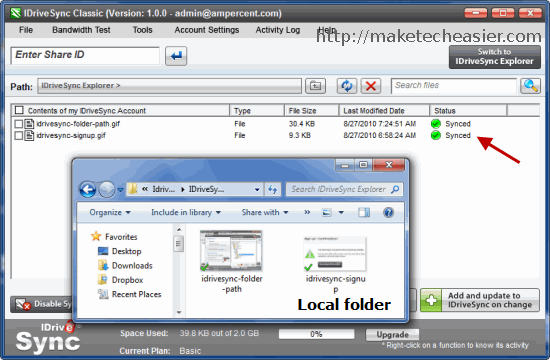
8. You are done with the settings. Now simply drag and drop files and folders in the IDrivesync main window and it will be synced with your online IDriveSync storage.
9. Sharing individual files or folders is easily achieved, just right click the file from the program window and choose “Share”.
This will open a pop up window where you can specify the email address of the person with whom you want to share the file or folder. Your friend does not need an IDriveSync account to download the shared file.
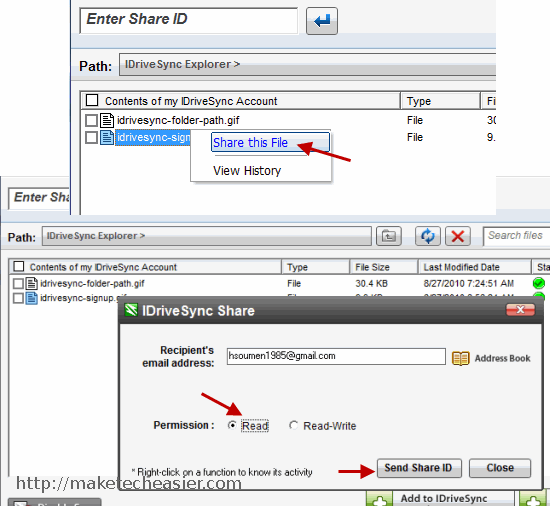
The best part about IDriveSync is that it allows you to choose between “Read” and “Read and Write” permissions so that the collaborators may either download or use the file, or they can update the older version with a newer one ( having write access).
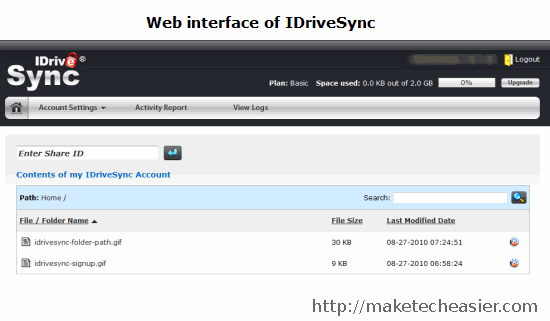
The web interface of IDrivesync allows you to view, download or share your files and folders. Here is how it looks:
Overall, I am really impressed with IDriveSync service and the fact that it allows unlimited sync space for only $4.95 a month, it is undoubtedly a strong competitor of Dropbox.
Do you use any other online sync service ? What do you think about IDriveSync ? Please share your ideas through a comment.