

If you’re here because you want to learn how to refund a game on Steam (and what the rules and restrictions are for doing so), you’re in the right place! Whether you’re looking to return an unwanted gift or just having some buyer’s remorse, we have you covered.
Before we jump into the process, let’s take a look at which games are eligible for refunds.
Which games are eligible for refunds?
To maximize your chances of a Steam game getting refunded, you need to request the refund within two weeks of purchase and have less than two hours of gameplay on the title in question. If you meet both of these requirements, you are most likely to get the refund approved by Steam Support when you attempt it.
However, Steam Support is allowed to make refund decisions of its own discretion. Once you’re past two hours of playtime, your chances of a refund are dramatically reduced unless the game is known to have severe technical issues.
Once you’re past two weeks from purchase, refund requests will almost never work.
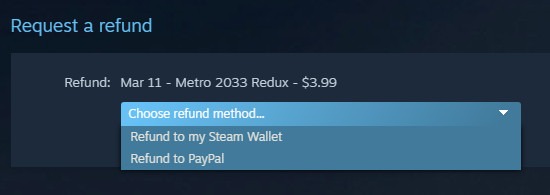
If your refund request is approved, you can have the amount refunded to either your original payment method or your Steam Wallet. If you choose to refund to your Steam Wallet, you’ll get your money back faster but will only be able to spend it on other Steam games, items, etc.
Can gifts be refunded?
Let’s face it: not every Steam game you receive as a gift is going to be a great one. If you have no plan of playing the gifted game and want the financial value instead, you can have it refunded as long as you aren’t violating the two hour/14 day rule. The refund process is essentially identical, but the recipient has to initiate it, and the buyer has to confirm the refund. Once the refund is confirmed, the amount paid will be refunded to the buyer’s original payment method or Steam Wallet.
Enough of the rules talk: here’s how to get your refund!
How to Refund on Steam
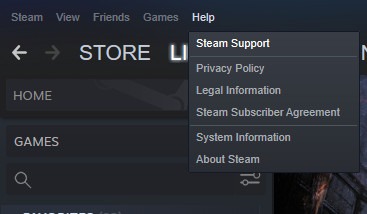
First, open Steam and click “Help,” then click “Steam Support.”
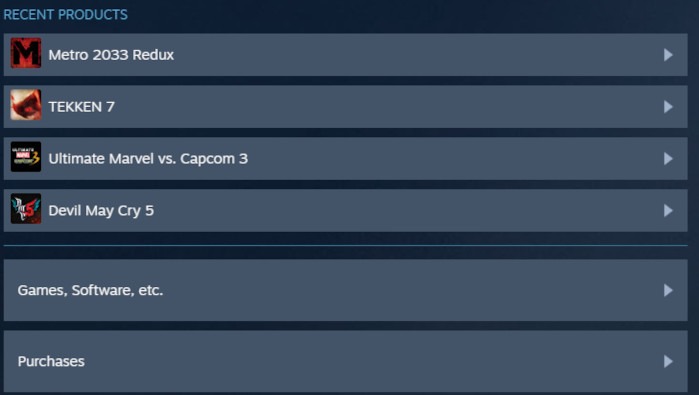
In Steam Support, you’ll see a list of recent products, as well as various buttons in a list just below them. If the game you want to refund is in recent products, go ahead and click that game’s entry here – if not, find it in Purchases, then proceed to the next step.
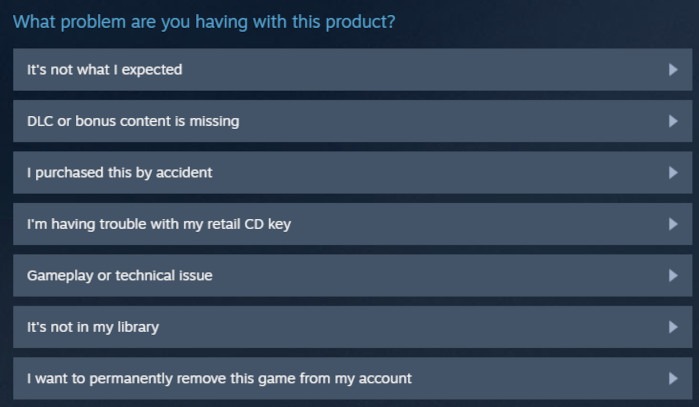
On the page for the game you want to refund, you’ll get a long list of options that should look something like the image below. To quickly submit a refund, you’ll want to select either “It’s not what I expected” or “I purchased this by accident.” Either option will give you the followup of submitting a refund.
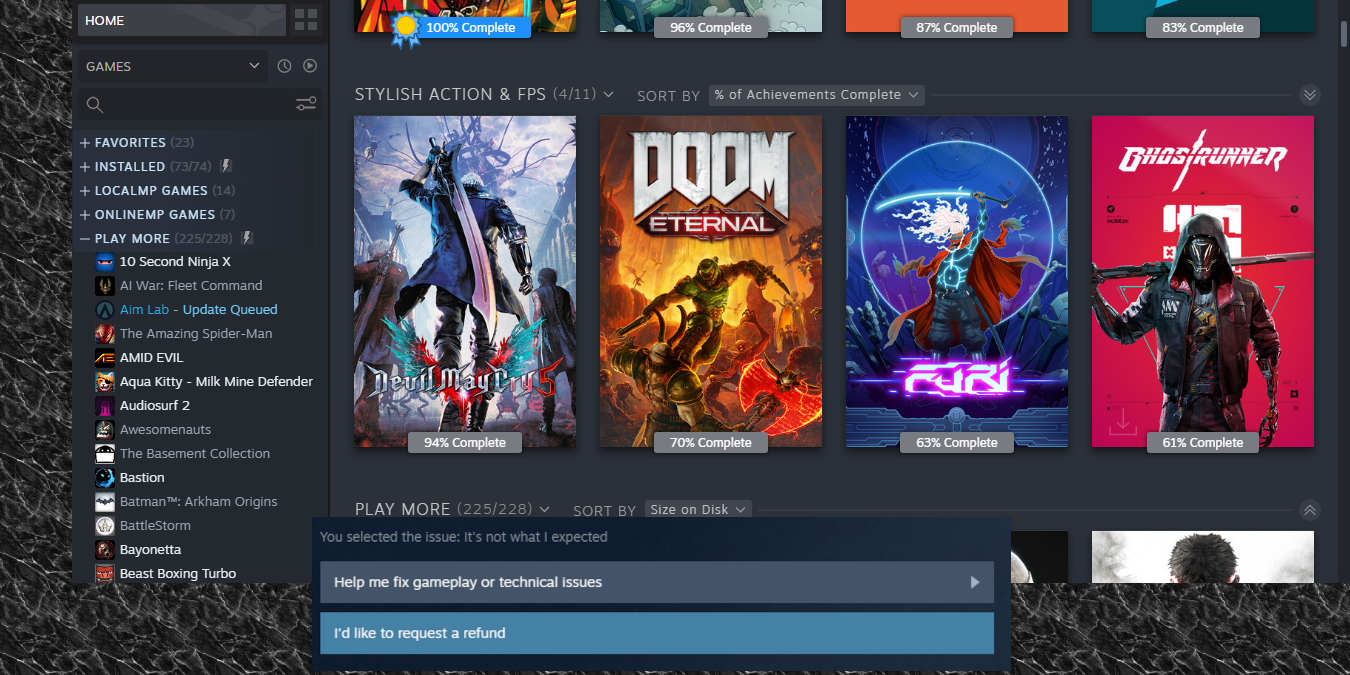
In the next screen, click “I’d like to request a refund.”
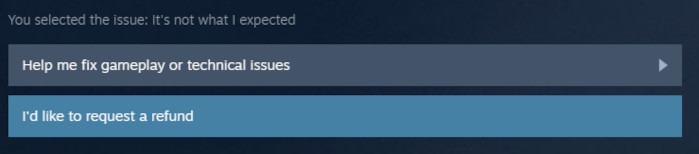
Steam will take a moment to check the refund eligibility of your game against the rules laid out earlier. If you pass, you can then choose to refund the game’s cost to either your Steam Wallet or the payment method used to buy it!
Wrapping Up
As you can see, it is easy to refund a game from Steam if it is within their refund policy. If you prefer to share your games with others, learn how you can share your Steam library with your family or fix your Steam games when they don’t open.