

In case you are not aware, Firesheep is a new Firefox extension that allows anyone to become a hacker instantly. With it installed, anyone can sniff in an open unsecured network the cookies of other computers. With these cookies, the hacker can get into the other party’s accounts (be it Facebook, Twitter or any other accounts) even when they don’t know username and password.
Before you went into a frenzy state, there are ways that you can use to protect yourself from being hacked.
Use a VPN on unsecured networks
Of course, the best practice is to stay off open unsecured network. But if you are urgently in need of an Internet connection and the nearest Starbucks is the only way you can get connected, you might want to consider using a VPN.
There are plenty of VPN service out there, mostly will cost you a small monthly fee. Those looking for free VPN service can check out IBVPN who give out free VPN accounts on a monthly basis.
Use Firesheperd on Windows
Update: The developer of Firesheep has feedback that this Firesheperd software might do more harm than good. Use it at your own risk.
If you are using Windows, you can also use the FireShepherd to block FireSheep. What it does is to make use of an exploit in FireSheep and floods the nearby wireless network with packets designed to turn off FireSheep. This will effectively shutting down nearby FireSheep programs every 0.5 sec or so.
Firefox
If you are a Firefox user, install the BlackSheep extension. What it does is to detect the presence of Firesheep (using fake session ID) and warn you about it. It does not protect you from being hacked, but at least it alerts you to the vulnerabilities of your connection.

In addition, you can force the Firefox to use SSL connection (whenever it is possible) using the HTTPS Everywhere extension.
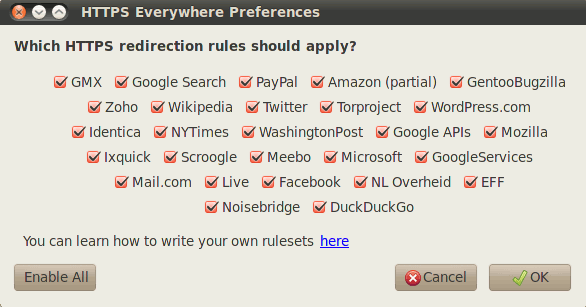
Sites such as Facebook, Twitter, PayPal have support for encryption over HTTPS, but most of them only enable it for the login page. For example, after you have logged in to Facebook, you will be redirected to the unencrypted HTTP page. The HTTPS Everywhere extension fixes these problems by rewriting all requests to these sites to HTTPS.
Google Chrome
Blacksheep is not available for Google Chrome yet, and the closest you can get to HTTP Everywhere is the KB SSL Enforcer extension.
Similarly, this extension redirects the user to HTTPS page whenever is possible. While it is not completely secure against the infamous Firesheep, it does minimize the risk greatly.
Gmail/Hotmail
Gmail has already default all its connection to use HTTPS, but it never hurt to double-check. In your Gmail account, go to “Settings -> Accounts”. Scroll down till you find the “Browser connection” option. Make sure that “Always use HTTPS” is checked.

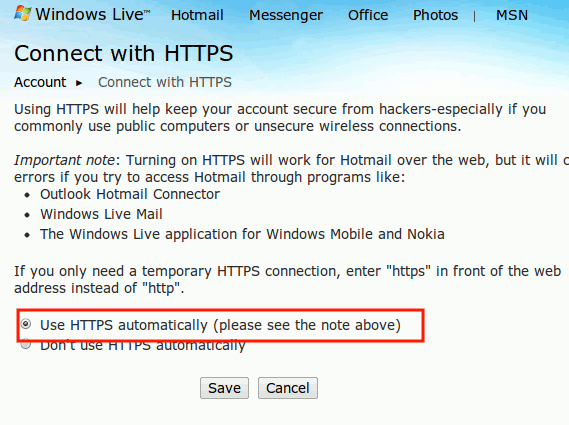
In Hotmail, you can also enable HTTPS by going to your Windows Live account and select the option “use HTTPS automatically“.
There are plenty of ways that you can use to protect yourself and the above mentioned is only a small list. How do you protect yourself from FireSheep? Or you don’t really care at all?
Image credit: Sultry